DF4510HD | DF4910HD | DDF4510HDV-IM/-SM | DDF4910HDV-IM/-SM
www.dallmeier.com 61
• Spot Light (spot metering)
The exposure metering is only carried out for the image section as dened by the user.
That area is then optimally exposed. However, the other image areas can be heavily
overexposed or underexposed.
This setting is recommended for scenes with extreme variations in brightness when a
specic image section is to be exposed absolutely correctly.
In order to dene an area for spot metering, proceed as follows:
Select Spot Light from the drop-down list Exposure Mode.
Click and hold the left mouse button and draw a rectangle (red) over the relevant im-
age area you want to dene for spot metering.
Release the mouse button.
Another click within the image removes the dened metering area.
Once the area dened for spot metering meets your requirements, click OK.
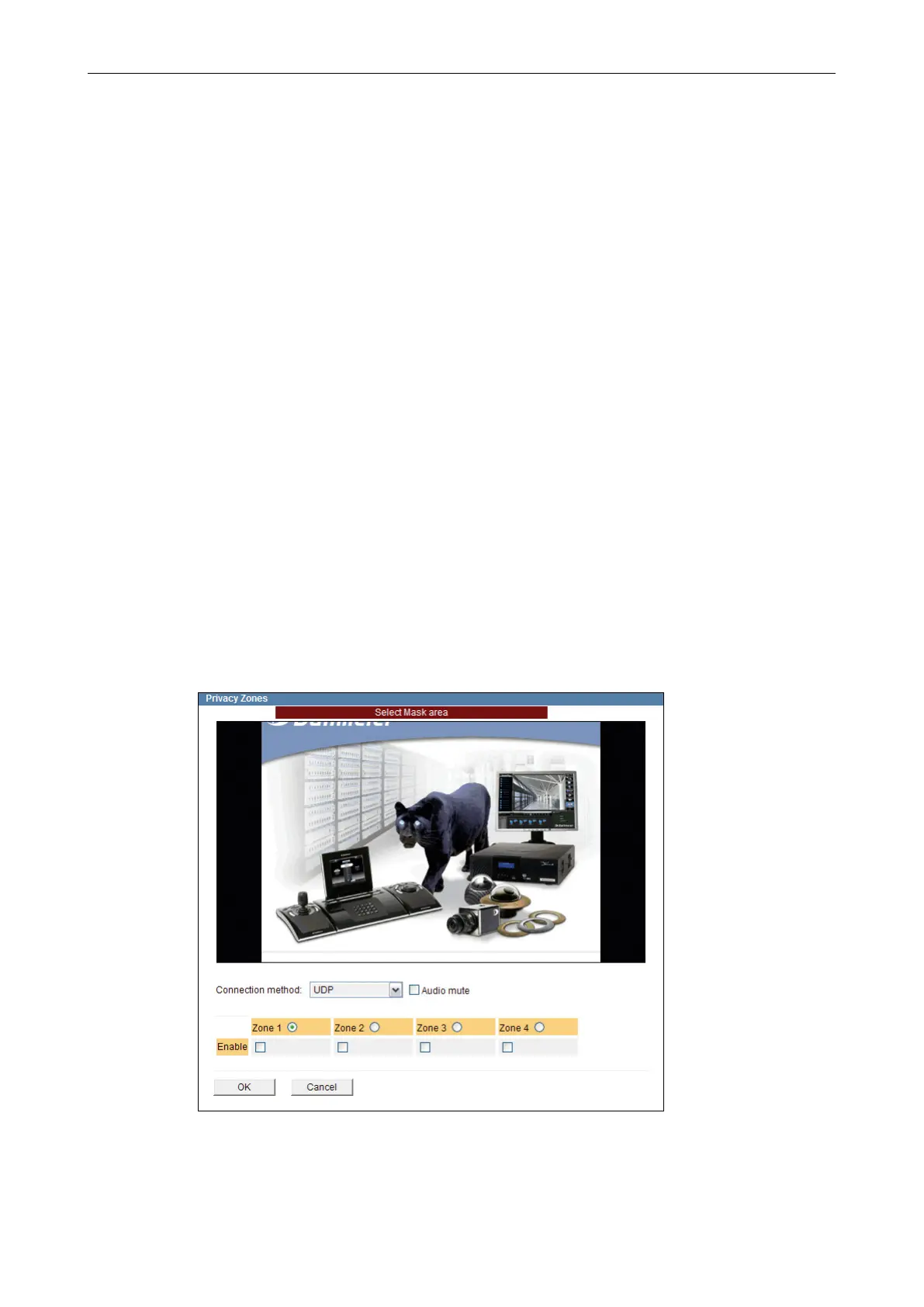
10.4 Privacy Zones
This function allows you to hide (mask) up to 4 user-denable areas in the camera to
ensure privacy protection and compliance with laws and regulations that prohibit certain
locations from being monitored and/or recorded. The dened Privacy Zones are then
directly blackened in the camera.
Note that the combined area of all active Privacy Zones can maximally amount to up to
10% of the entire image.
Open the Privacy Zones dialogue via Video > Privacy Zones ….
Fig. 10-5



 To Next Page