A·X·U·M User Manual Version 2.5 - 2011-01-28
AXUM from D&R - Phone: +31 294 418014 - E-Mail: info@d-r.nl - 40 -
6.1.13 Console presets
To recall a complete console you use the console presets, what exactly is recalled is depending on the
underlying configuration of:
- Source configuration
- Processing presets
- Module configuration
- Mix/monitor buss presets
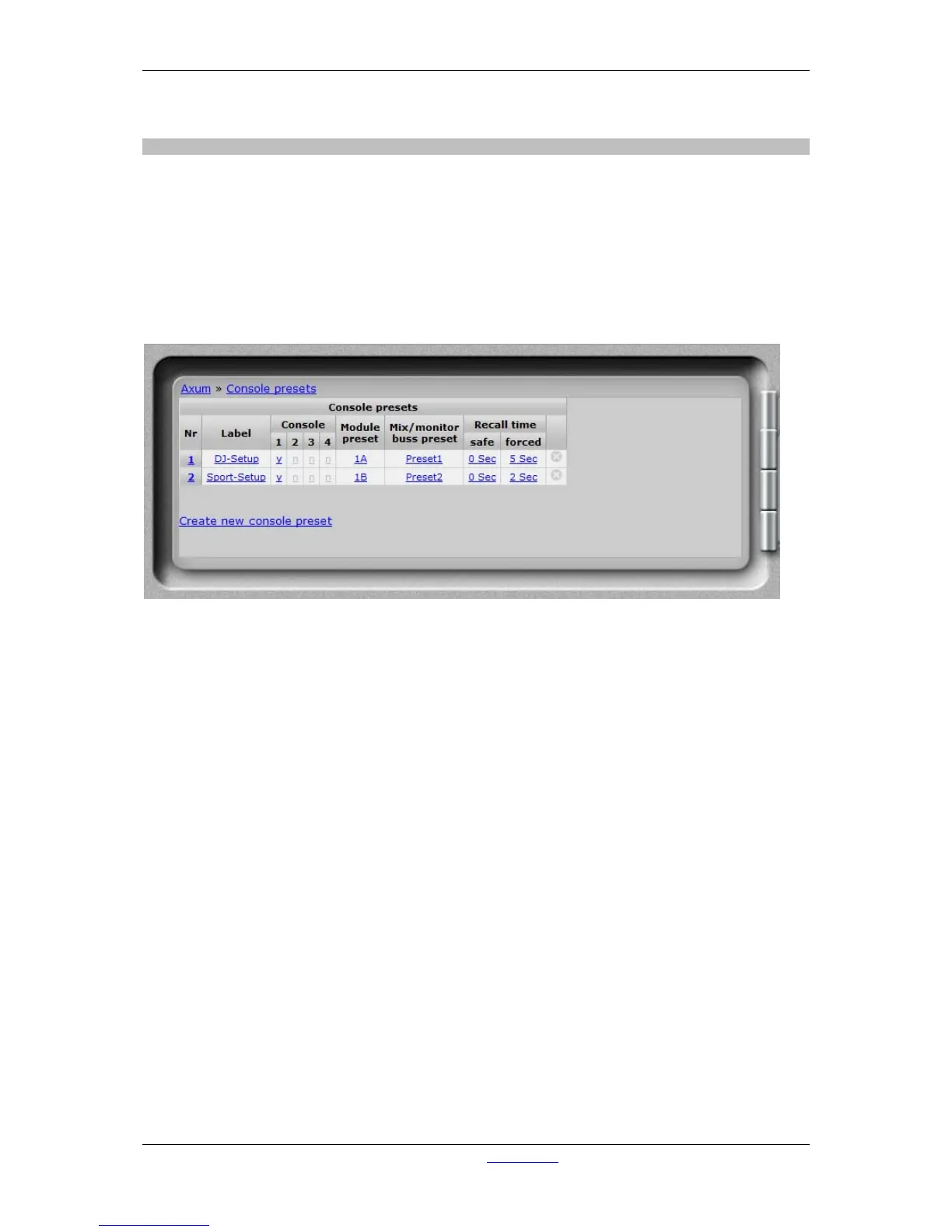
When a console preset is recalled it will set all modules to the module preset ‘A’-‘H’ as configured.
Secondly it will load the Mix/monitor preset as given in the console preset.
Figure 23: Console presets
• Nr
Here you can reposition the preset to make the list in a convenient order.
• Label
Name of the preset.
• Console
Select to which console or consoles this preset is active.
• Module preset
Here you can select to use module preset 1A/1B, 2A/2B, 3A/3B, 4A/4B.
• Mix/monitor buss preset
Here you can select one of the mix/monitor buss presets to use in this console preset.
• Recall time
A console preset can be recalled onair safe, so active channels are not recalled. Default you
have to press the preset button for 1 second before an ‘safe’ recall is done. After pressing 3
seconds the active channels are recalled as well (forced).
You can setup the delay time for the safe and forced console presets, when you give 0
seconds the recall will be done ‘direct’ when the button is pressed.
• Delete
When you click on this column the preset will be deleted (and also all references are deleted).
• Create new console preset
By clicking on this link a popup will appear where you have to setup the label for the new
preset.



 To Next Page