A·X·U·M User Manual Version 2.5 - 2011-01-28
AXUM from D&R - Phone: +31 294 418014 - E-Mail: info@d-r.nl - 24 -
6.1.6 Extern source configuration
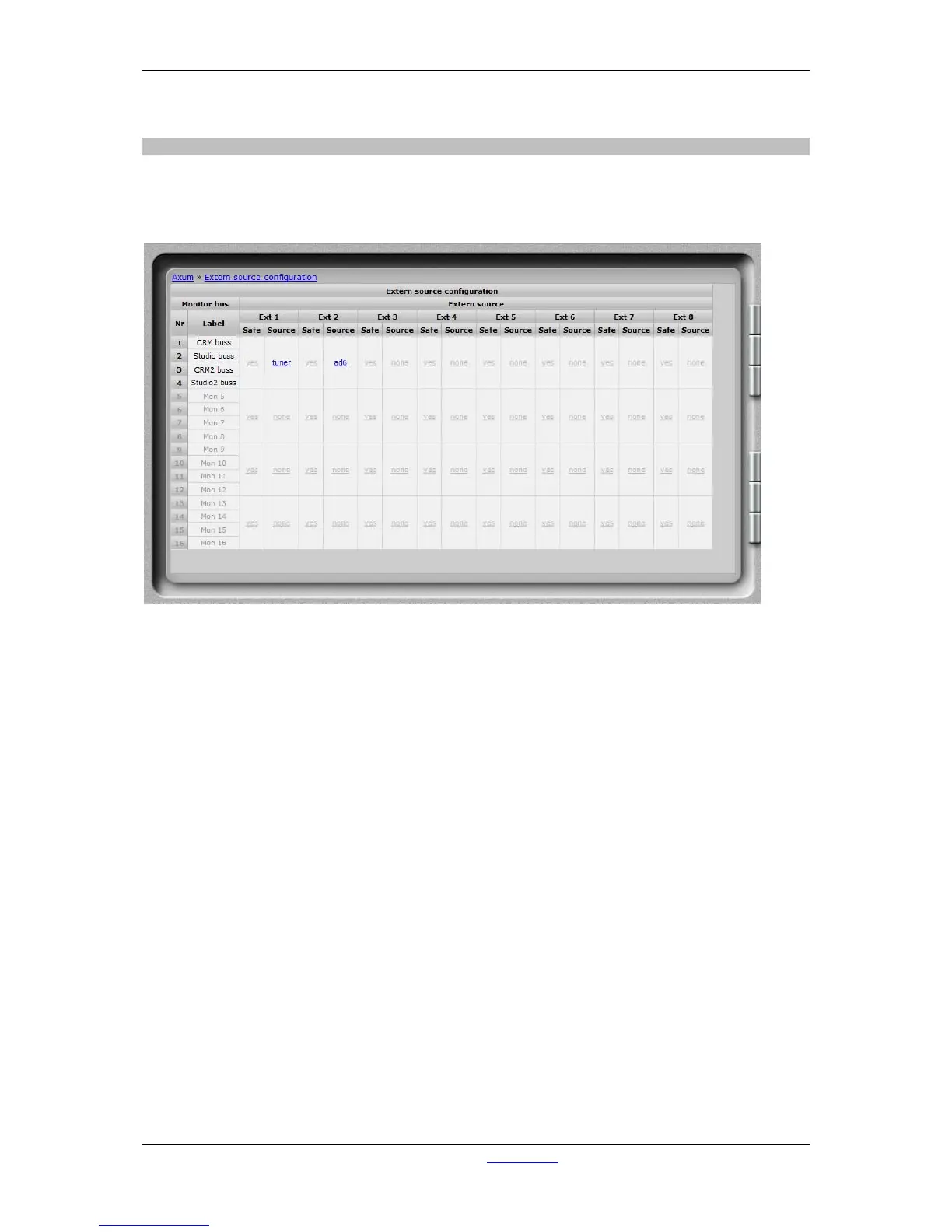
Each DSP card can handle four stereo monitor busses (with 4 DSP cards a max of 16 stereo monitor
busses is possible). For each DSP card you can configure 8 external stereo sources, beyond the 16
stereo mixing busses which are fixed available in the monitor section.
Figure 11: External source configuration
• Safe
Extern source can be configured to be ‘interlock safe’.
Normally only one buss or external input can be active on the monitor buss if configured to be
‘interlock’. But sometimes it is important your signal will not disappear if another CRM-source
is selected, in that case you can set the external source to be ‘safe’.
• Source
Here you can select which signal routes to this ‘external input’.
You can choose:
- Input sources (Mic, line, dig etc. etc.)
- Mix busses
- Monitor busses
- Insert outs (of modules)
- N-1 signals (for a single module)



 To Next Page