A·X·U·M User Manual Version 2.5 - 2011-01-28
AXUM from D&R - Phone: +31 294 418014 - E-Mail: info@d-r.nl - 49 -
6.2 System configuration
If you browse to the url
http://192.168.0.200/system (where 192.168.0.200 should be your local AXUM
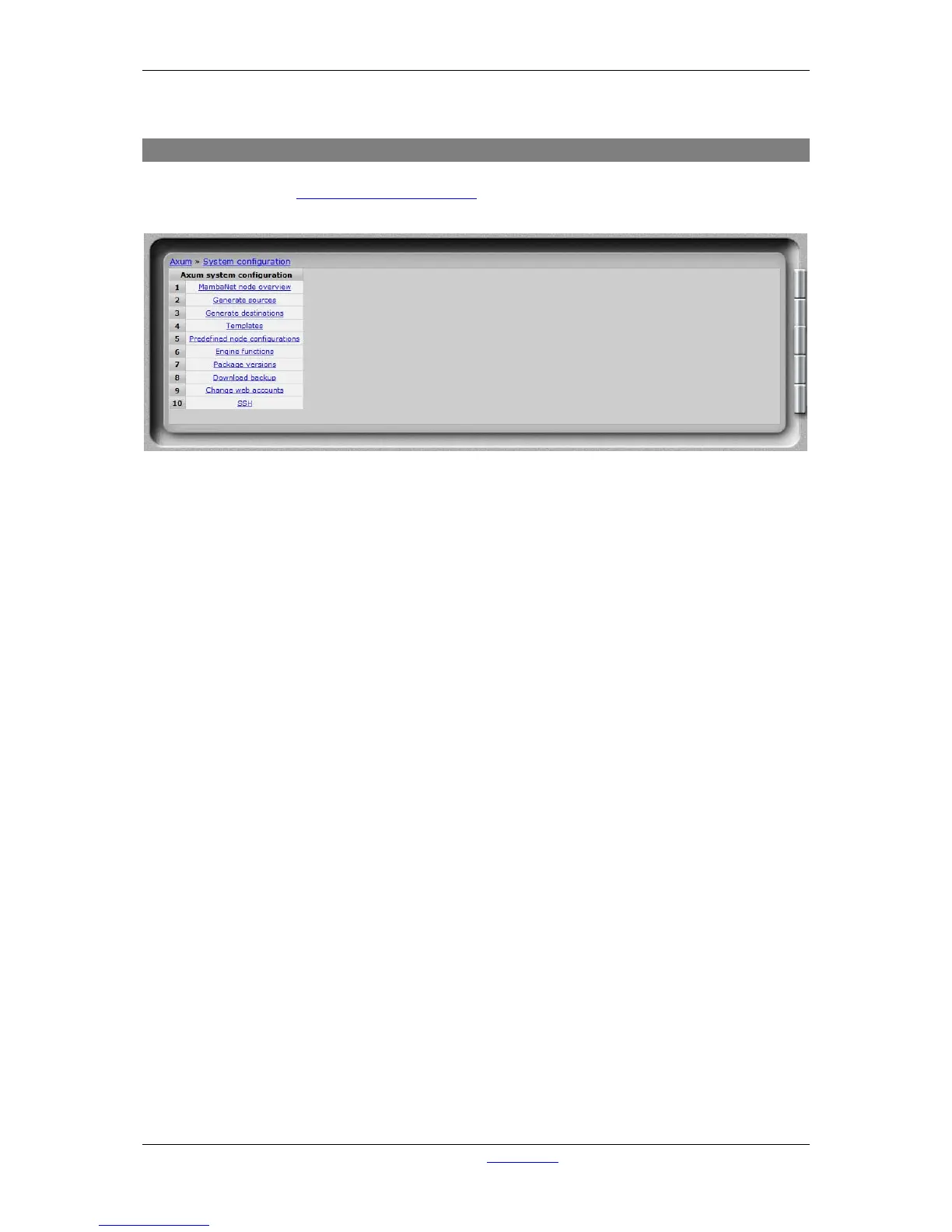
IP address) you have a system menu with give some management/service possibilities.
Figure 31: Service menu
• MambaNet node overview
Will show all nodes that are found in the local Ethernet network.
• Generate sources
WARNING: this function deletes all sources and their configuration.
After all sources are deleted, it will generate new sources regarding the ‘rack layout’ found.
• Generate destinations
WARNING: this function deletes all destinations and their configuration.
After all sources are deleted, it will generate new sources regarding the ‘rack layout’ found.
• Templates
Shows a list of all known node types. The learner did read these templates from the nodes.
• Predefined node configurations
Shows a list of configurations stored by the export function in surface/rack configuration.
• Engine functions
Shows a list of all engine functions available.
• Package versions
Shows the packages, version and build/install date.
• Download backup
Downloads a file which is a complete image of the internal flash disk (under development).
• Change web accounts
Here you can change the password for the webserver console configuration and system
configuration.
• SSH
Here the SSH server (port 22) may be disabled or enabled for remote service.



 To Next Page