A·X·U·M User Manual Version 2.5 - 2011-01-28
AXUM from D&R - Phone: +31 294 418014 - E-Mail: info@d-r.nl - 47 -
6.1.18 Users
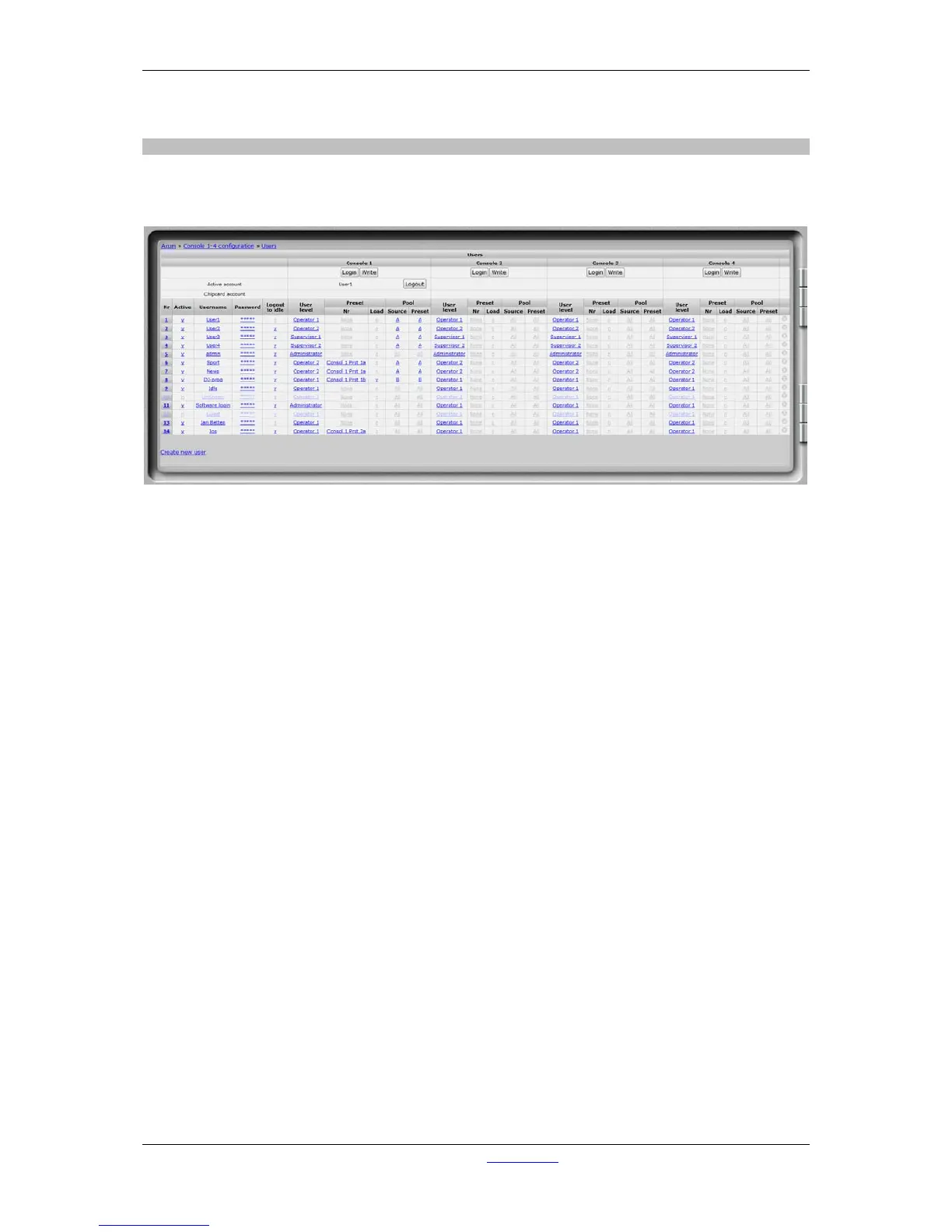
You can see an overview of the users on this page. You can see the user level/preset per user and
per console.
Figure 30: User configuration
• Login
Here you can login as a user to the selected console.
• Write
Here you can write the selected user to a plugged in chipcard.
• Active account
The account that is currently active in this console (this may be different from the chipcard if
overruled by software).
• Chipcard account
The name of the user of a plugged in chipcard, will appear here.
• Add
With this button you can add the user from a chipcard to the AXUM system.
• Nr
Here you can reposition the user to make the list in a convenient order.
• Active
You may disable an account using this switch.
• Username
Here you can enter the name of the user.
• Password
Here you can enter the password of the user.
• Logout to idle
Removal of the chipcard can be used to stay in the last user or to jump to the idle situation.
• User level
Here you can select the user level of the user (see also 6.1.14 Surface configuration and
6.1.15 Rack configuration)



 To Next Page