14
Dane-Elec. All rights reserved 2010
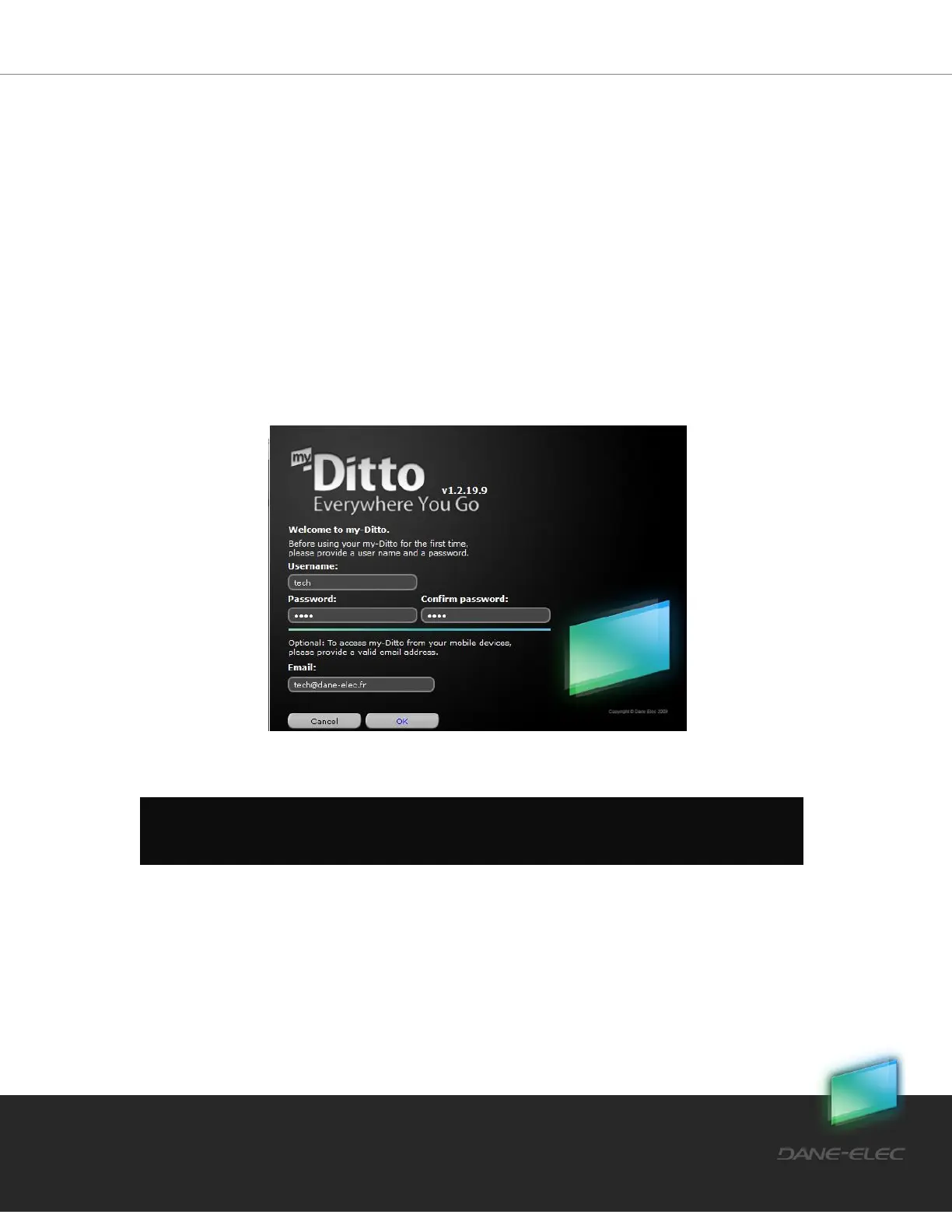
2. Enter your password:
a. 1-20 characters
b. Letters, digits and the following symbols: !, @, #, $, %, ^, &, *, (, )
c. No spaces
d. Case sensitive
3. Enter your Email address (optional):**
a. Valid Email address
* Usernames are stored and remembered for future use
**Email address is used in order to activate your mobile application
Once you have completed this simple authentication process, a private folder will be created
in my-Ditto bearing the username.
Step 4:
The right-side view shows your computer’s directories, while the left side view shows my-
Ditto. Now you can store, backup and access your data by dragging & dropping files or
folders from anywhere in your computer to my-Ditto, and vice versa.
Note: Changing usernames and passwords can be done from the menu settings in my-Ditto
application.


 To Next Page