22
Dane-Elec. All rights reserved 2010
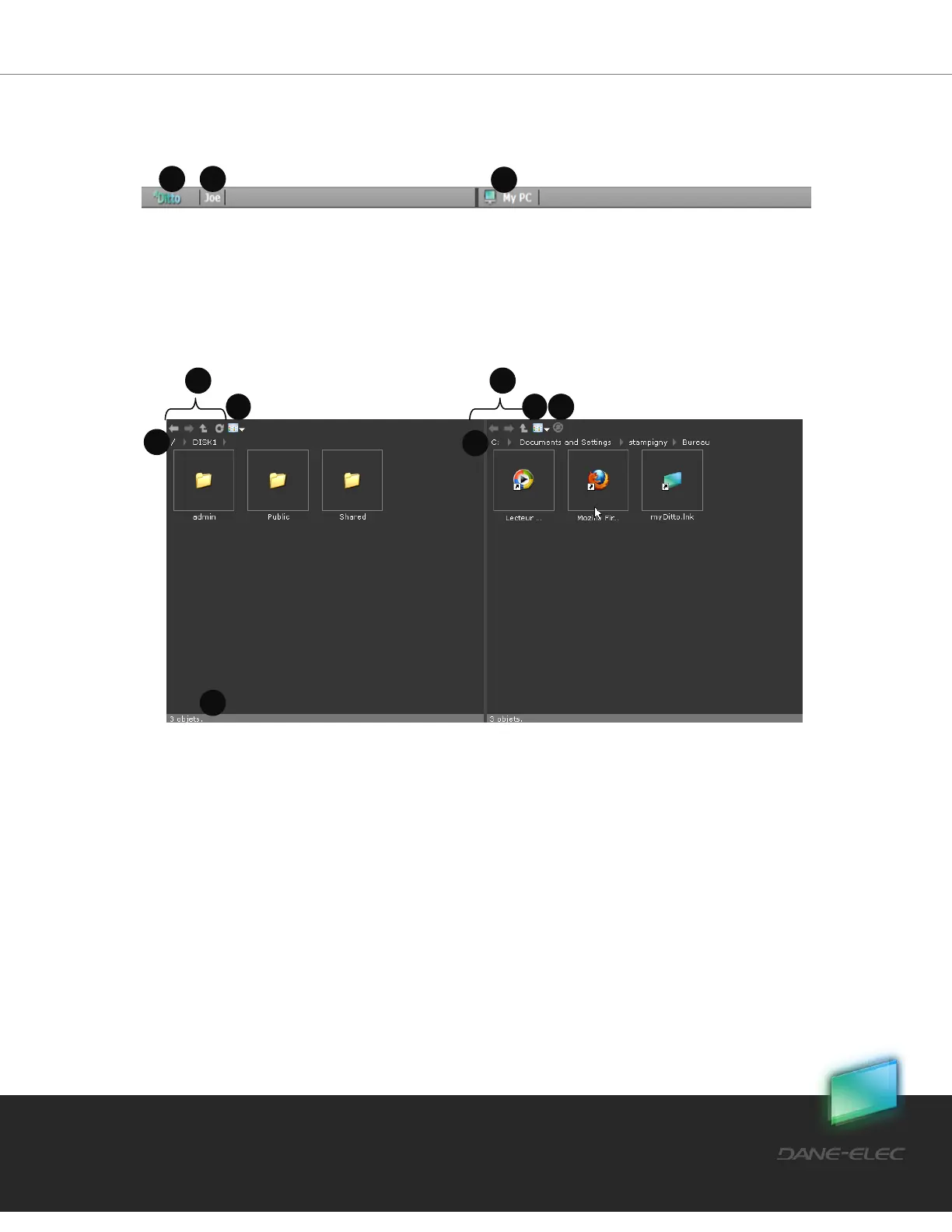
5.2.3 Remote / Local Views
Header
1. Remote View – my-Ditto’s content
2. Username – username of the connected user (you)
3. Local View – local computer content
Files View
1. Navigation Commands – Back, Forward, Parent folder, Refresh folder.
2. View Change- shows all viewing options:
a. Details
b. Icons
c. List
d. Thumbnail
3. Backup Icon – Add or remove files and folders from backup. Refer to section 5.4
my-Ditto Application – Automated File Backup on page 25 for more details.
4. Folder Path – shows the full path of a displayed folder.


 To Next Page