Paper Handling
2-10
Adjusting for Paper Thickness
The printer can handle paper with different thicknesses, including multipart forms with up
to four parts (original plus three copies). For details on paper thickness specifications,
see Appendix B “Printer and Paper Specifications.”
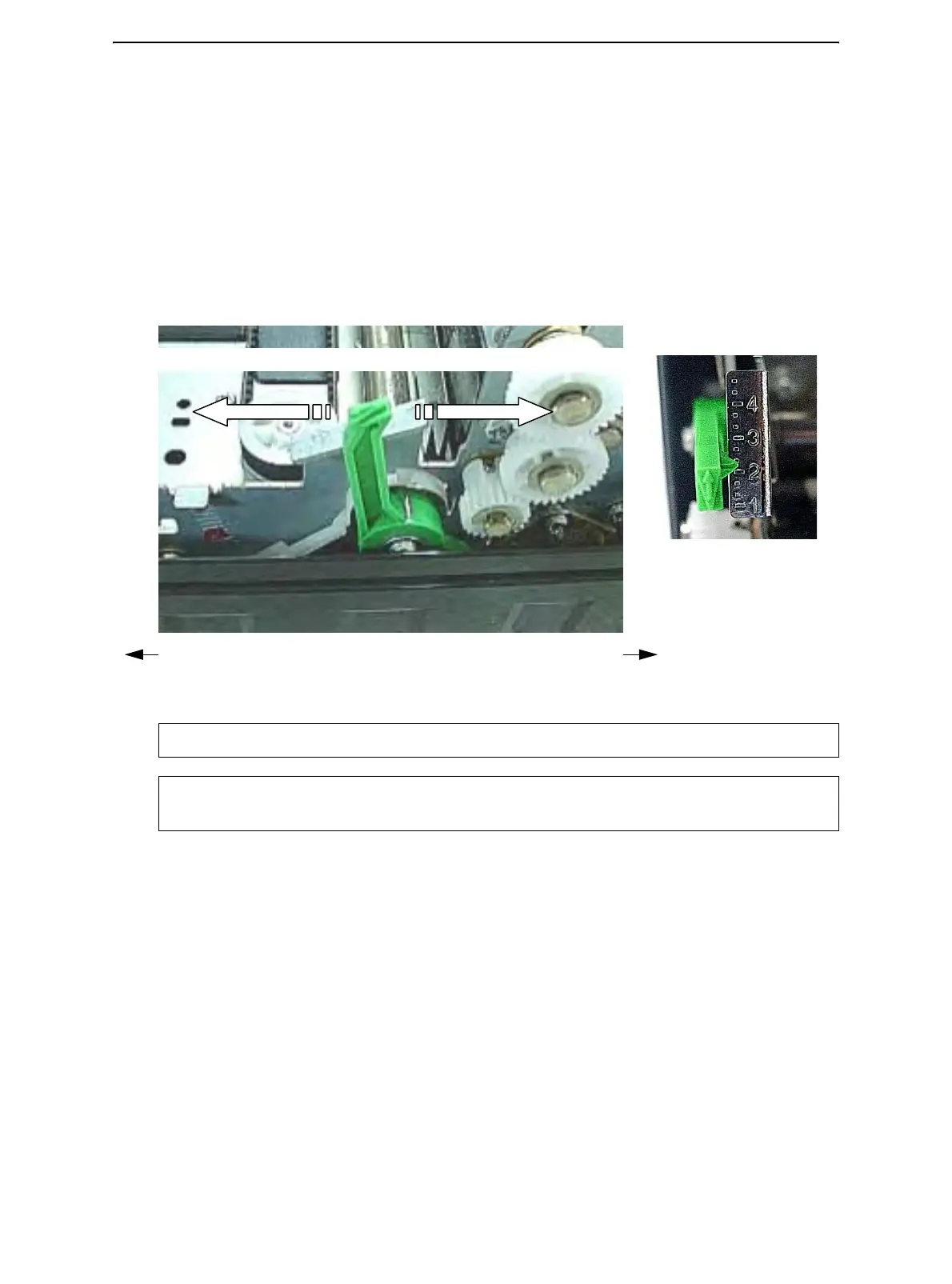
The Print Gap lever, located on the left under the cover, allows you to adjust for different
paper thicknesses. Be sure to adjust the Print Gap lever whenever you change the
number of copies being printed.
The print gap lever has twelve settings.
Moving the Print Gap lever to front of printer reduces the Print Gap.
Adjusting the Print Gap Lever
Important: Open Print Gap lever to maximum to replace ribbon.
CAUTION: If printing smears, the ribbon misfeeds, or the paper jams, move the lever
one position wider.
Larger Print Gap
Smaller Print Gap
Thicker Form Print Gap Lever Thinner Form
Rear of Printer Left Side View Front of Printer



 To Next Page