Maintenance
5-6
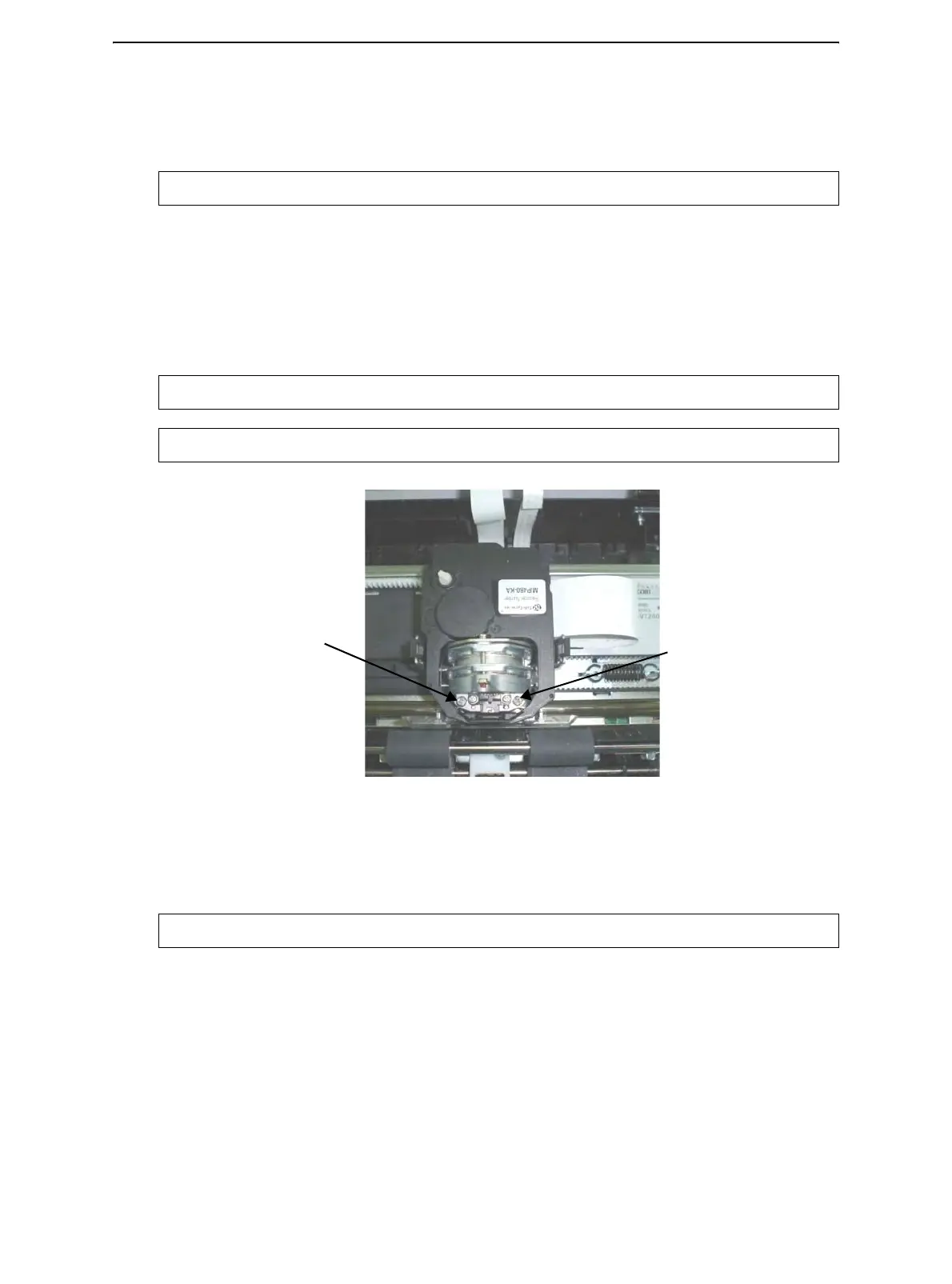
Replacing the Print Head
If a specific dot is not printed for all characters, replace the print head.
To remove the print head:
1 Turn off the printer.
2 Open the cover and remove the ribbon cartridge.
3 Remove the two screws A from the print head.
4 Lift the print head and disconnect the flexible cables.
Removing the Print Head
To install the print head:
1 Connect the flexible cables to each connector. Make sure to push them fully into the
connectors; do not kink the cables.
2 Ease the new print head down into the mounting. Fasten the two screws A.
3 Install the ribbon cartridge.
WARNING:The print head may be hot if you have been printing recently.
WARNING:Be careful because the printhead cables can easily be damaged.
NOTE: A technician should preferably handle this procedure.
WARNING:Be careful because the printhead cables can easily be damaged.
A
A



 To Next Page