Activate Feature License
96-30051-001 Rev. D3 DDN SFA12K (SFA OS 2.3.1) Hardware Installation & Configuration Guide | 105
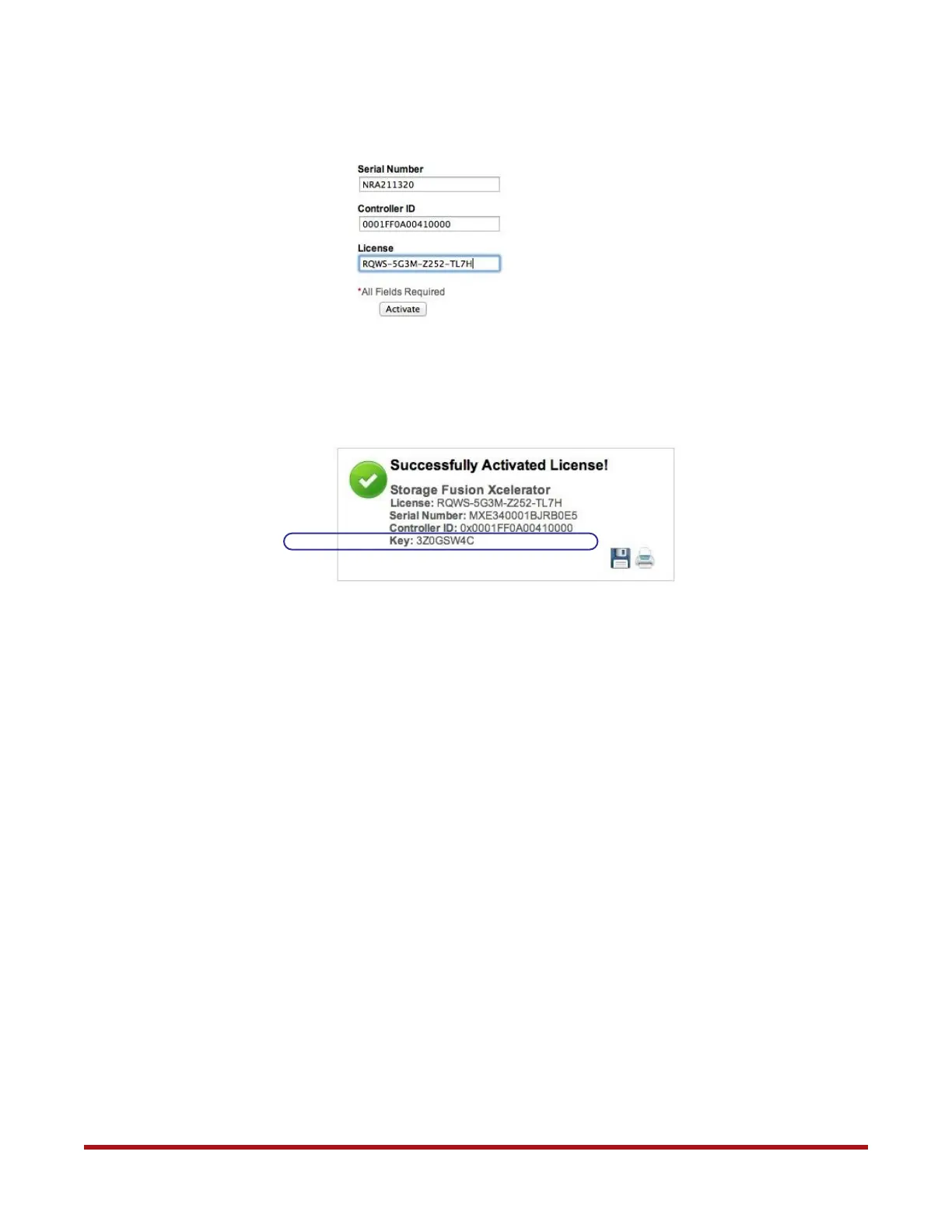
5. Enter the serial number, controller ID, and license number. Then click Activate.
6. The feature activation key is displayed if the license is activated successfully. Note
down this key. You may save and/or print a copy of the activation key.
7. From the Subsystem menu, select Set Subsystem Attributes. Enter the license key
and click Update. Note that license activation may require a subsystem restart.
8. From the Subsystem menu, select Show Subsystem. The subsystem details should
show the feature has been enabled.



 To Next Page