System Installation and Configuration
96-30051-001 Rev. D3 DDN SFA12K (SFA OS 2.3.1) Hardware Installation & Configuration Guide | 27
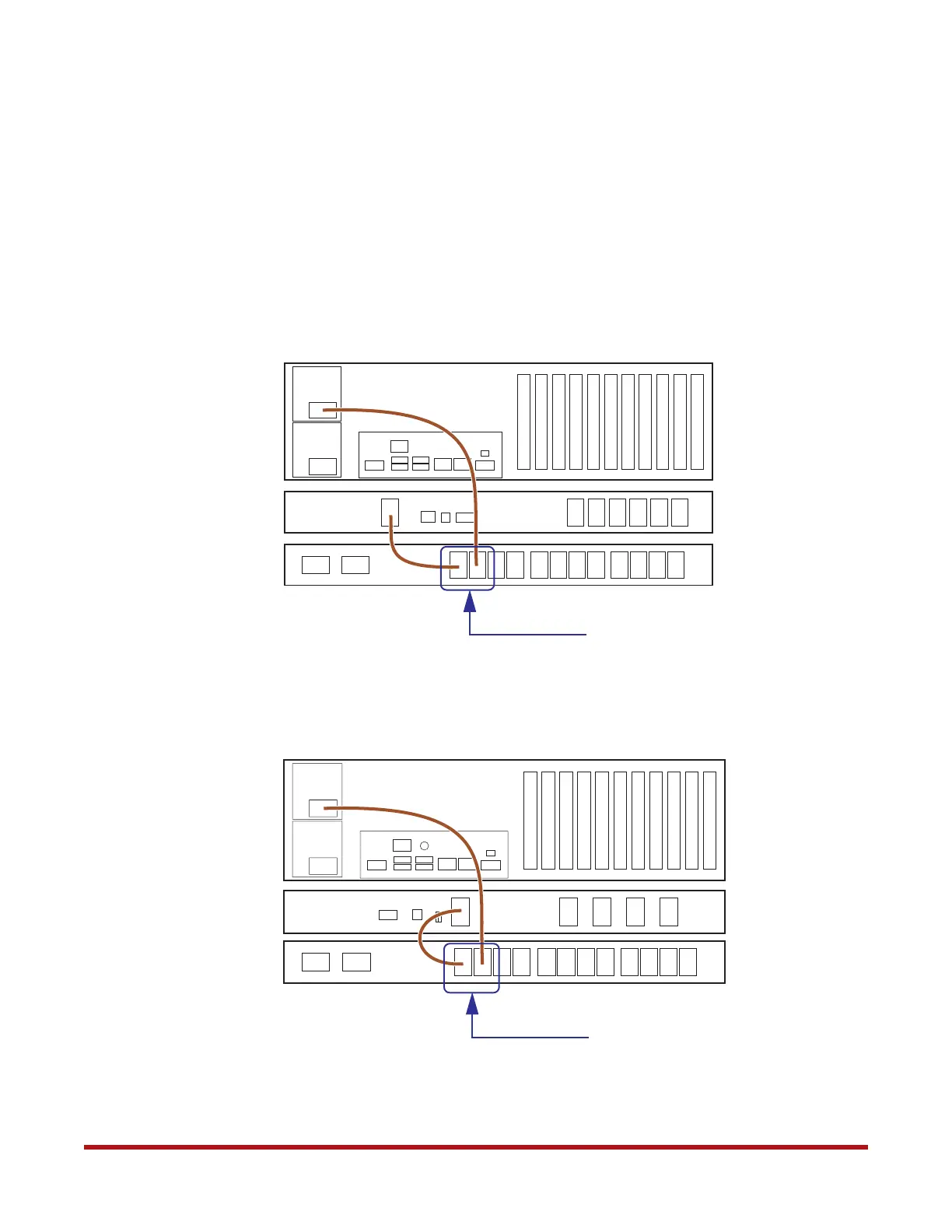
8.4 Reconnect ATS
After you have configured both ATSs, it is now safe to connect them to the controllers and
BBUs.
1. Turn off the ATSs by turning off the PDUs.
2. Reconnect the power cords between the units as shown in Figure 20 and Figure 21.
Figure 20. Reconnect Power Cables from ATS (with BBU Model 5P1550GR)
Reconnect these two power connectors
BBU
Model 5P1550GR
Controller
ATS
Figure 21. Reconnect Power Cables to ATS (with BBU Model 1550)
BBU
ATS
Controller
Model 1550
Reconnect these two power connectors



 To Next Page