System Installation and Configuration
96-30051-001 Rev. D3 DDN SFA12K (SFA OS 2.3.1) Hardware Installation & Configuration Guide | 42
21.2 Map Hosts to Discovered Initiators
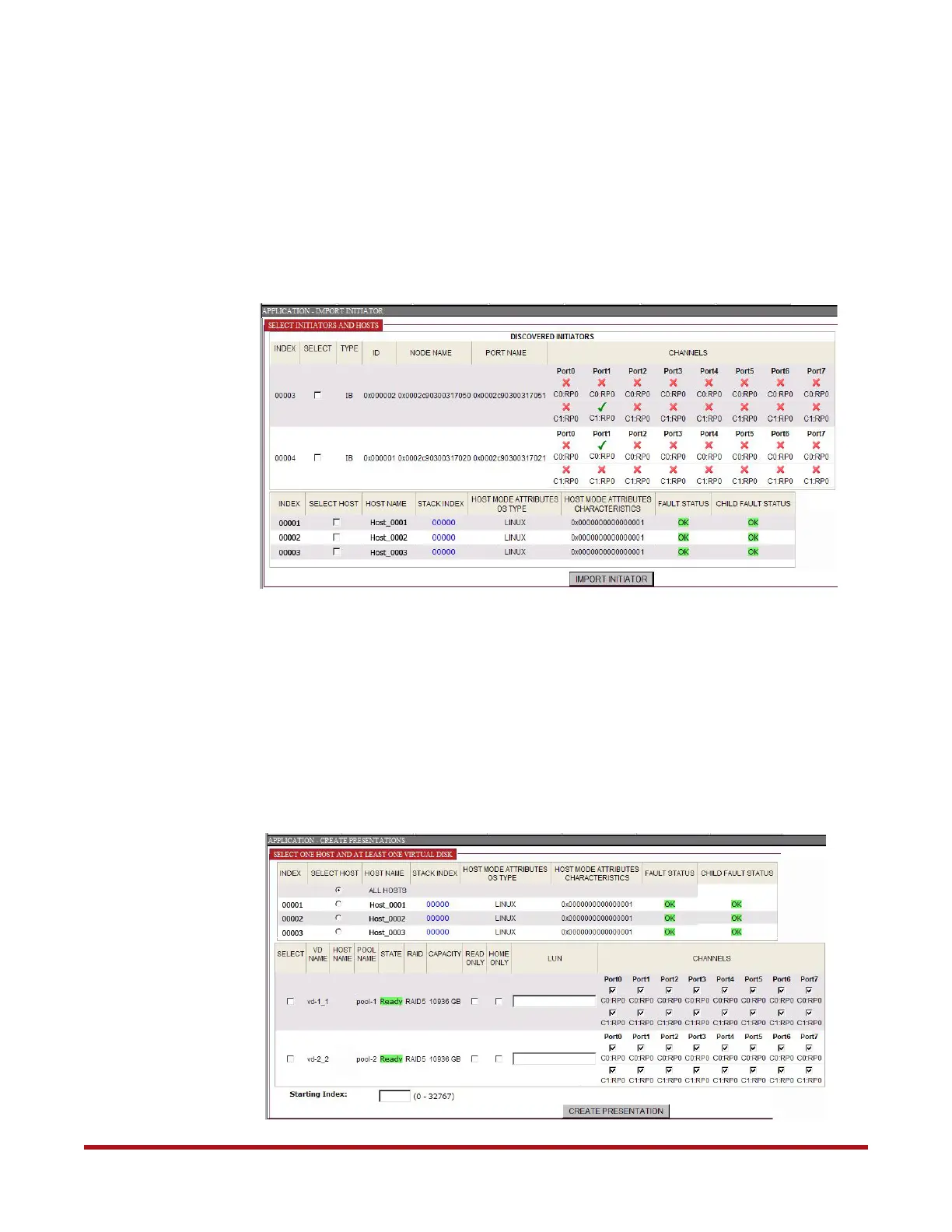
1. Select Application > Import Initiator. The Import Initiator screen displays
(Figure 45).
2. Select the initiator.
3. Select the corresponding hosts.
4. Click Import Initiator. Success or error message displays.
5. Repeat the above steps to create other host-to-initiator mappings as needed.
21.3 Create the Presentation
1. Select Application > Create Presentation.
2. At the Create Presentation screen (Figure 46), select a host.
Figure 45. Application - Import Initiator Screen
Figure 46. Application - Create Presentation Screen



 To Next Page