Rack Installation
96-30051-001 Rev. D3 DDN SFA12K (SFA OS 2.3.1) Hardware Installation & Configuration Guide | 54
3. Slide the BBU onto the rack rails. Use one screw and washer on each side at the front
to secure the BBU to the rack (Figure 67).
4. For model 5P1550GR, connect the battery as shown in Section A.2.3.
A.2.3 Connect Battery on Model 5P1550GR
The BBUs are shipped with the batteries disconnected. Follow these steps to connect the
batteries:
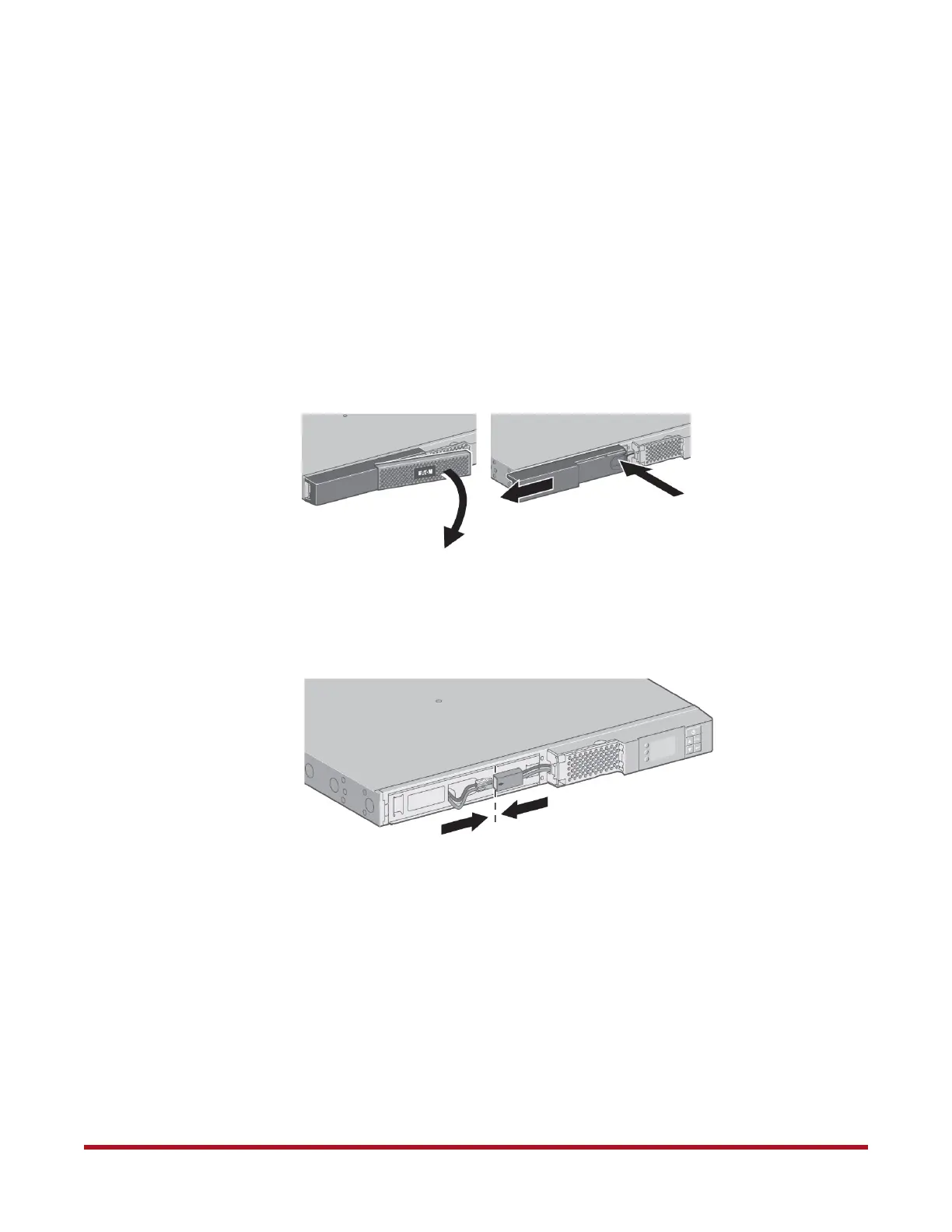
1. Remove the front covers from the unit
(Figure 68).
2. Fasten the two connectors together
(Figure 69). Note that it is normal if you see a
spark and hear a pop sound as you connect the battery.
3. Replace the front covers.
Figure 68. Remove BBU Front Covers
Figure 69. Connect BBU Battery



 To Next Page