DK-45 Kullanım Kılavuzu V1.0 (22.09.2016)
- 28 -
The controller keeps record of last 9 alarms in its alarm history list.
The alarm history may be visualized on the screen or read through Modbus communication.
Alarm history is kept in a non-volatile memory and is not affected by power failures.
The primary condition for an alarm to be saved to the history, is that the alarm is different from the last
one or the motor has run at least 6 minutes from the last alarm.
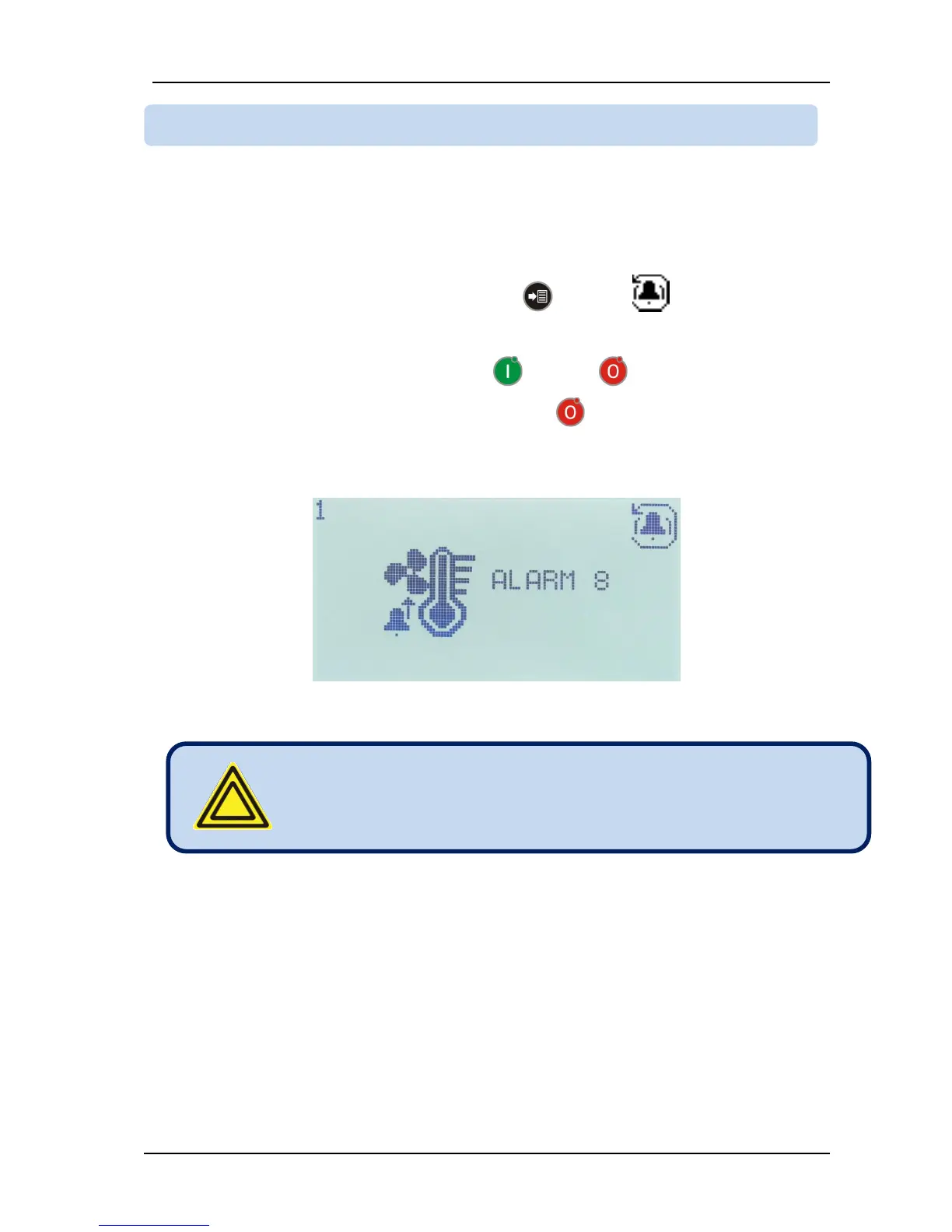
In order to display the latest alarm on the list press MENU button until (alarm history) icon is
displayed. The alarm history may also be accessed from the programming menu. Please see chapter 10
for this.
In order to visualize previous alarms please use RUN and STOP buttons.
In order to reset the alarm history, please long-press the STOP button when the motor is at rest.
In the alarm history screen, the history record number (1 to 9) appears at top left of the screen. The alarm
history icon appears at the top right. The alarm icon and alarm number appears at the center of the
screen.
When the alarm list is displayed the STOP button is always
enabled and stops the compressor. Run button is not active and
does not run the compressor. In order to scan the alarm history
when the motor is running, please use the RUN button.



 To Next Page