DK-45 Kullanım Kılavuzu V1.0 (22.09.2016)
- 34 -
The program menu is protected by a 2 level password system. Parameter set and password levels
may differ following compressor manufacturers. This document is based on factory set parameter list.
Entering the program menu:
- When the compressor is in STOP MODE, hold pressed MENU and STOP buttons 3 seconds.
- (enter password) icon will appear on top of display. Enter the password using RUN and STOP
buttons and press MENU button. In order to increase/decrease the value faster you can hold
RUN or STOP buttons pressed.
Exiting the program menu:
- Hold pressed the MENU button for 3 seconds.
Modifying program parameters:
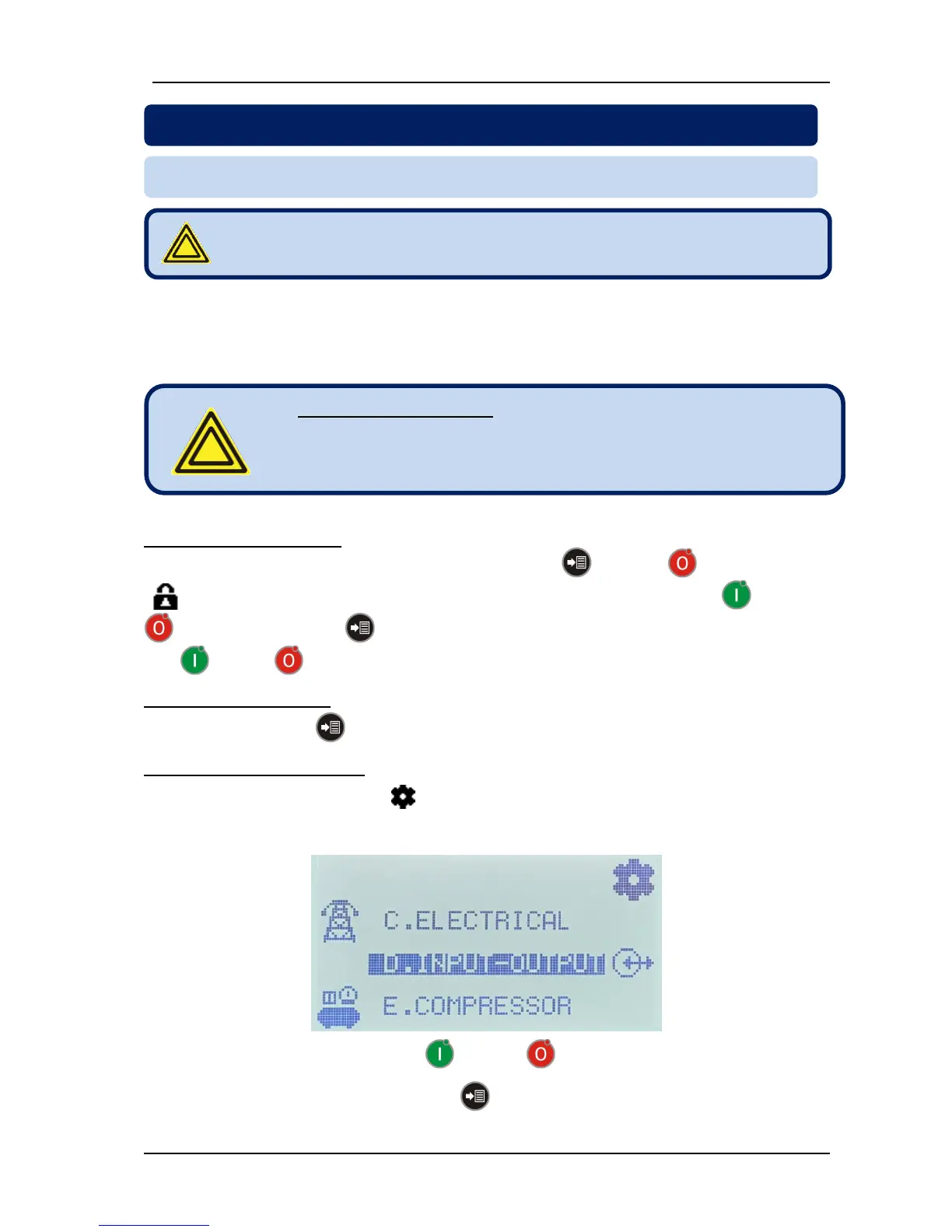
- When program mode is entered, the (programming) icon appears on top-right of the screen. Below
comes parameter groups. Selected parameter group is displayed with a black background. The icon
appearing on the left side when the parameter is not selected, moves to the right when it is selected.
- Determine the parameter group with RUN and STOP buttons.
- Enter into the parameter group with the MENU button.



 To Next Page