Getting Started
10
PreScan™ Queue-Busting System
Placing the handheld in the base transfers the address from the handheld to the base, so that
both have linked (but different) addresses. It is important that all bases and handheld scanners
in radio range have different addresses to avoid conflicts. This is as true in the lab as it is in a
store installation.
Addressing the PowerScan
In an installation, it is preferable to break the link between the handheld scanner and the base.
This practice avoids address conflicts, in the event that handheld scanners from different bases
get mixed. Use labels like these to assign new addresses to the handheld scanner only, leaving the
base addresses unchanged. The label follows the same syntax, only it omits the second
configuration command RN0 to link and address the base.
The system should now be functional. To test the system use the test control card:
Scan this label with the handheld to open a new basket, then scan a few items to store in the
memory. Scan the label again to close the basket.
Next, scan the label at the fixed scanner to retrieve the data from the scanner.
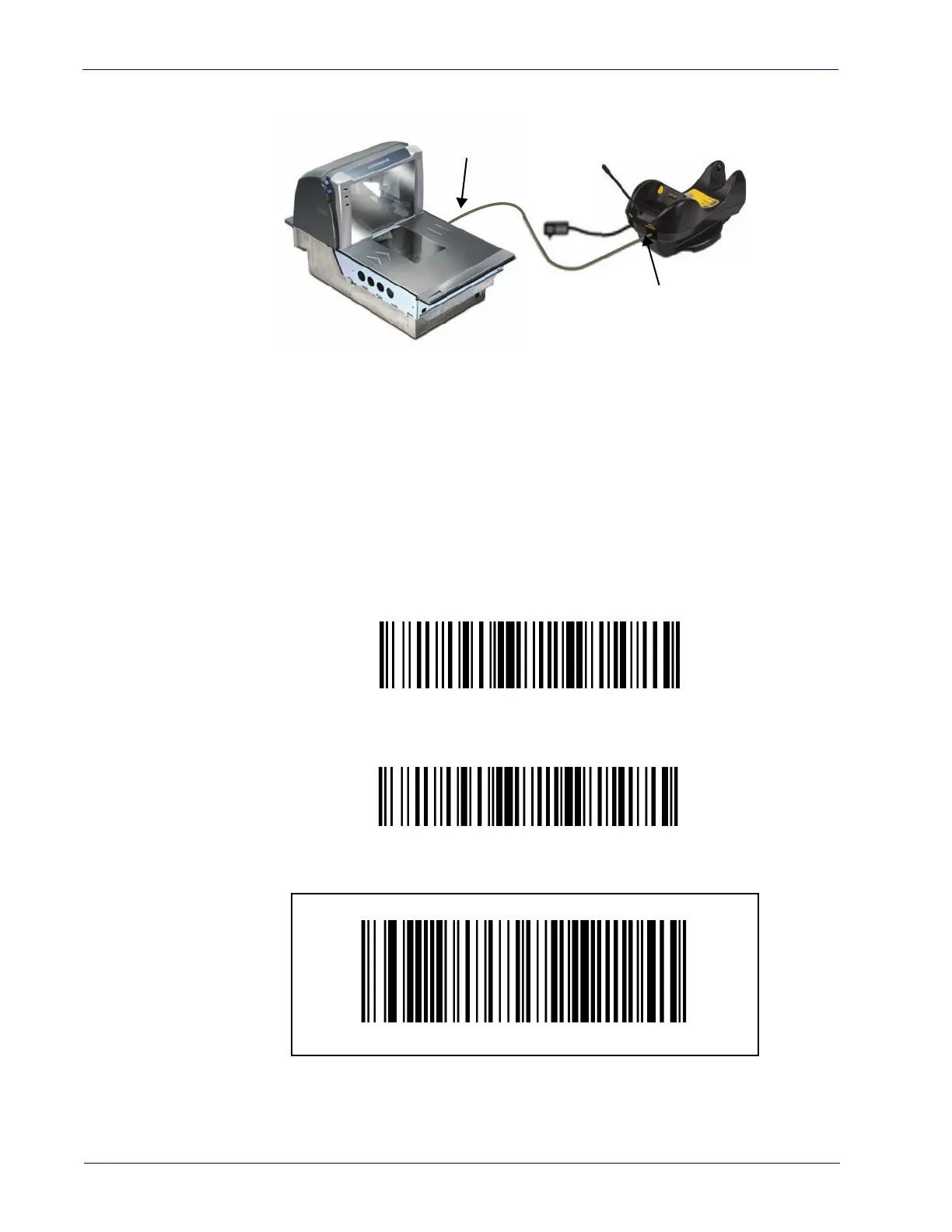
Lab Test Setup
CAB 461 to AUX port
Strain relief end
connects to base
Handheld scanner address 1001
$+RF1001$-
Handheld scanner address 1002
$+RF1002$-













 To Next Page