PowerScan Configuration
Advanced Configuration Guide
17
“FIND ME” Function (Only for base models with button)
Pressing the PreScan Base Button calls all PreScan scanners inside its radio range. The PreScan
scanners will beep in response.
Next Session Prompt
There are two modes for session management. If the assistant has a session open for customer A,
then scans the next unique customer bar code to start a new session for customer B, the system
can either prompt on the display and require a press of the ENTER key to open the new session
or, if disabled, directly open the next session without prompting.
Clear Session Memory
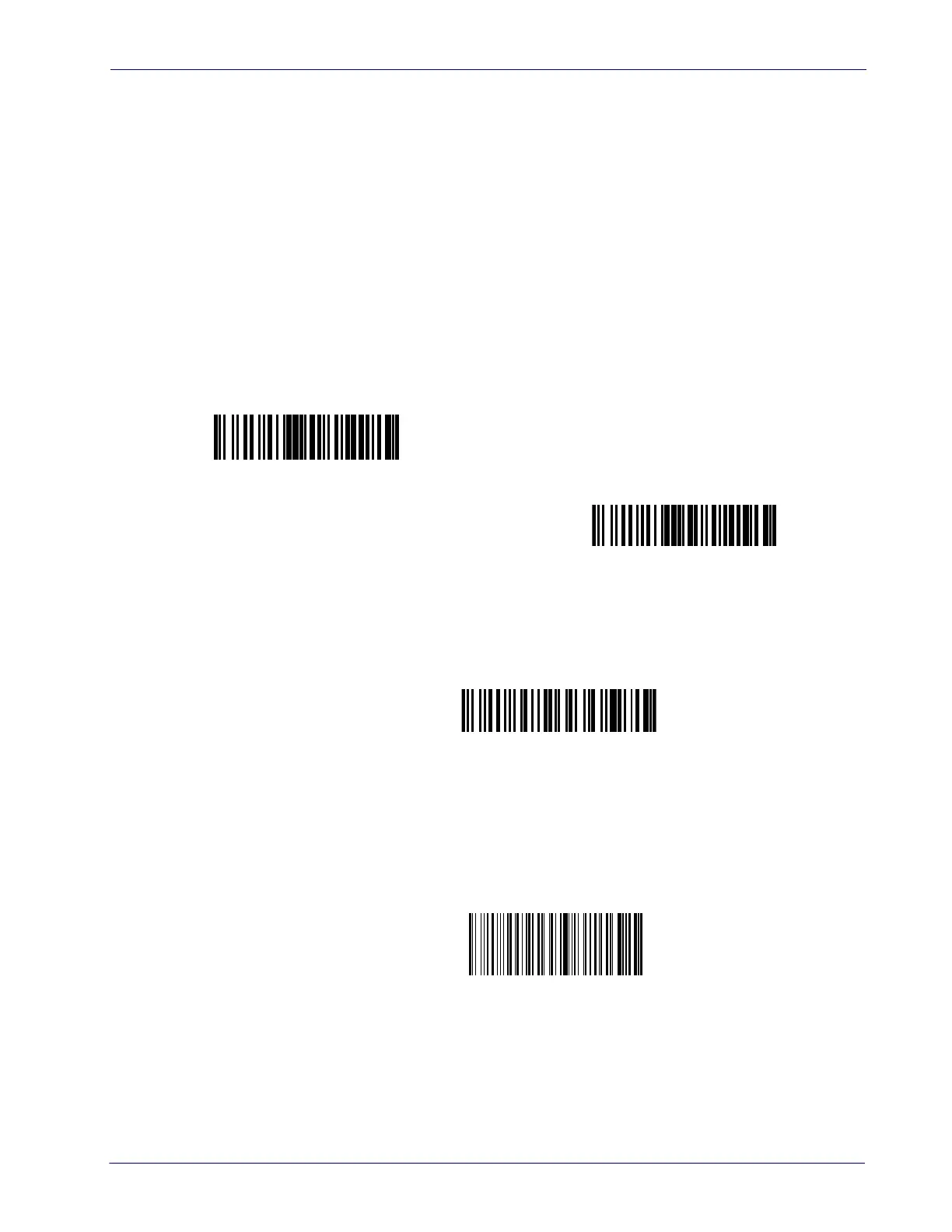
Scanning the following bar code will clear data from the current PreScan session only.
Clear Handheld Memory
This bar code will clear ALL stored PreScan data from the handheld.
Next Session Prompt = Prompt if existing session open
$+IP1$-
Next Session Prompt = No Prompt
$+IP0$-
Clear Session Memory
#+BClear
Clear Handheld Memory
#+BDeleteAll













 To Next Page