Getting Started
12
PreScan™ Queue-Busting System
PowerScan Handheld Mode
When PreScan is not in use, the PowerScan Handheld scanner can optionally be used as an
ordinary handheld auxiliary scanner by switching it into Handheld Mode. The scanner must be
set to transmit data to a specific lane. Use a label such as the following:
This label instructs the handheld to switch to Handheld Mode and send data to base address
0001. Additional labels are provided in the PreScan Integration Guide.
Gryphon Setup
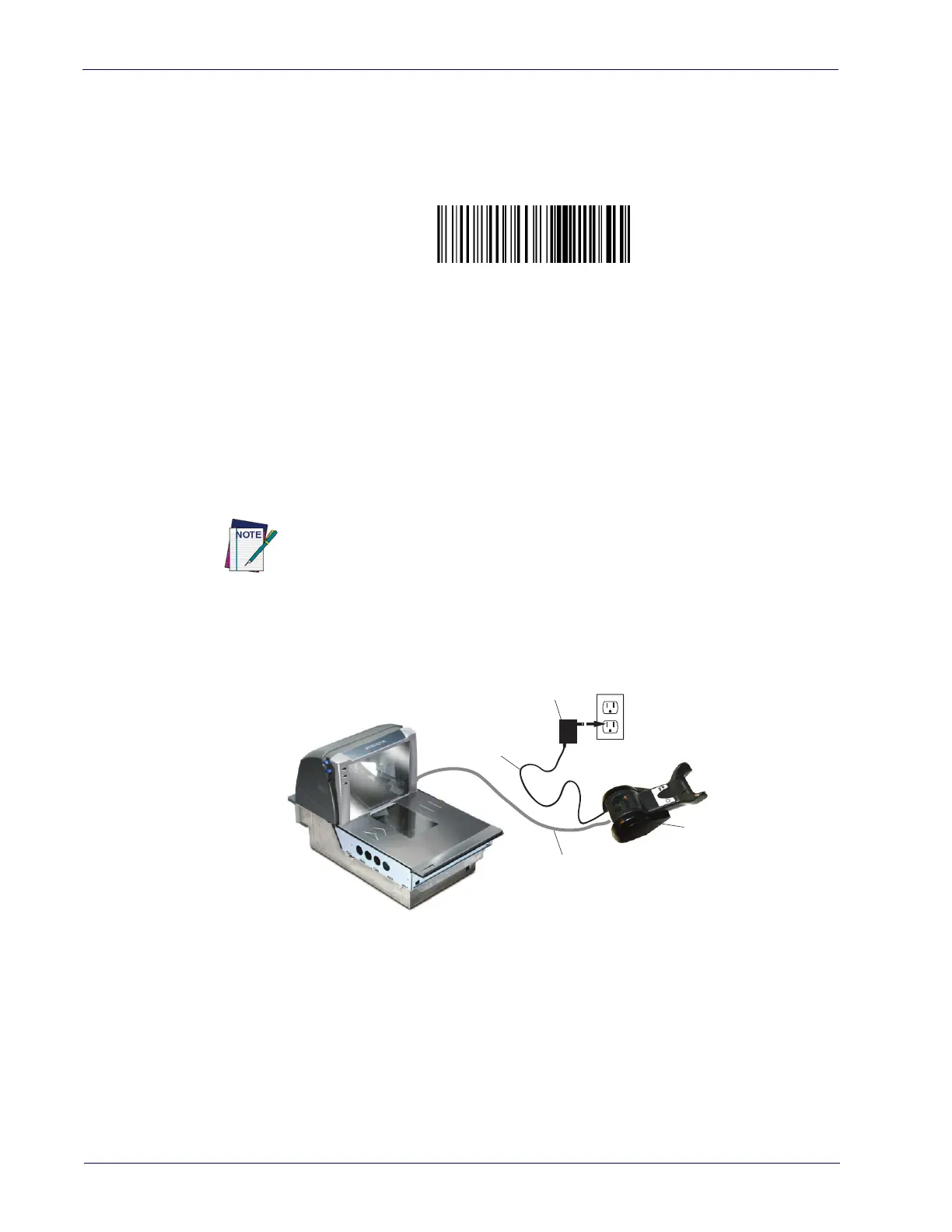
Connecting the Base Station
Connect the Gryphon Base Station to a Magellan™ scanner as shown. Turn off the scanner
before connection and consult the manual for that equipment (if necessary) before proceeding.
Connect the interface cable before applying power to the Base Station.
Base Station Connection and Routing.
Fully insert the Power Cable and Interface (I/F) Cable
connectors into their respective ports in the Base Station. Then connect to an AC Adapter, and
plug into the (wall) outlet. Connect the Interface Cable to the AUX port on the Magellan.
Gryphon Programming
The Gryphon 4100PRE is pre-configured to work with the PreScan system. Since each scanner
and base has a unique radio address, there is no need to assign a special address. No other special
steps are needed for basic setup. The default setting is Handheld Mode, and the default control
card format is PreScan's standard format.
The Gryphon reader is factory-configured with standard default features. You can select other
options and customize your reader through use of the instructions and programming bar codes
available in "Gryphon Configuration" starting on page 18
, and in the PreScan Integration Guide
(available on the Datalogic website).
#+BHand0001
The Base Station can also be powered by the Magellan. The external power
supply is recommended but not necessary.
Base
Station
Power
Cord
Wall plug
Connector
Connection to
Aux Port













 To Next Page