AP20 Installation and Operating Guide Page 109
AP20 Installation & Operating Guide Document # 9301H39200 Ver. 1.25
4.5.5 Automation Serial
Menu (System) > Automation > Serial
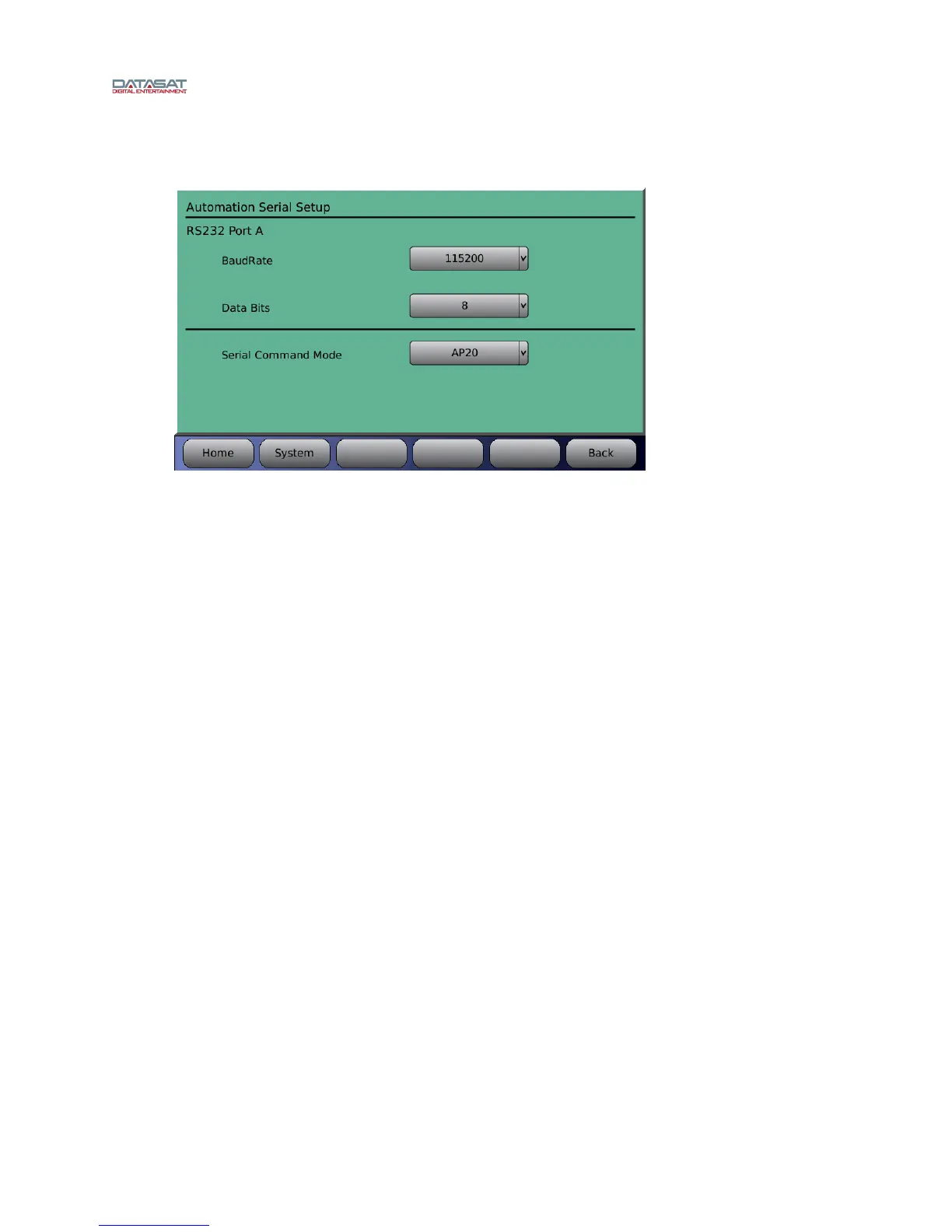
Figure 90. Automation Serial Port Setup
To setup the serial port, select the Baud rate and data bits settings for the automation interface. Touch the
drop down list to open it, then use the adjustment knob to select.
Available baud rate selections are: 1200, 2400, 9600, 19200, 38900, 57500, or 115200.
Available data bits selections are 7 or 8.
There are four pre-programmed Serial Command Modes that may be selected from the drop down list:
AP20, Panastereo, 6AD, and linked AP20.
AP20 - Serial automation port can be used for any AP20 serial commands as defined by the AP20
document TM-H392. Additionally, any command defined by a serial event will be processed (see
section 4.5.1.1 Automati
on Edit Event: Serial).
Panastereo - The serial automation port will process fader commands using Panastereo compatible
command set. This is intended to work with preexisting automation systems that support the
Panastereo command set. Additionally, any command defined by a serial event will be processed (see
section 4.5.1.1 Automati
on Edit Event: Serial). The format changes from the automation system must
be programmed into the AP20 as automation events.
6AD - The serial automation port will process fader commands using 6AD compatible command set.
This is intended to work with preexisting automation systems that support the DTS-6AD cinema
processor command set. Additionally, any command defined by a serial event will be processed (see
section 4.5.1.1 Automati
on Edit Event: Serial). The format changes from the automation system must
be programmed into the AP20 as automation events.
The following commands are accepted in the 6AD serial mode:
Vxx<cr> Set volume to xx, where xx is replaced by characters representing a value from 00 to 99.
V+<cr> Increment the master fader volume by 0.1.
V-<Cr> Decrement the master fader volume by 0.1.
V<cr> Return the current volume value (00-99).
M+<cr> Mute the master fader.
M-<cr> Unmute the master fader.
M<cr> Return the current mute status (+ or -).



 To Next Page