AP20 Installation and Operating Guide Page 60
AP20 Installation & Operating Guide Document # 9301H39200 Ver. 1.25
4.2.4 Access Control
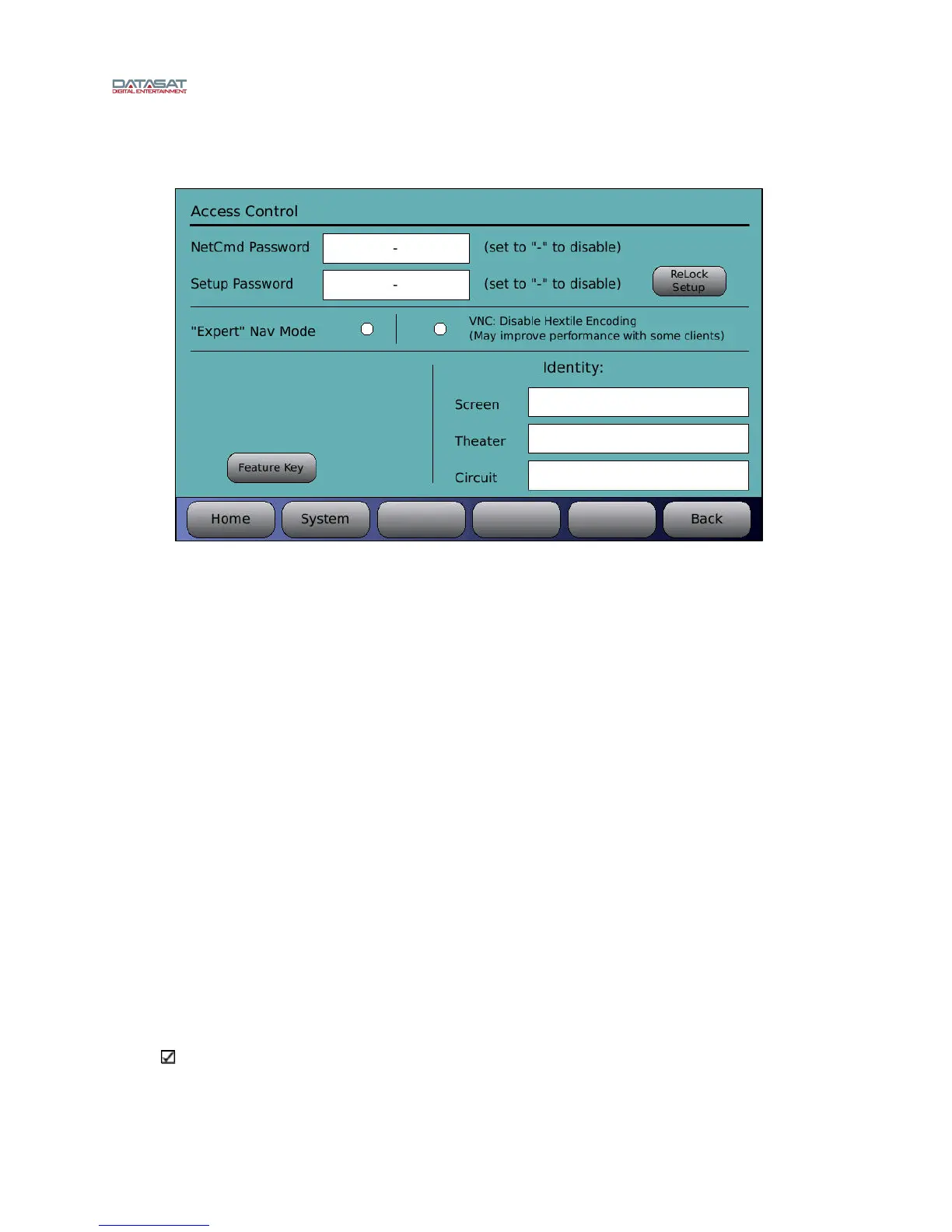
Menu (System) > Access Control
Figure 31. Access Control Screen
4.2.4.1 Passwords
By creating passwords, you can control user access to certain functions of the AP20.
The Netcmd password is the password used to control access to operator-level commands from a
remote network device (i.e. automation device, server) or theater management system.
A Setup password will restrict users from access to the System Setup menu. A user without the
correct password will not be able to make any changes to the system, formats, network, or
automation. This password will not block access to the Home Screen items, if using VNC, but
will block access to the “menu” button
The setup password needs to be entered only once when entering the setup menus and remains in
effect until:
y the AP20 is powered cycled
y one hour passes with no activity
y the ReLock Setup button is pushed.
If the password is lost and you cannot access the AP20, contact Datasat Digital Entertainment
technical support.
Password restrictions take place as soon as the password is configured in the Access Control
screen.
Passwords are case sensitive. You can enter upper case characters by using the shift button on
the virtual keyboard displayed on the LCD. To remove password protection, clear the password
by pressing the Clear button, then enter a hyphen “-“ and press “OK”.
Note: When removing password protection, if no hyphen is entered (blank selection), the
AP20 will continue to ask for a password to enter the setup menus. In that case select the OK
button to enter the setup menus without entering a password.



 To Next Page