AP20 Installation and Operating Guide Page 61
AP20 Installation & Operating Guide Document # 9301H39200 Ver. 1.25
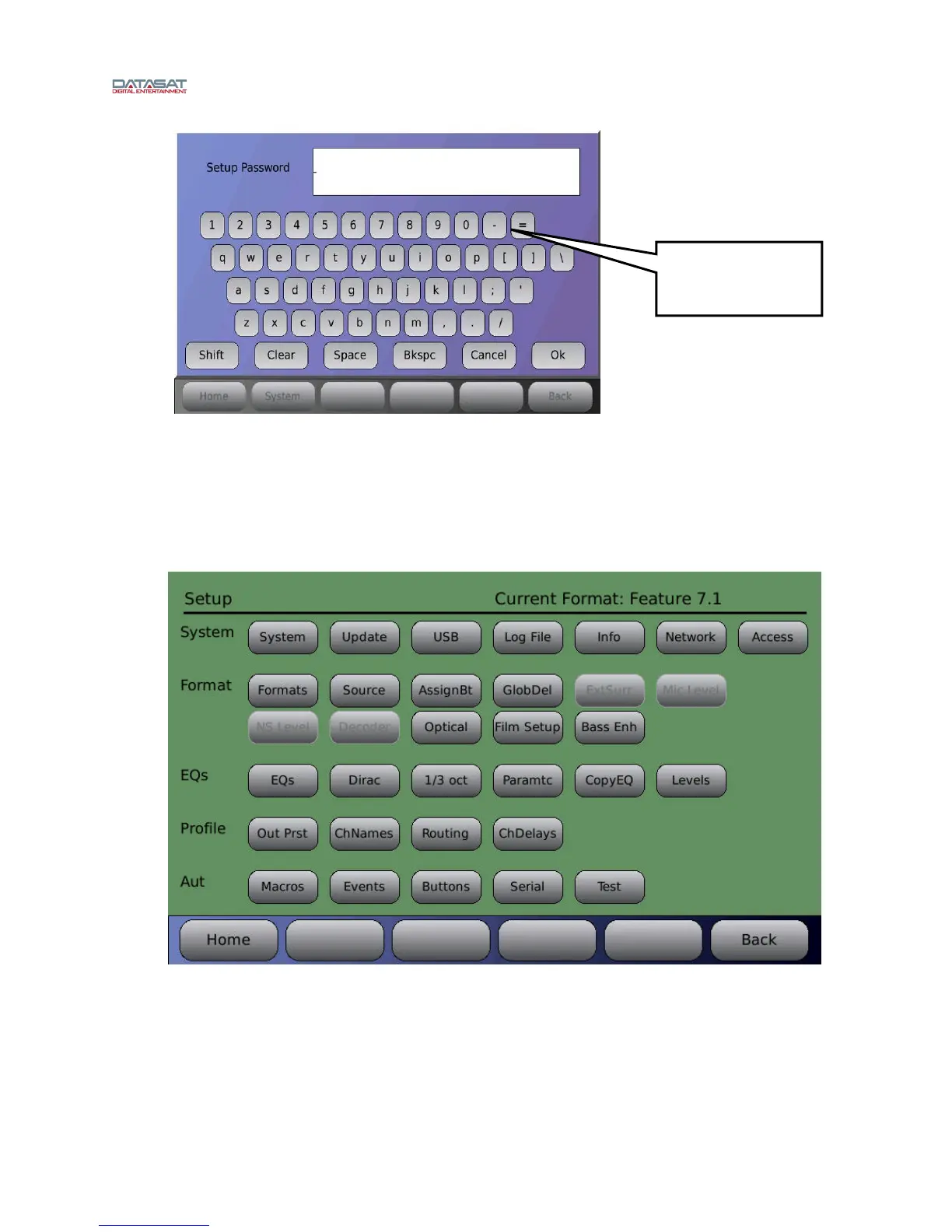
Figure 32. Net Command Virtual Keyboard
4.2.4.2 “Expert” Nav Mode
When “Expert” Navigation Mode is enabled, the normal AP20 menu structure is replaced with a
setup screen that provides quick access to the main menu buttons. After enabling, the new
screen appears when the “System” button is pressed. It must be disabled to return to the normal
menu structure. Note: The “Home” screen function is not changed and the unavailable buttons
will be faded out (button availability is related to the input for the currently selected format).
Figure 33. “Expert” Nav Mode (note that several buttons are faded)
4.2.4.3 VNC: Disable Hextile Encoding
Selecting this option will improve VNC performance for some clients.
Use the hyphen - key
to remove password
protection.



 To Next Page