AP20 Installation and Operating Guide Page 86
AP20 Installation & Operating Guide Document # 9301H39200 Ver. 1.25
4.3.8 Channel Profile
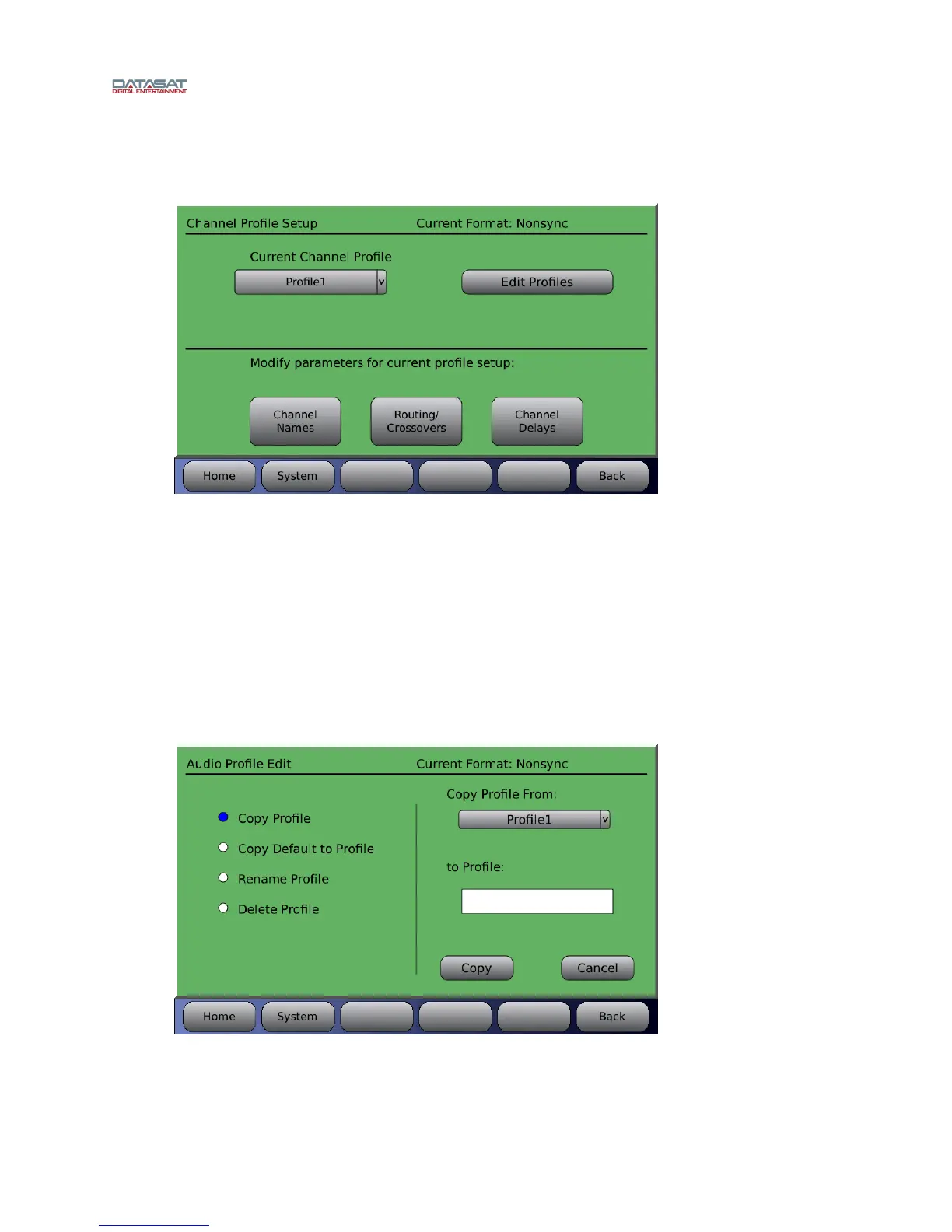
Menu (System) > Formats > Channel Profile
Figure 63. Channel Profile Setup Screen
4.3.8.1 Current Channel Profile
The current channel profile is displayed in the drop-down box under the label “Current Channel
Profile”. Before making changes to the profile, always verify that you are in the desired format
(check the upper right corner of the Channel Profiles screen).
To select a different profile, touch the down arrow and select a profile from the list. Any changes
made to the Channel Names, Routing/Crossovers and Channel Delays will be for this profile
only, but will affect other formats with this same profile assigned.
4.3.8.2 Edit Profiles
Menu (System) > Formats > Channel Profile > Edit Profiles
Figure 64. Audio Profile Edit
Copy Profile – Use an existing audio profile as a template for a new one. Select the audio
profile you wish to copy from by selecting it from the drop down box. Then, touch the “to



 To Next Page