AP20 Installation and Operating Guide Page 18
AP20 Installation & Operating Guide Document # 9301H39200 Ver. 1.25
1.4 The Home Screen
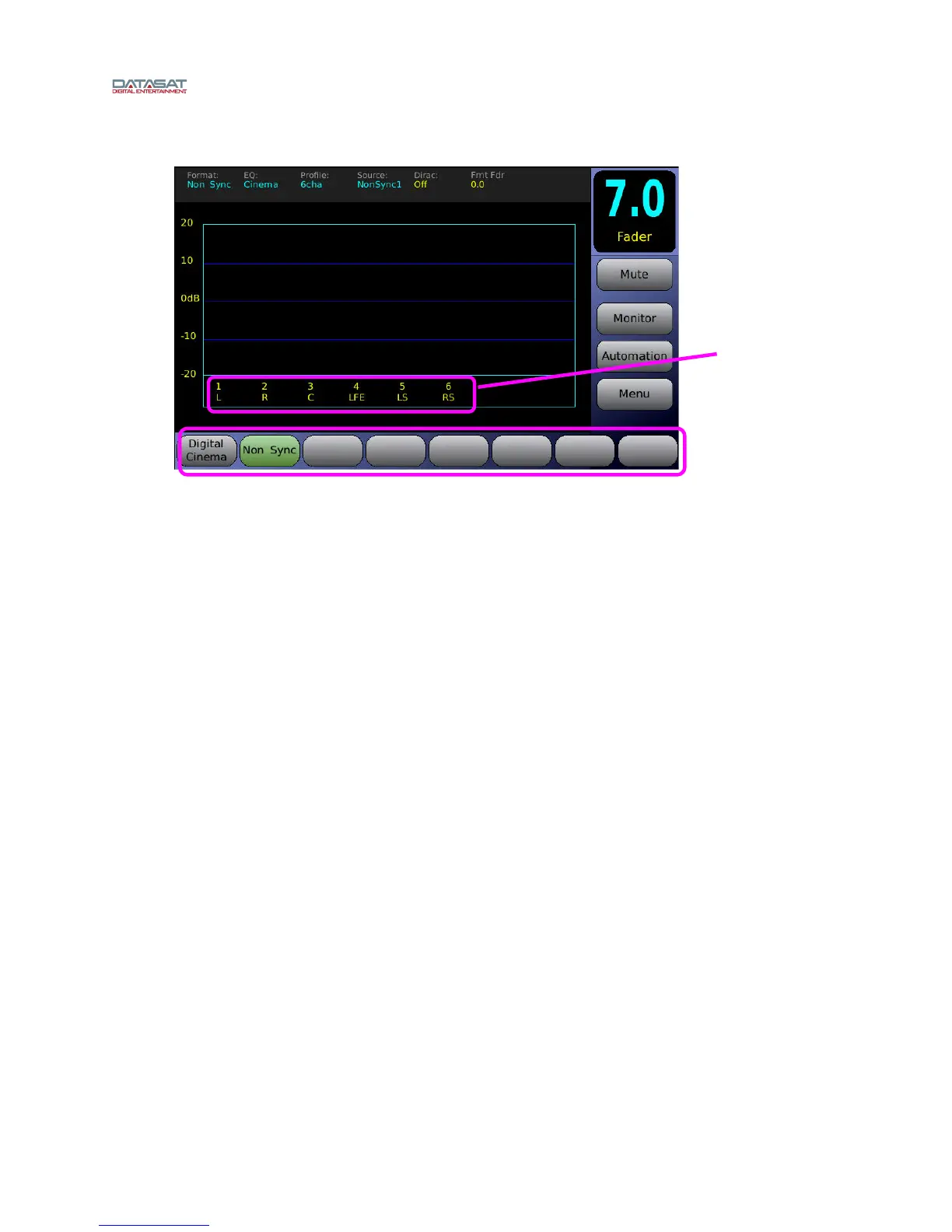
Figure 6. Home Screen
When the system has finished booting up, the Home Screen will appear, as shown in the above example.
Your Home Screen may look somewhat different, due to user-configurable channel names and audio
formats.
The Home Screen of the AP20 provides one-touch access to the following features:
Fader Volume/Mute
Audio Formats
Booth Monitor Volume/Mute
Manual Automation Control
Setup Menu
VU bars for all output channels associated with the current audio format.
1.4.1 Adjusting the Fader
Adjust the fader volume by using the control knob on the front panel. To mute the fader, touch the Mute
button. The button label and fader display will turn red. The button label will also change to “Muted”.
Unmute the AP20 by touching the mute button again, or changing formats. If in the Home Screen,
increasing the fader volume using the control knob will also unmute.
User-assigned
Channel
Names
User-assigned
Audio Formats



 To Next Page