AP20 Installation and Operating Guide Page 63
AP20 Installation & Operating Guide Document # 9301H39200 Ver. 1.25
4.2.6 System Info
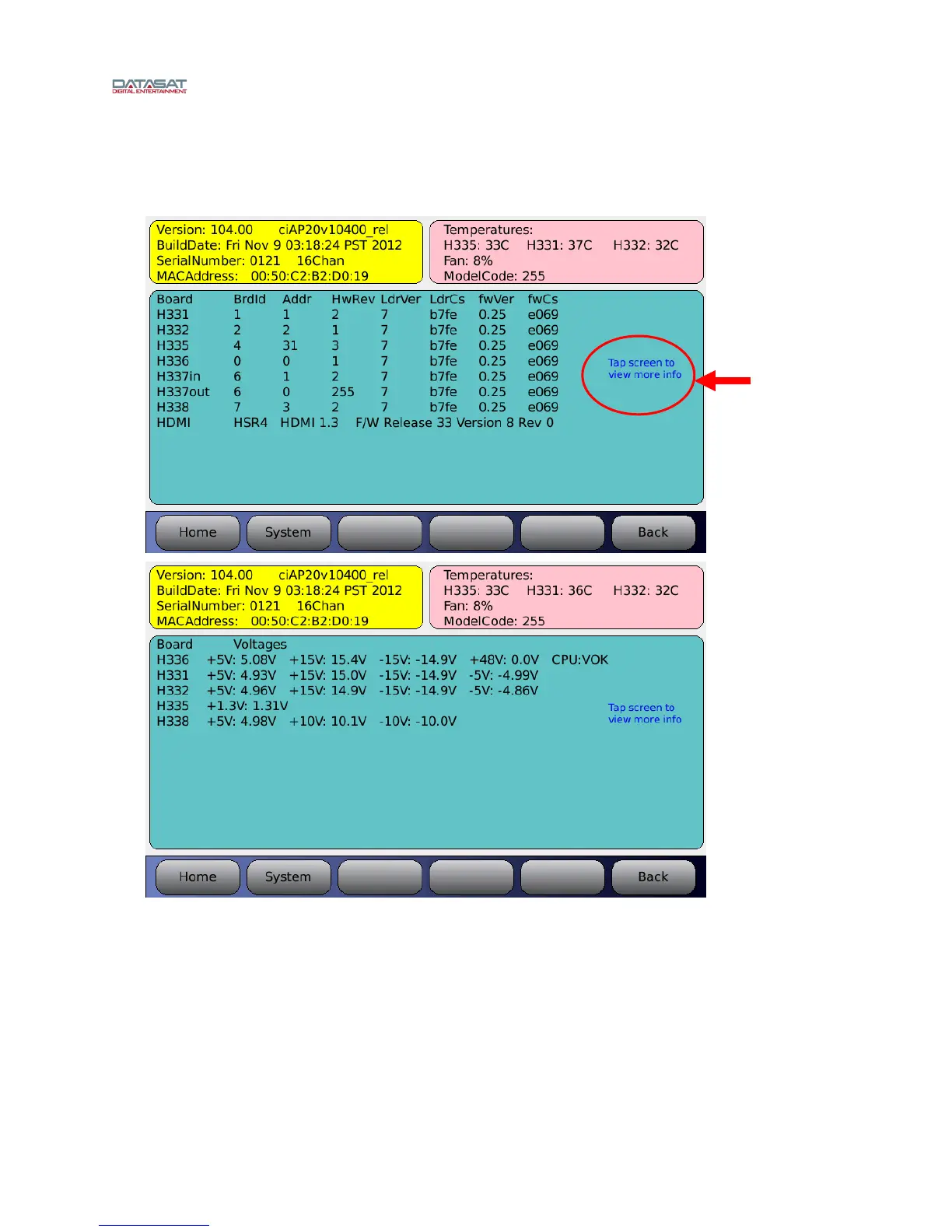
From the system Setup screen, touch the System Info button. The System Info screen is shown below.
Menu (System) > System Info
Figure 35. System Info Screens
4.2.7 Version, Serial Number, and MAC address
The yellow portion displays software version, build date, unit serial number &
configuration, and its unique MAC address.
4.2.8 System Monitor
The pink portion displays the internal board temperatures.
Tap touch
screen to see
more
information such
as board voltage
Board voltage
screen.
Toggle through
both screens
by tapping
touch screen



 To Next Page