AP20 Installation and Operating Guide Page 56
AP20 Installation & Operating Guide Document # 9301H39200 Ver. 1.25
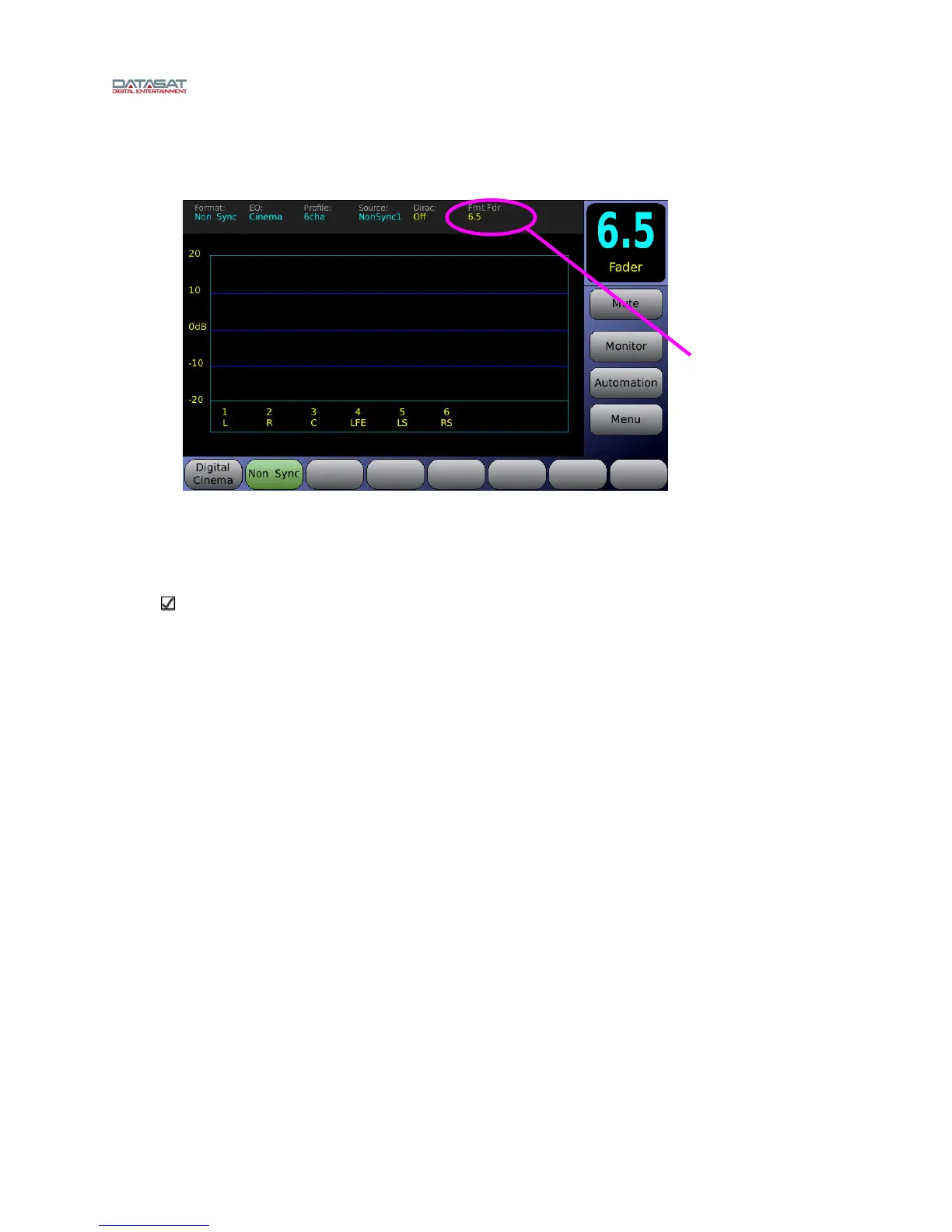
4. Finally, hold down the current format button (shown in green, Non Sync in this example)
for about 5 seconds, until Fmt Fdr (in yellow) matches the fader setting (6.5 in our
example).
Figure 27. Setting Fader Level for a Format (3 of 3)
The Non Sync audio format button is now set at 6.5 and will remain so until changed.
Note: If you adjust the fader up/down for a selected format but do not do step 4 above (to
change the Fmt Fdr assignment), then when you leave and return to this format, it will assume
the previously set Fmt Fdr setting.
4.2.2 Updating Your AP20 Software
There are two ways you can update your software. The first way, is to connect to the servers at Datasat
Digital Entertainment to select and install the update. This requires that the AP20 be connected to the
Internet.
The second way is to install the update from a USB Device. Both methods are described in more detail
below.
Fmt Fader
now
shows a
level of
6.5



 To Next Page