AP20 Installation and Operating Guide Page 78
AP20 Installation & Operating Guide Document # 9301H39200 Ver. 1.25
Table 13: Decoder Channel Assignments
CHANNEL NUMBER CHANNEL NAME
1 Left
2 Right
3 Center
4 LFE
5 Left Surround
6 Right Surround
7
8
Back Surround (only with 6.1 playback)
Decoder Setup Options
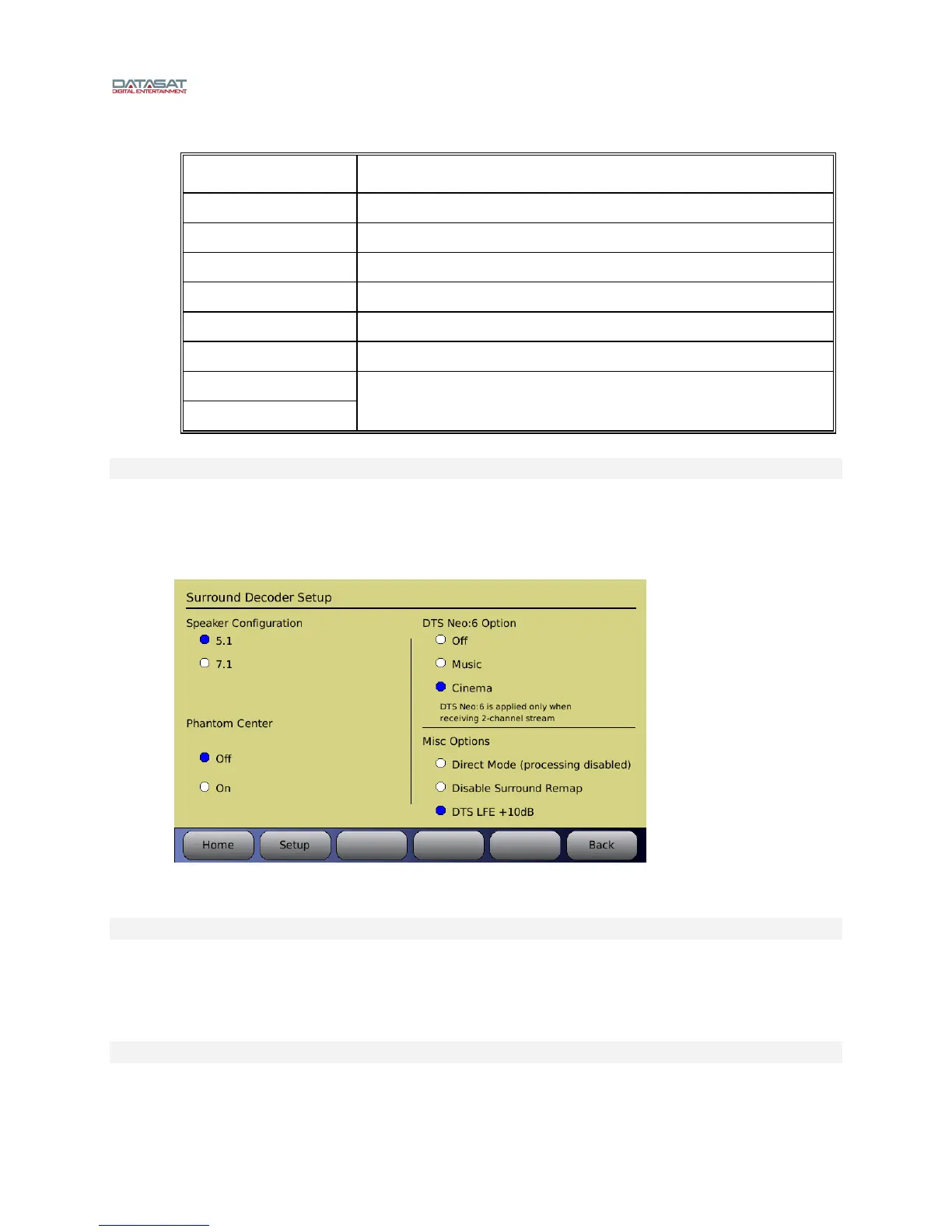
Additional Decoder options are available to set the speaker configuration and phantom center option.
These options are accessed through the Decoder Setup screen. (Note: You must first select a format
with HDMI, TosLink or S/PDIF as the source).
Menu (System) > Formats > Format Options > Decoder Setup
Figure 53. Decoder Setup Screen
Speaker Config
5.1 – 6.1 and 7.1 content is mapped to a 5.1 speaker configuration and 5.1 content is
unmodified.
7.1 –5.1 and 6.1 content is mapped to a 7.1 speaker configuration and 7.1 content is
unmodified.
Phantom Center
Off – Normal operation with a center channel speaker.



 To Next Page