Disassembly Instructions Repair Information
3 - 12 0070-10-0691 Accutorr Plus Service Manual
3.6.6 Removal of the Power Supply Assembly
1. Remove AC mains power cord and internal battery. Remove rear case.
2. Disconnect ribbon cable at J-3 on the power supply. Disconnect battery J-4 connector
cable. Disconnect input cable at J-2.
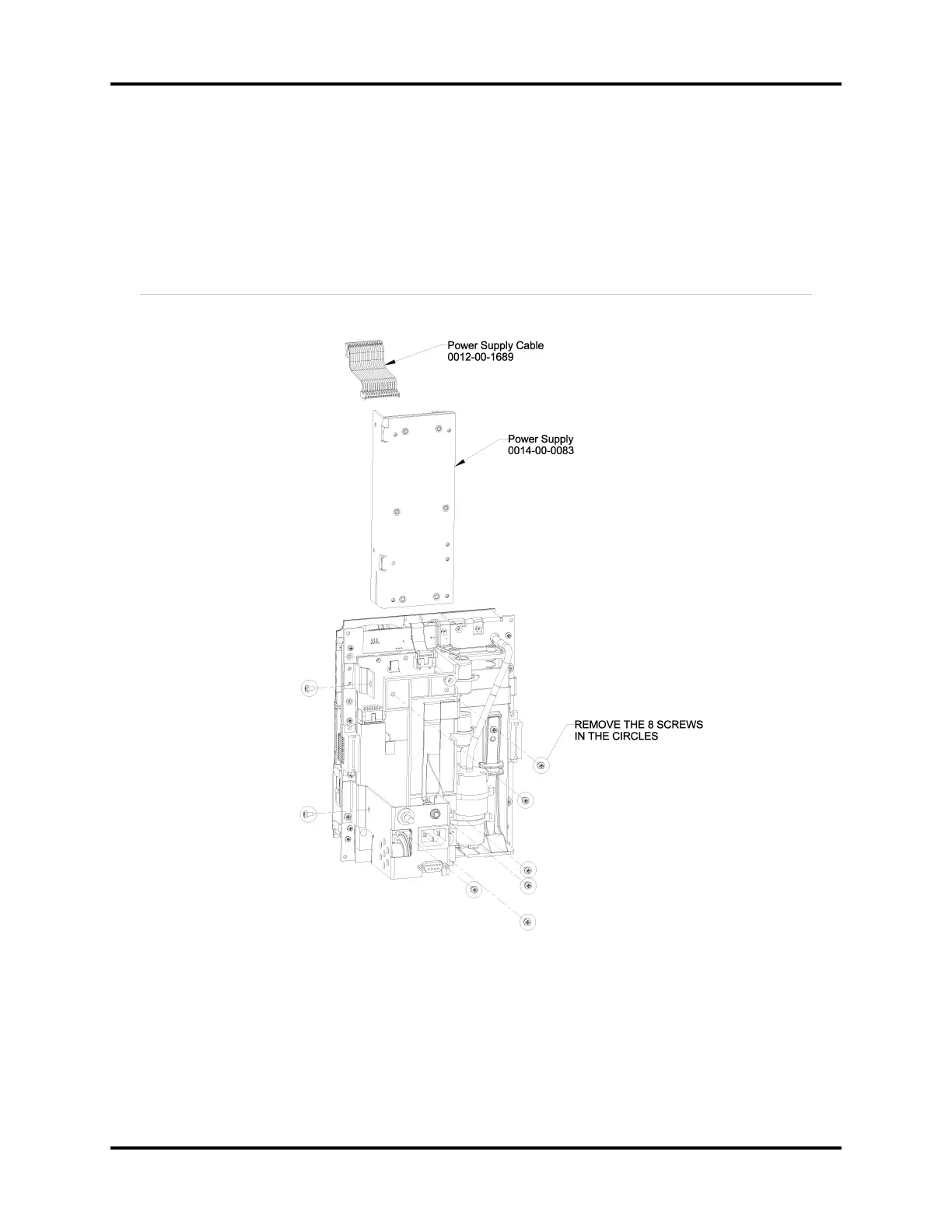
3. Remove screws as shown in Figure 3-1.
FIGURE 3-1 Power Supply Assembly Diagram


 To Next Page