Accutorr Plus Service Manual 0070-10-0691 5 - 15
Calibration Service Diagnostics
5.5.16 Overpressure Transducer Calibration
NOTE: This procedure should only be performed if a
failure occurred in steps 1 through 3 of 5.5.14
“Overpressure Transducer Verification <12c, 12a,
12b>” on page 5-13.
This is the procedure for calibrating the overpressure transducer in the event that the
display does not read 158 mmHg during the test for Low pressure mode in 5.5.14
“Overpressure Transducer Verification <12c, 12a, 12b>” on page 5-13. The transducer is
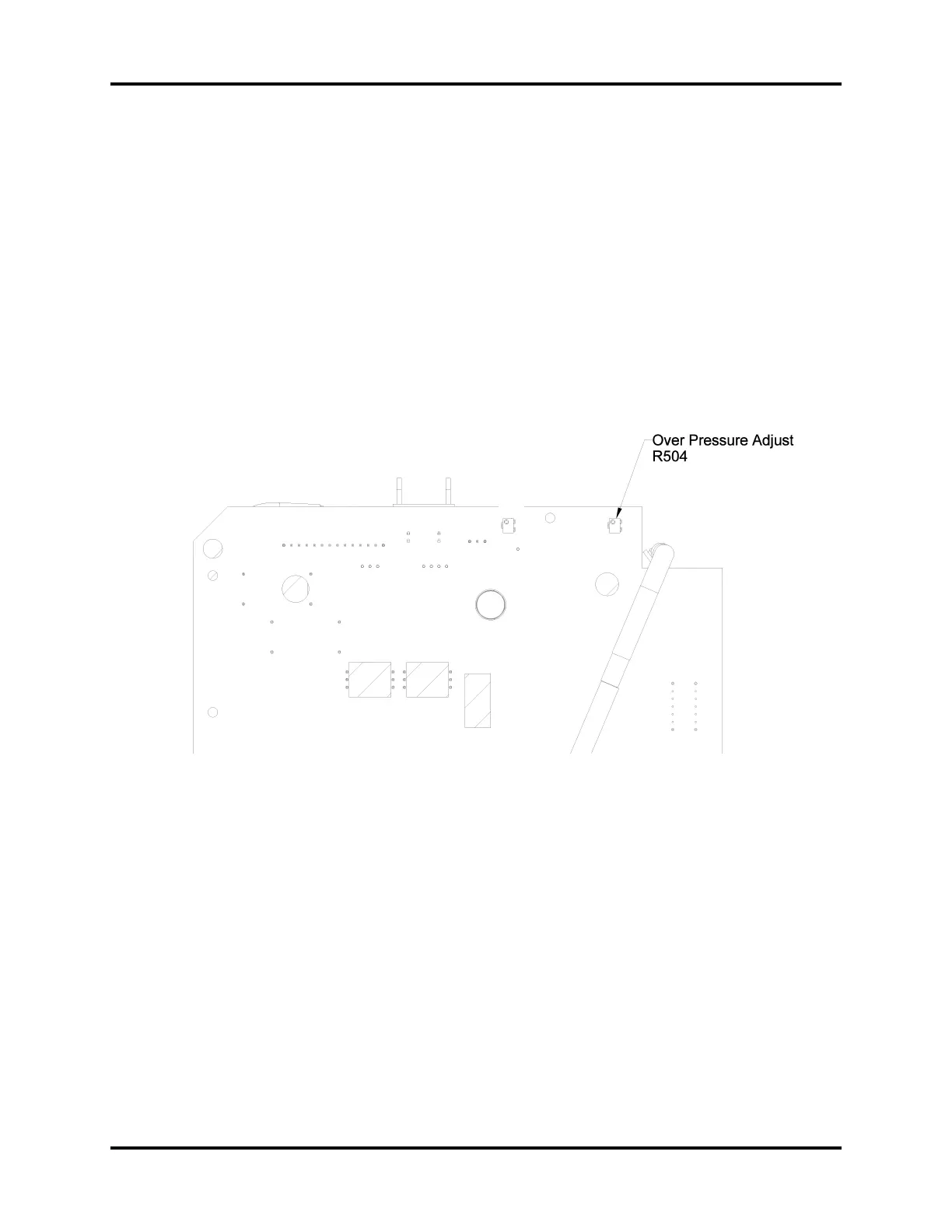
calibrated using R504 on the 0670-00-0814 PCB (see Figure 5-5).
1. Adjust R504 on the 0670-00-0814 PCB until the MAP readout is 158 mmHg.
2. Repeat 5.5.14 “Overpressure Transducer Verification <12c, 12a, 12b>” on page 5-13.
FIGURE 5-5 Overpressure Adjust (R504)


 To Next Page