Service Diagnostics Calibration
5 - 14 0070-10-0691 Accutorr Plus Service Manual
5.5.15 Main Pressure Transducer Calibration
NOTE: This procedure should only be performed in the
event that there was a failure in 5.5.12 “Main
Pressure Transducer Verification Test (11a, 11b,
11c)” on page 5-11.
NOTE: 700 cc dummy cuff must be used.
This is the procedure for calibrating the main pressure transducer in the event that there is
a disagreement between the UUT and the external pressure gauge in the proceeding test.
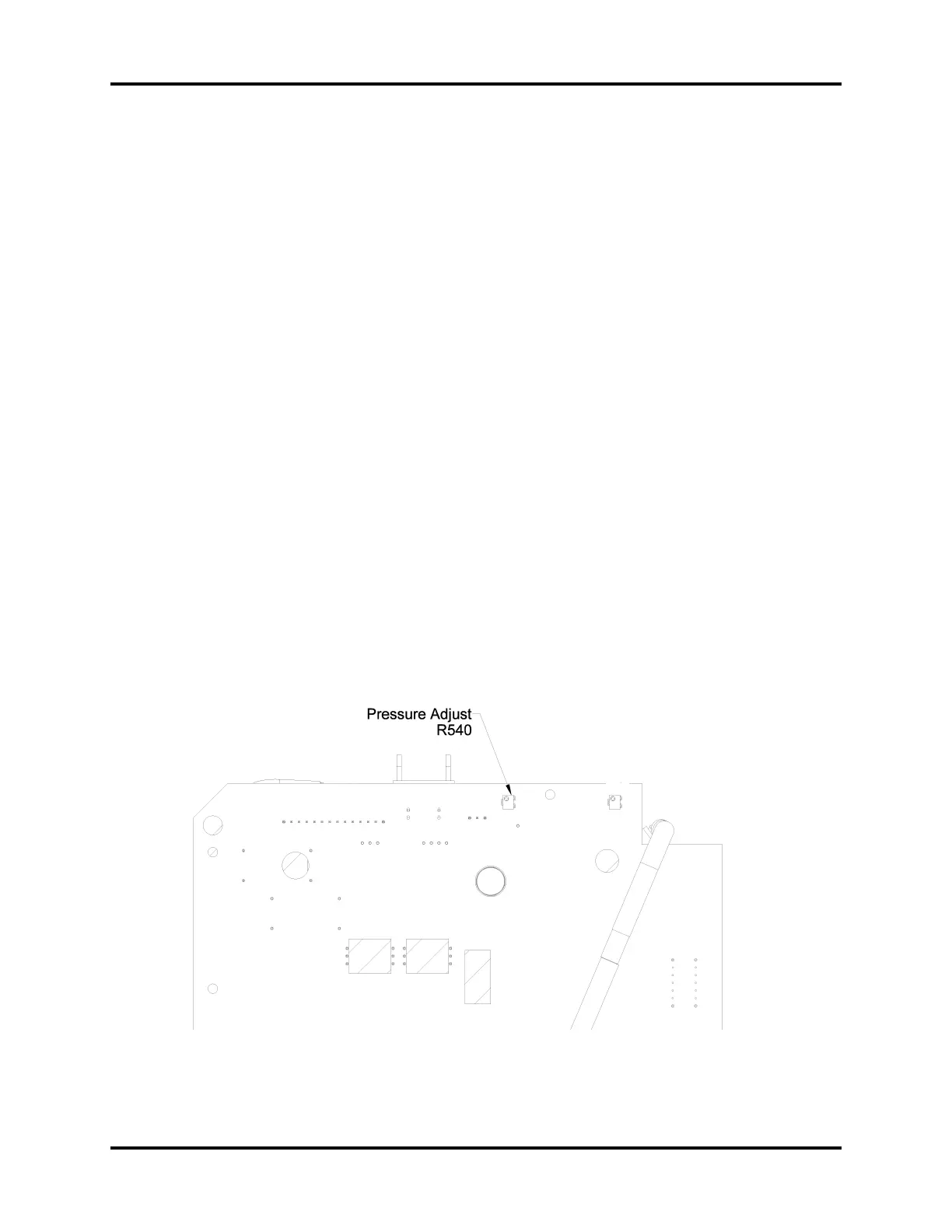
The device is calibrated by comparison with the NIBP simulator at 158 mmHg (±1) and
then by adjusting R540 on the 0670-00-0814 PCB (see Figure 5-5).
1. Connect the NIBP simulator to the Accutorr Plus cuff connector, and connect a 700 cc
test chamber to the open port of the simulator. Select the manometer function of the
simulator.
2. Select diagnostic test “11” (Room) “d” (Bed).
3. Press the START NIBP Key to start HIGH calibration procedure.
4. Pump up the NIBP simulator to 158 ±1mmHg.
5. Allow pressure to stabilize for 10 seconds. Read the pressure in the MAP display.
6. Adjust R540 on the 0670-00-0814 PCB until the MAP readout is the same as the
simulator’s manometer reading.
7. Press the DEFLATE key to exit this test.
8. Repeat 5.5.12 “Main Pressure Transducer Verification Test (11a, 11b, 11c)” on
page 5-11.
FIGURE 5-4 Pressure Adjust (R540)


 To Next Page