Setting the Current Time Calibration
5 - 18 0070-10-0691 Accutorr Plus Service Manual
5.7 Setting the Current Time
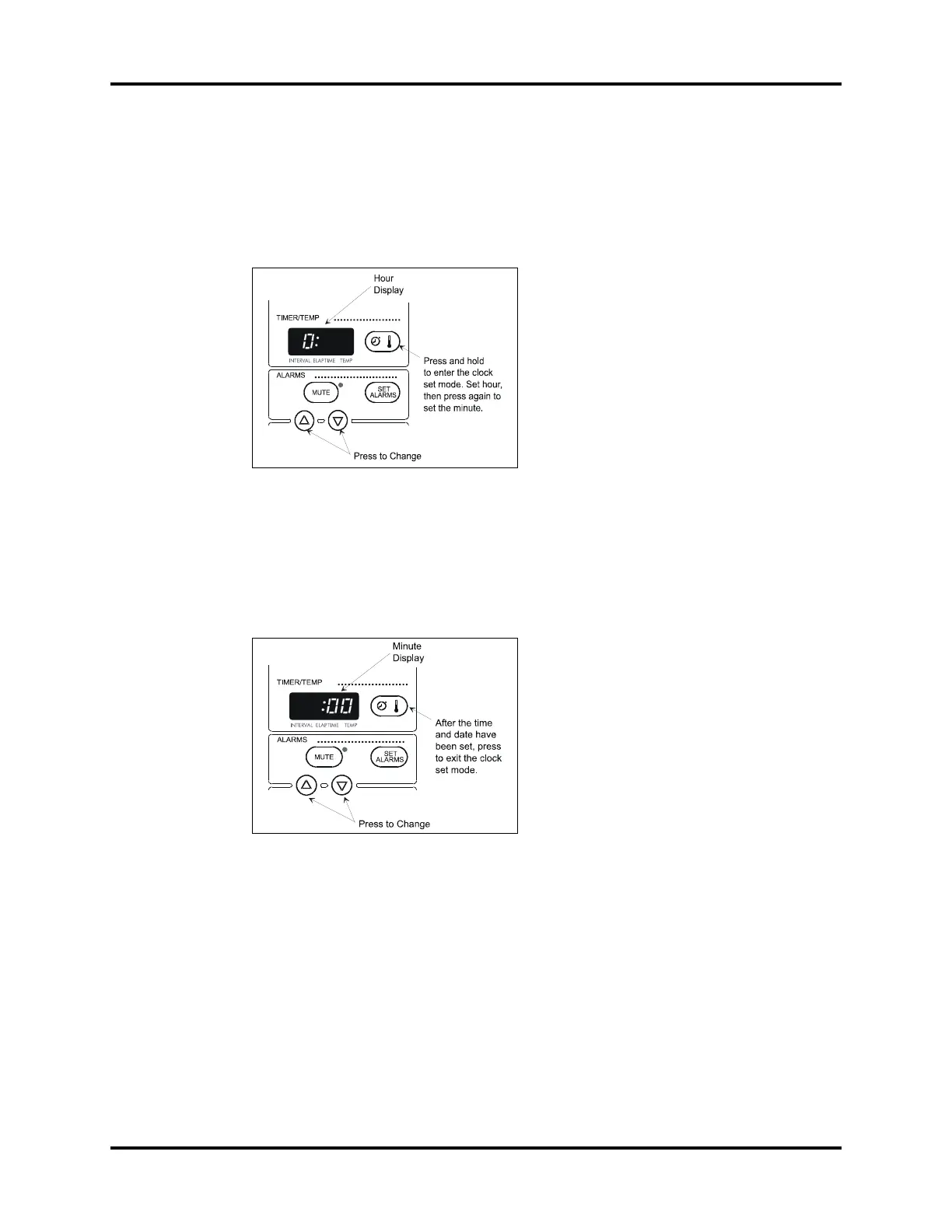
1. Press and hold the TIMER/TEMP key for 6 seconds. The hour digit only displays.
2. Press the UP or DOWN ARROW key to change the number.
3. Press the TIMER/TEMP key to activate the minute display.
FIGURE 5-6 Hour Display
NOTE: The Accutorr Plus always displays time in a 24
hour format.
4. Press the UP or DOWN ARROW key (12 or 13) to change the number. Continue
pressing the TIMER/TEMP key and the ARROW keys to set the month, day, and
year (in that order).
FIGURE 5-7 Minute Display


 To Next Page