DR Robot Variomatic | User manual www.daub.nl53
7.5. Starting the rounding process
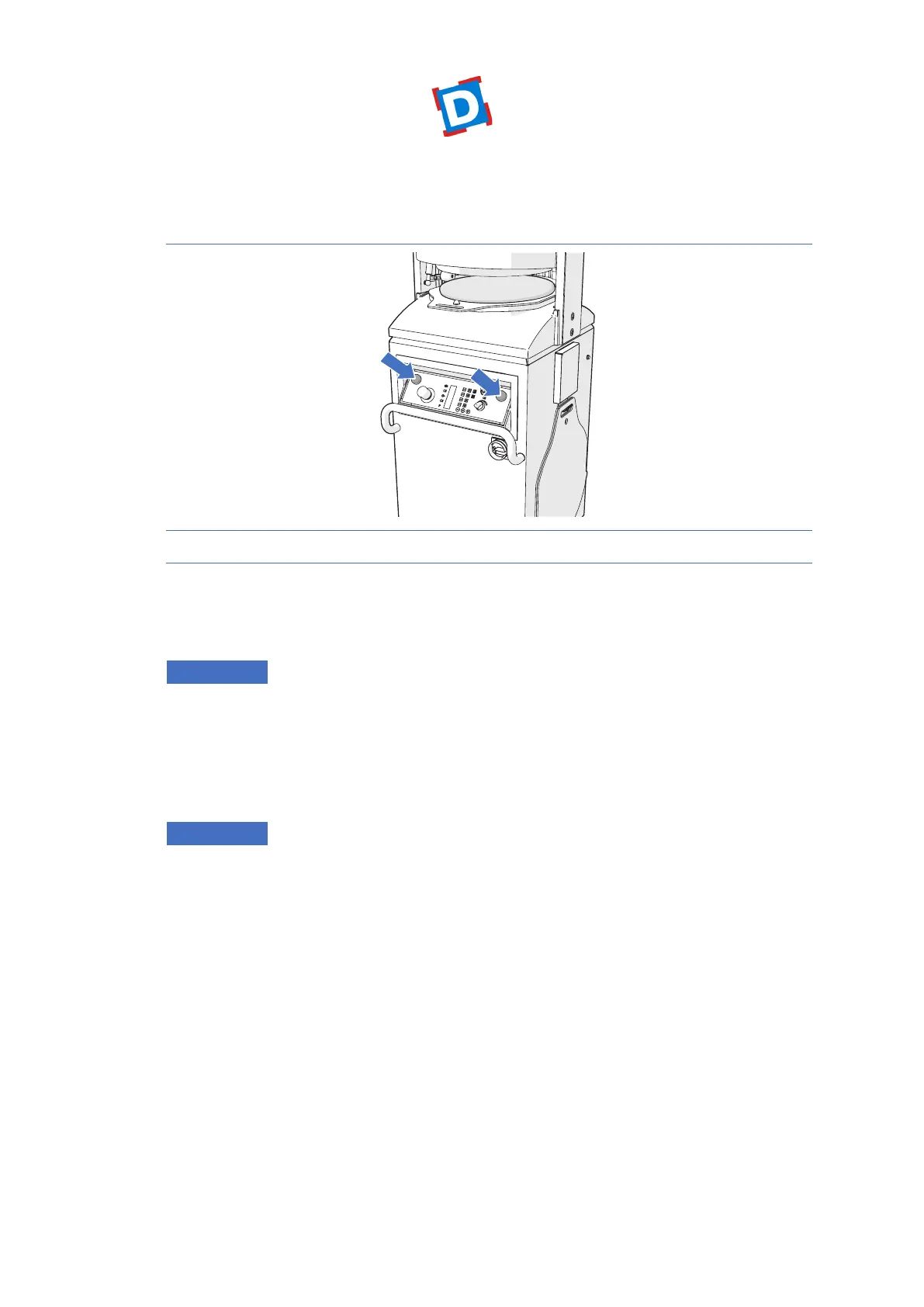
Figure 8 Start the rounding process
1. Press and hold the two start buttons simultaneously until the pressing ring is completely
againsttheroundingplate.Seegure8.
The machine will start.
ATTENTION
• If the start buttons are released prematurely, the ring will move up.
• If the result is not satisfactory, the settings can be changed. See section 2.6.2..
7.6. Saving a program
Press the P-key to save the current settings under a program number.
ATTENTION
Thenalresultdependsonthedoughconsistency.Withmoreexperienceanduseyouwillattain
thebestnalresult.Seesection2.6.2..
7.7. Assessing the result
The following information will help you to obtain the best possible result.
When operating the machine, always observe the following adjustment options: volume, pressing
time and rounding time.



 To Next Page