USING THE SOFTWARE
Reports Menu
44
Yearly Rainfall
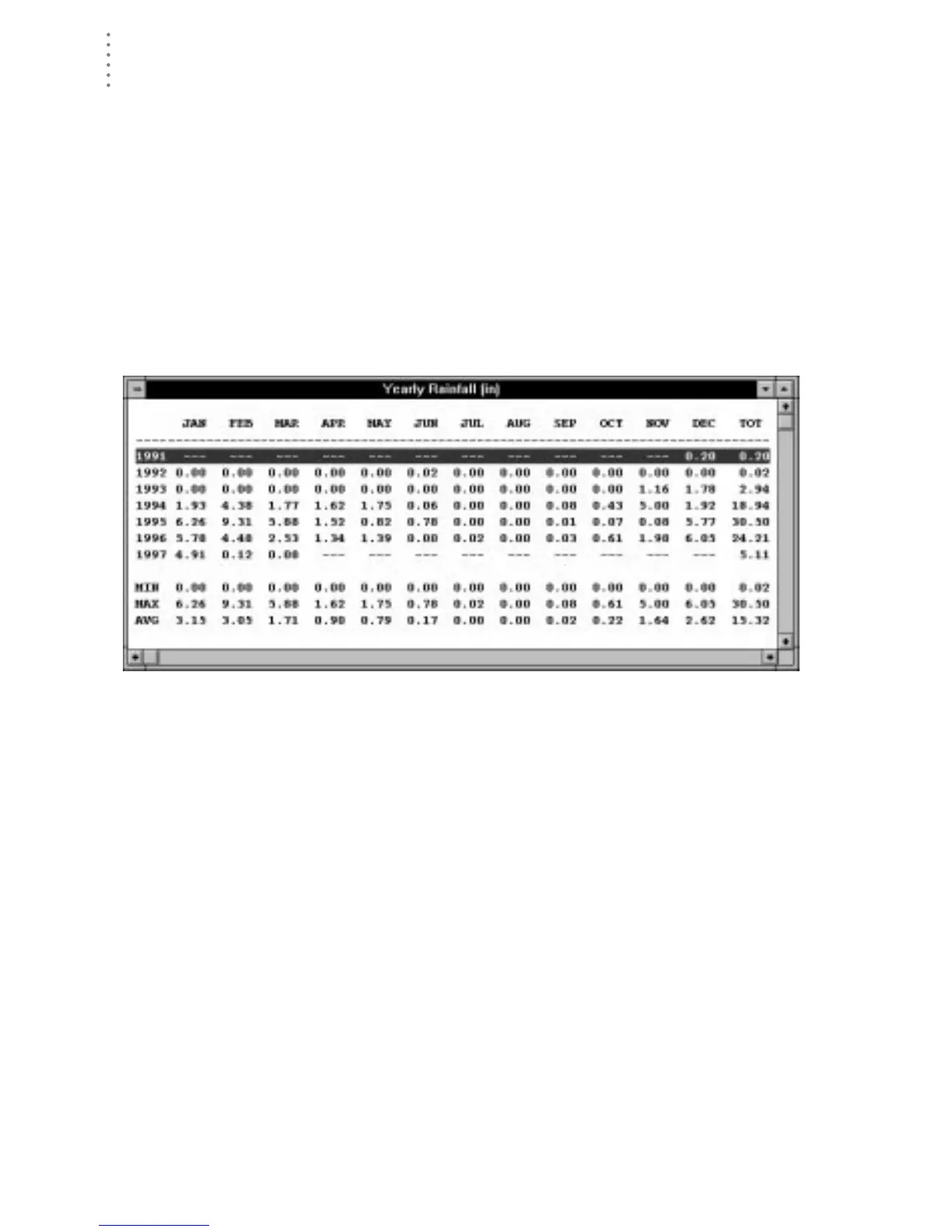
You may generate rainfall reports which show rainfall totals for all years in the
database and any years for which you want to enter your own data. The rainfall
report database is kept separate from the station database, so you may alter rain-
fall information in the rainfall database without affecting the station database.
1. Choose Yearly Rainfall from the Reports menu, click on the Yearly Rain icon in the tool-
bar, or press Ctrl-R.
The software opens the Yearly Rainfall window.
Note:
The first time you open the rainfall report, you will be prompted to confirm that you want
to generate the rainfall database. Choose Yes to generate the rainfall database. Depend-
ing on the amount of data in your database, it may take a while to generate the rainfall
report.
Y
EARLY
R
AINFALL
2. See “Using the Yearly Rainfall Database” on page 80 for instructions on using the
yearly rainfall report.





 To Next Page