USING THE SOFTWARE
Degree-Days
85
Adding a Degree-Day Total
You need to enter a separate degree-day total for every individual crop, pest, etc.
for which you want to track degree-days.
1. From the PC Degree-Days list box, choose Add.
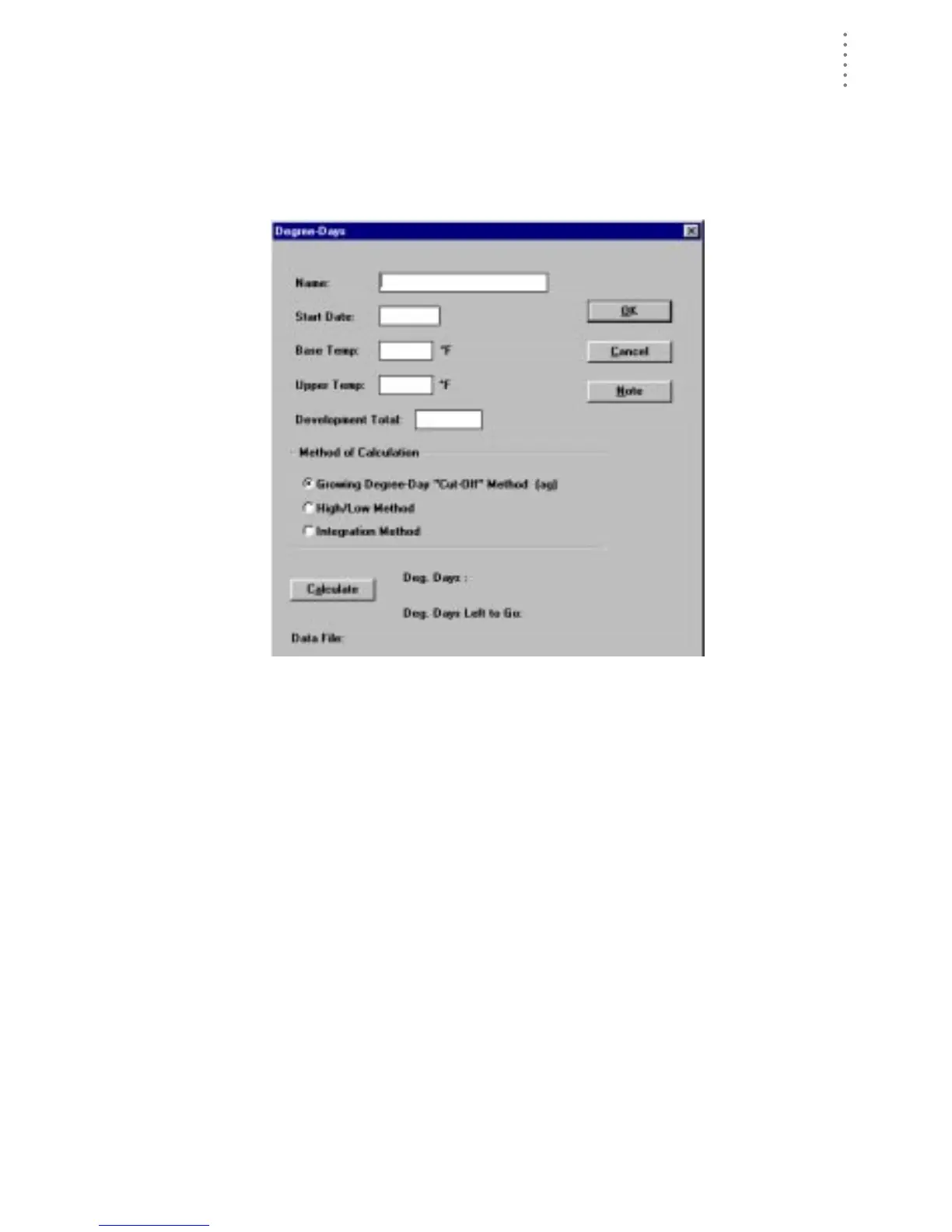
The PC Degree-Day Definition dialog box appears.
PC D
EGREE
-D
AY
D
EFINITION
2. Enter the following information for each degree-day total:
▲ Name
Enter the name of the crop, pest, etc. into the text box.
▲ Start Date
Enter the starting date for degree-day calculations into the text box.
▲ Base Temp
Enter the base developmental threshold (the temperature at and below
which development stops) into the text box.
▲ Upper Temp
Enter the upper developmental threshold (the temperature at and above
which development rate remains constant) into the text box.
▲ Development Total
Enter the number of degree-days required for this crop/pest to develop
into the text box.





 To Next Page