Selecting a Drum Kit
Selecting Pad Voice
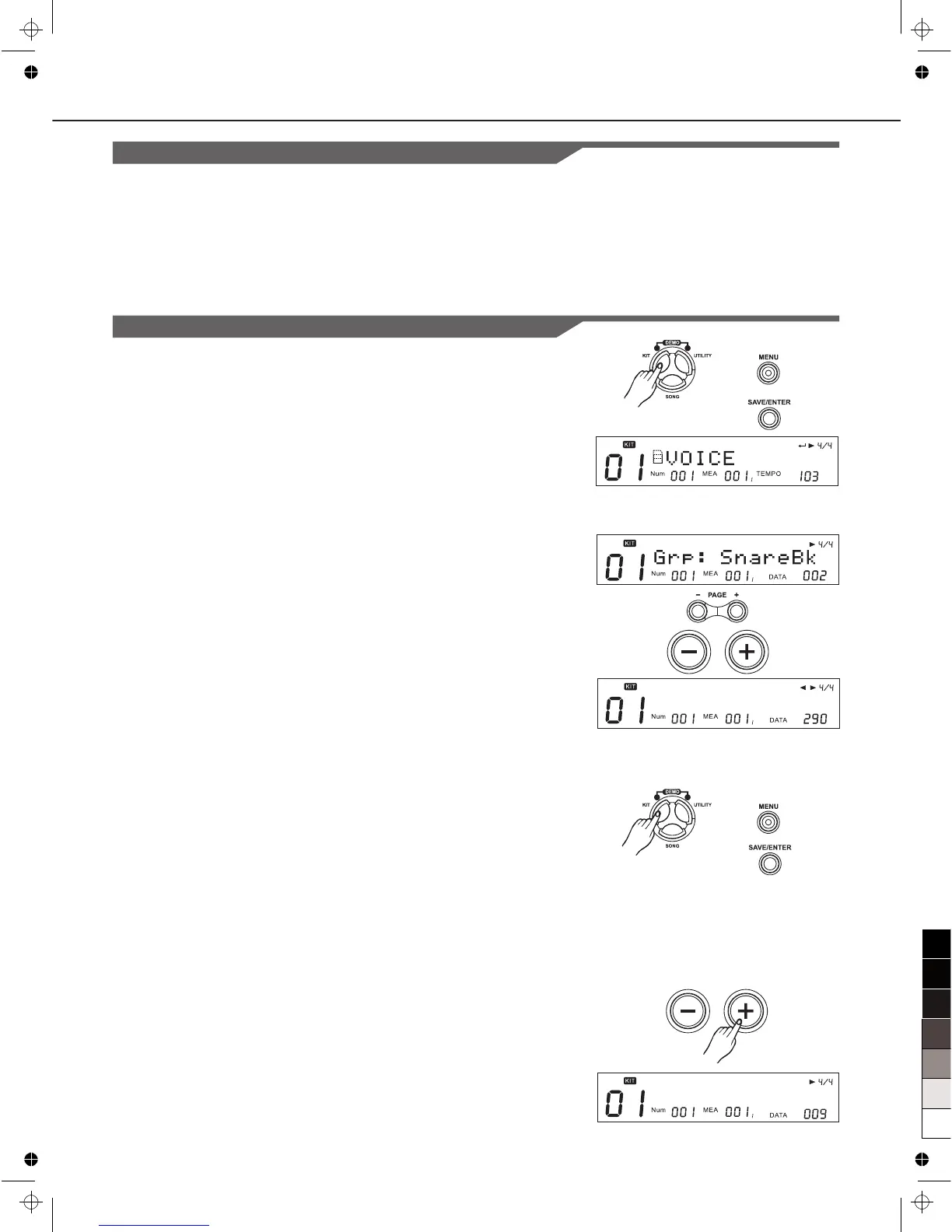
1. Press [KIT], then [MENU].
2. Press [SAVE/ENTER]
The voice group name will appear.
3. Press Pad Select button or strike a pad you wish to select.
4. Press[PAGE+]/[PAGE-] button to select “Grp” or “Voc”
“Grp”: Type of voice
“Voc”: Voice name
5. Press [+]/[-] button or use the DIAL to select the voice group
or individual voice.
Grp: There are 8 common Voice group and 1 Hi-Hat
Combination.
--8 common Voice group:
“KickBk”, “SnareBk”, “TomBk”, “RideBk”, “CrashBk”,
“HihatBk”, “PercuBk”, “SFX”
--1 Hi-Hat Combination (displayed as "HH_Combi") group
Selecting Hi-Hat Combination group
1. Press [KIT], then [MENU]
2. Press [SAVE/ENTER]
3. Press Pad Select button or strike a pad to select the trigger of
the Hi-Hat Combination.
There are 8 pad trigger which belong to Hi-Hat combination
triggers, for example, open hihat, open hihat rim, half open
hihat, half open hihat rim, close hihat, close hihat rim, pedal
hihat, splash.
4. Press [+] or use the DIAL to select the last group.
The "HH_Combi" will be displayed just when you select the
pad as step3 described.
Grp: HH_Combi
12
Drum Kit Setting
Selecting voices
About the voices
There are 696 different voices which are categorized into 8
seperate groups(such as KICK,SNARE,TOM and etc) and 1
hihat combination group.
Voc: Jazz1Tm3



 To Next Page