Basic Operations
Adjust Value
Listening to the Demo Song
8
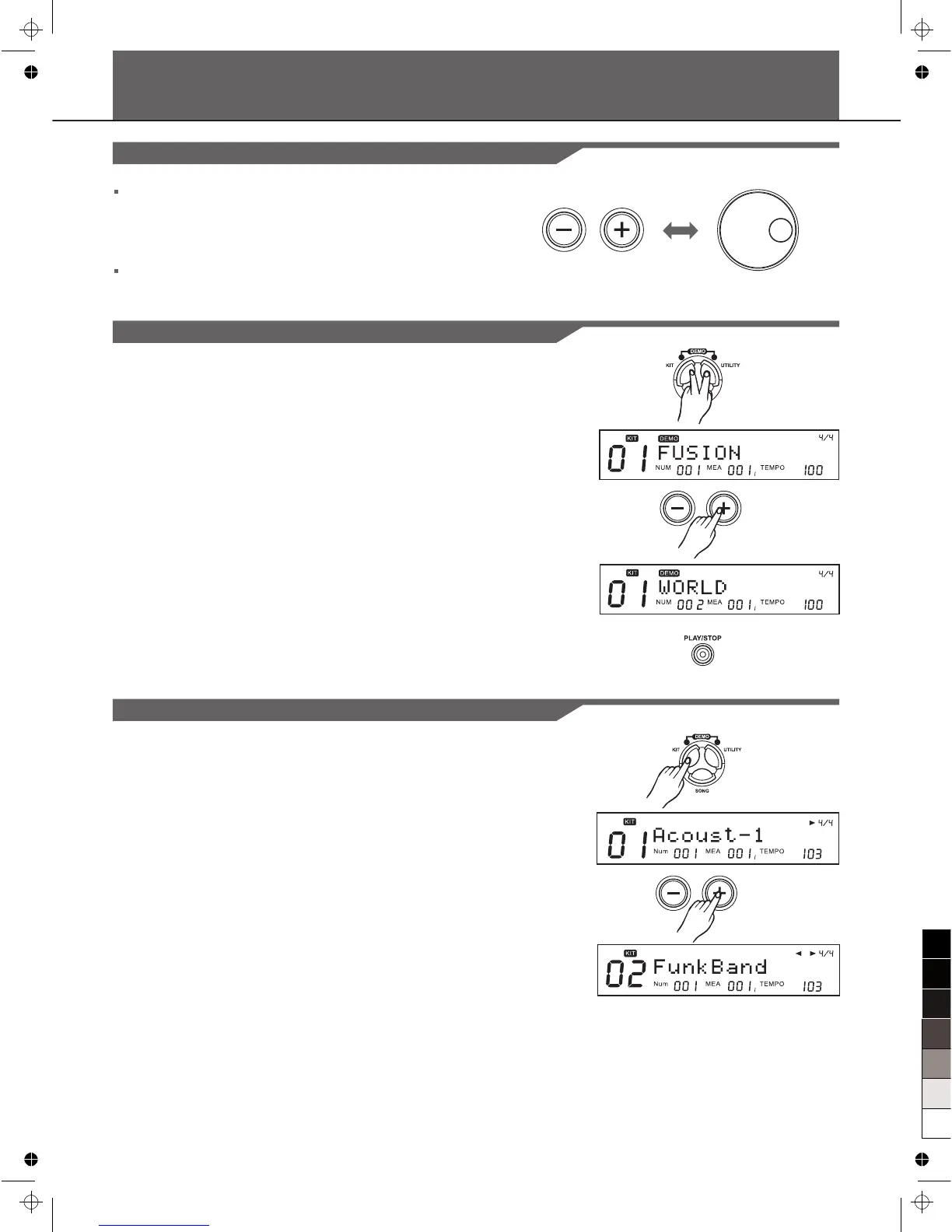
Both the [+] / [-] button and DIAL are used to change the
values of settings.
If you hold on the [+] or [-] for a while the value will increase or
decrease rapidly.
The DIAL allows you to make major changes to the value
quickly.
1. Press [KIT] button and [UTILITY] button simultaneously to
enter Demo Mode:
2. Press [+] / [-] buttons to select a Demo to play;
3. Use [PLAY/STOP] button control the play.
Choosing a Drum Kit
1. Press the [KIT] and the Kit indicator " KIT " is lightened in
the screen;
2. Press [+] / [-] or DIAL to choose a drum kit.



 To Next Page