26
Record( )RECORD
Recording Part1~Part5
Link MIDI keyboard (or other MIDI equipment such as computer)
to the MIDI IN port of digital drum;
Press [PLAY/STOP] button to start recording. The midi channel
12~16 would be recorded to corresponding part.
2. Stop recording
In recording statement, press [PLAY/STOP] button or [EXIT]
button to stop recording. The [REC] button and [PLAY/STOP]
button are putting out.
3. Playback
After recording stops, it would enter SONG Mode
automatically; Press [PLAY/STOP] button to playback the
song you just recorded.
Note:
In recording statement, press [REC] button to enter
rehearsing statement, in which nothing can be recorded but
time is passing. At this time, the [REC] button is sparking,
[PLAY/STOP] button is lightened; LCD displays “-Rehearsal-”
Only 1 drum part or percussion part can be recorded at one
time, other parts (part1~part5) can be recorded simultaneously.
Some preset songs are using GM kits for percussion part. In
this case, the digital drum will automatically choose "new" as
REC mode.Because some percussion voice of GM kits are
using the notes out of the range of an internal KIT,if you choose
"overdub" mode to add new notes to the percussion part, some
previous notes which were arranged in GM kits may be not
able to hear.
MIDI Channel
12
13
14
15
16
Part
Part 1
Part 2
Part 3
Part 4
Part 5
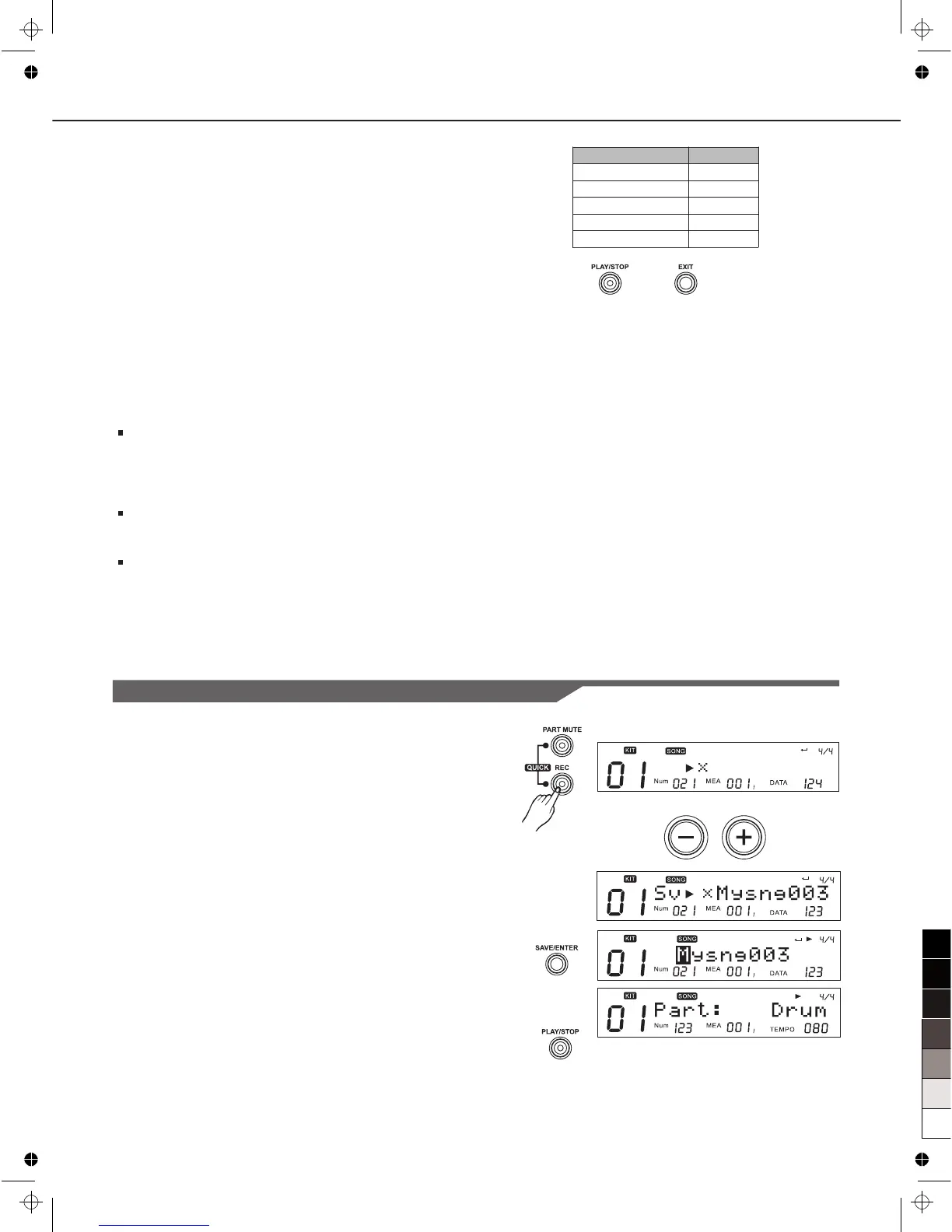
Recording Based on Preset Song
1. Select a preset song (for example 021), press [REC] button,
the digital drum indicates saving it to a user song. It would
select the first new user song to be the destination (if there is
no new user song, select the very first user song):
LCD icon ”NUM: 021” indicates that the original song index is
021.
2. Press [+]/[-] buttons to select a proper user song.
3. Press [SAVE/ENTER] button to confirm and enter rename
menu.
4. Then press [SAVE/ENTER], LCD displays “Save Ok!”
temporarily; 2 seconds later, LCD displays record menu as
right.
5. The click would be started automatically the [REC] button
flashes; At this time, if SYNC start is ON, [PLAY/STOP]
button would spark; if not, [PLAY/STOP] button would be
darken.
S v M y S n g 0 0 4



 To Next Page