Note:
While setting this parameter, "DATA:" displayed in right bottom
of the LCD shows the number of the current voice.
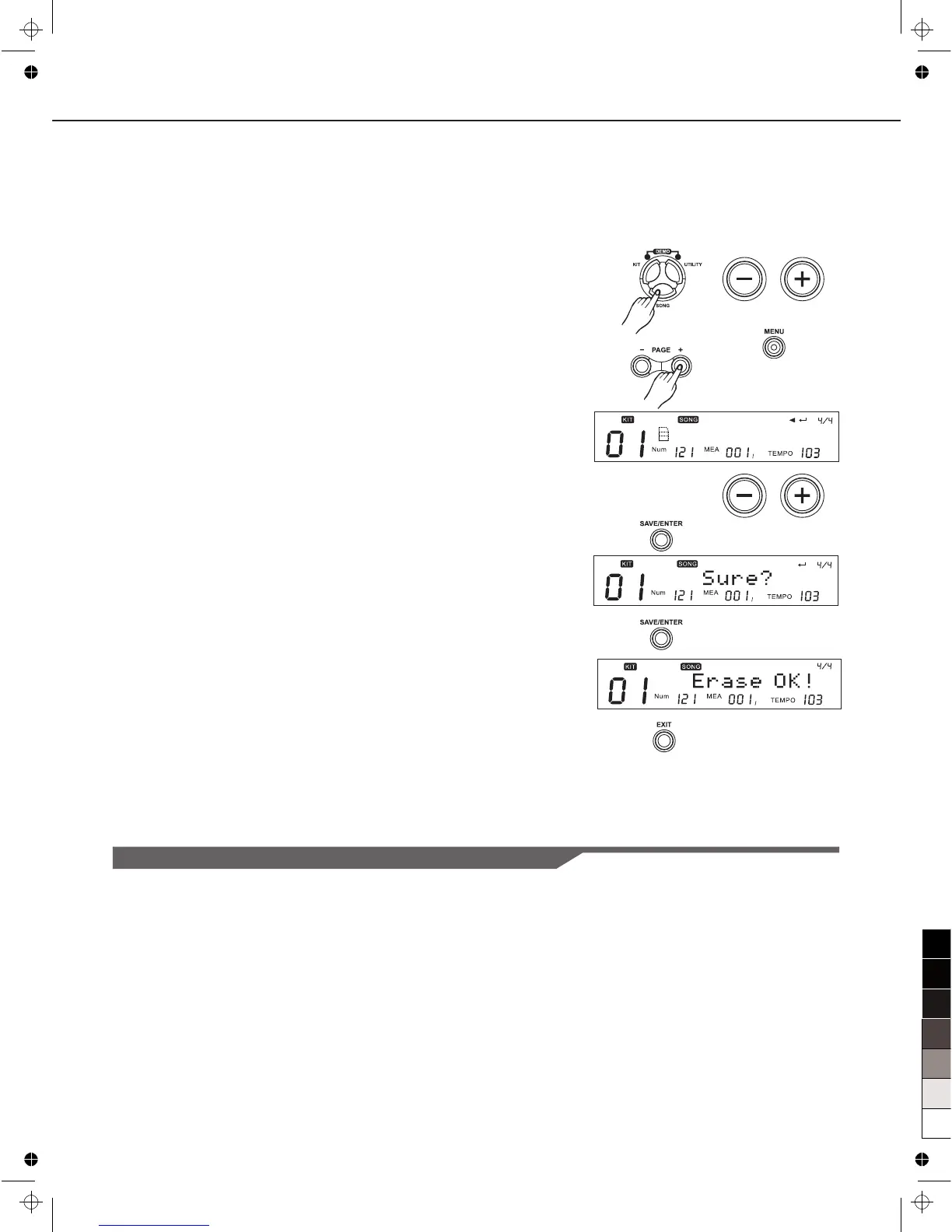
Erase a Song
Attention: This is an auxiliary function available when song
category is User Song, and the song is not empty.
1. Press [SONG], then press [+]/[-] or use the DIAL to select the
user song(note empty).
2. Press [MENU]
3. Press [PAGE+] to select “ERASE”
4. Press [+]/[-] or use the DIAL to select the part to be erased.
In addition, you can select “ALL” to erase the whole user
song.
5. Press [SAVE/ENTER], the screen displays as right side.
6. Press [SAVE/ENTER] for make sure. When you have
finished deleting the song, the completed screen appears.
7. Press [EXIT] to cancel the operation, it will return to screen of
“Erase:”
Song Selection
Saving Song
The digital drum allows you to edit preset song and save it to
user song for using conveniently. Also it allows saving current
user song and all user songs to SD card.
Note:
Not only on SONG screen, but also in the deeper menu of song
editing, press [SAVE/ENTER] will enter Song Save screen.
22
E R A S E : D R U M



 To Next Page