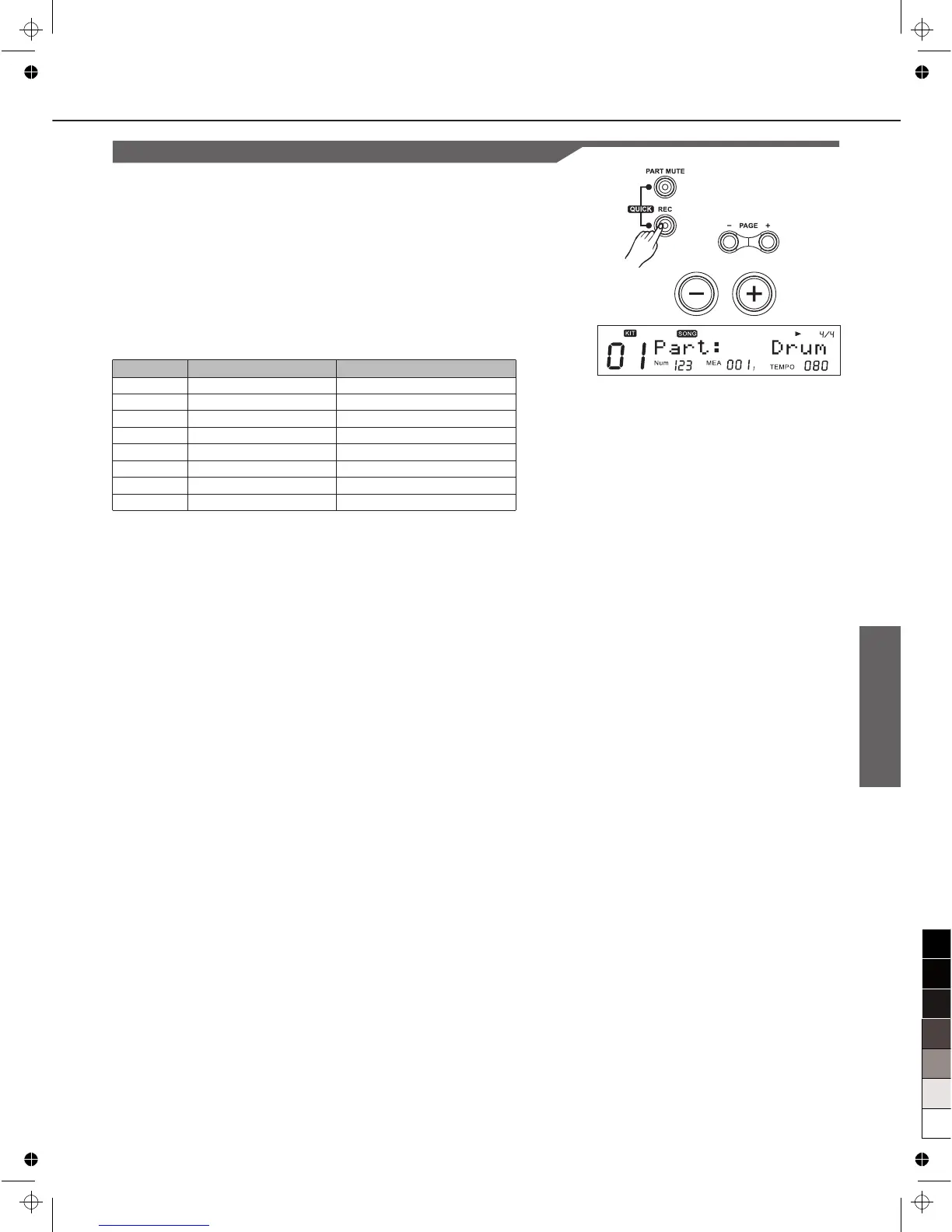
1. Press [REC] button,enter record standby status.The display
will show reocrd setting page as right:
2. Press [PAGE+]/ [PAGE-] to select the parameter you wish to
edit.
3. Press [+]/[-] or use the DIAL to choose the record part and
make record setting.
Part
Record drum or percussion part(Part1~Part5 should also be
recorded if ch12~ch16 of MIDI IN have notes).
Note:
When select the part Perc and its original voice is GM KIT, you
can only record in NEW mode.
Mode
-Refer to Drum/Percussion Parts:
Overdub: Record based on the original data of current song
part (“Part:”);
New: Delete the original data of current song part and record a
new one.
- Refer to Part1~Part5:
Always record based on the original data of current song Parts.
Loop
OFF: 1 shot;
1~99: loop 1 ~ 99 measures; (If you record a song based on a
preset song, it will not display from 1 to 99. For example, if you
choose Fusion1 as a preset song, it will display "9"~99 which is
longer than the length of the song "Fusion1".)
All: Loop all measure (it appears only when current song is not
a new one);
Qntize
1. Quantize all the parts which are being recorded, including
drum, percussion, part1 ~part5;
2. Refer to note on: quantize the note starting position but not
note length;
3. Refer to controllers: NOT quantize.
Record(RECORD)
27
Record Setting
Parameter
Part*
TimeSig
Tempo
Mode*
Loop*
Qntize*
Sync-ST
Precount
Function
Select record part
record time signature
tempo
record mode
loop length
Quantize resolution
synchronous start
Set pre-count measure
PARA RANGE ([+]/[-])
Drum/Perc
1-9/2, 1-9/4, 1-9/8,1-9/16
30~280
New/Overdub
OFF/ALL/1~99
OFF/8/8T/16/16T/32/32T/64
OFF/ON
0~2



 To Next Page