29
Setting the Metronome (CLICK)
Click On/Off
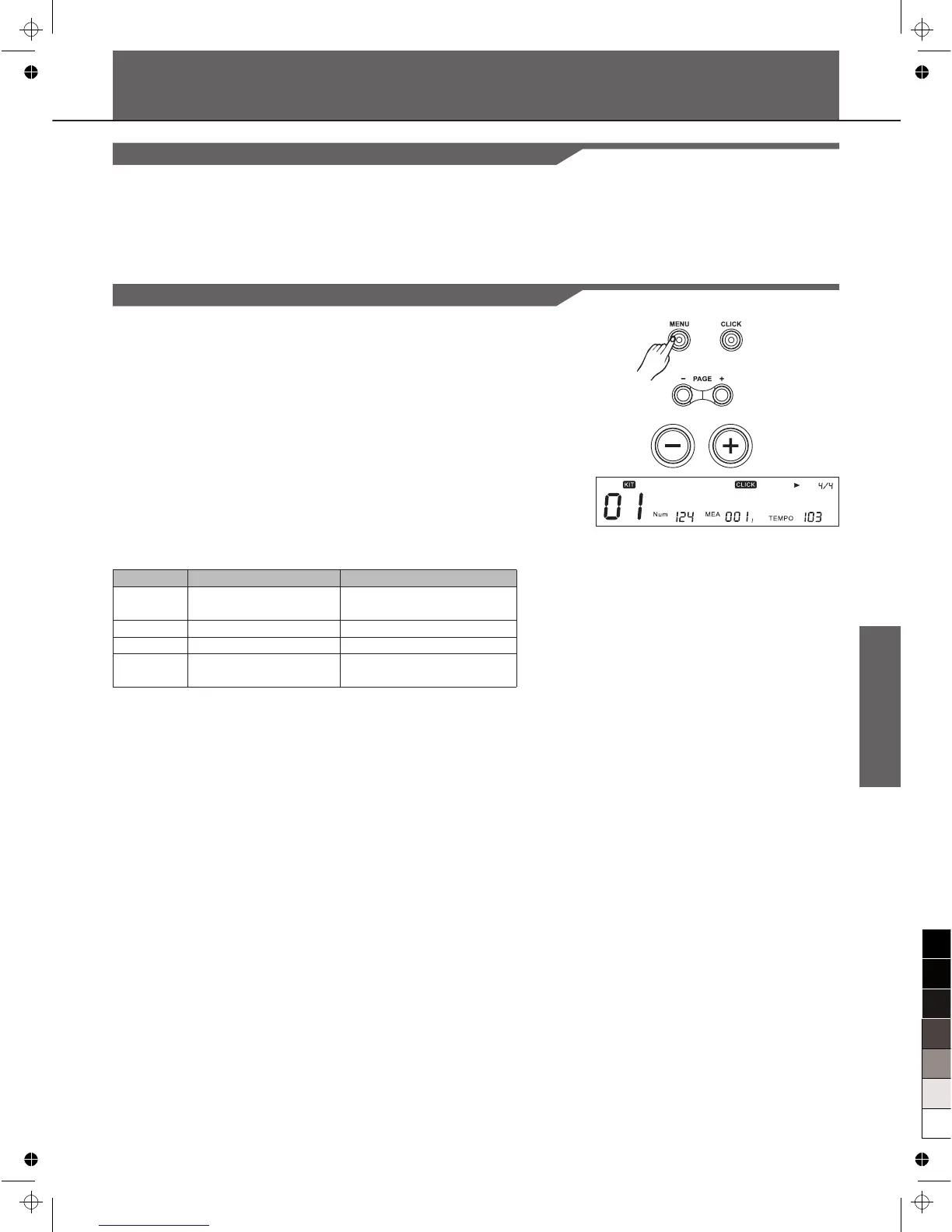
You can switch the click sound on and off by pressing [CLICK].
[CLICK] flashes while the click sound is set to be played.
Note:
In DEMO,[CLICK] is invalid.
Click Settings
1. Holding down [MENU] and pressing [CLICK] enter the screen
of click settings.
2. Press [Page+]/[Page-] to select menu of click settings.
3. Press [+] / [-] or DIAL to adjust parameters.
Note:
During click playing, entering the menu of click settings will not
interrupt playback of click.
TimeSig:
Specify the time signature of the click sound. When the beat per
measure is set to "0", no accent is added to the first beat.
Note:
During playback of a song, time signature can not be edited.
Parameter
ClickVol
TimeSig*
Interval
Voc
Function
The volume of the click
sound
Click time signature
Click playback Interval
Selecting the Click
voice
PARA RANGE ([+]/[-])
0~32
0-9/2, 0-9/4, 0-9/8,0-9/16
1/2,3/8,1/4,1/8,1/12,1/16
Voice/Metro/Claves/Sticks/
Cowbell/Click
C l i c k V o l : 2 0



 To Next Page