Song Selection
Part Settings (Drum/Perc/Part1~Part5)
Parameter
Kit Set
Volume
Reverb
Brief Explain
Kit Number applied
for drum part
Part Volume
Part Reverb
Range
1-109 (include GM KIT)
1-99 (if programmed with Local
Kit)
100-109 (if programmed with
GM Kit)
0~32
0~32
Parameter
Voc*
Volume
Pan
Reverb
Brief Explain
Voice applied for
part1~part5
Part volume
Part pan
Part reverb
Range
1~128
0~32
L8~Center~R8
0~32
21
Drum/Perc Part
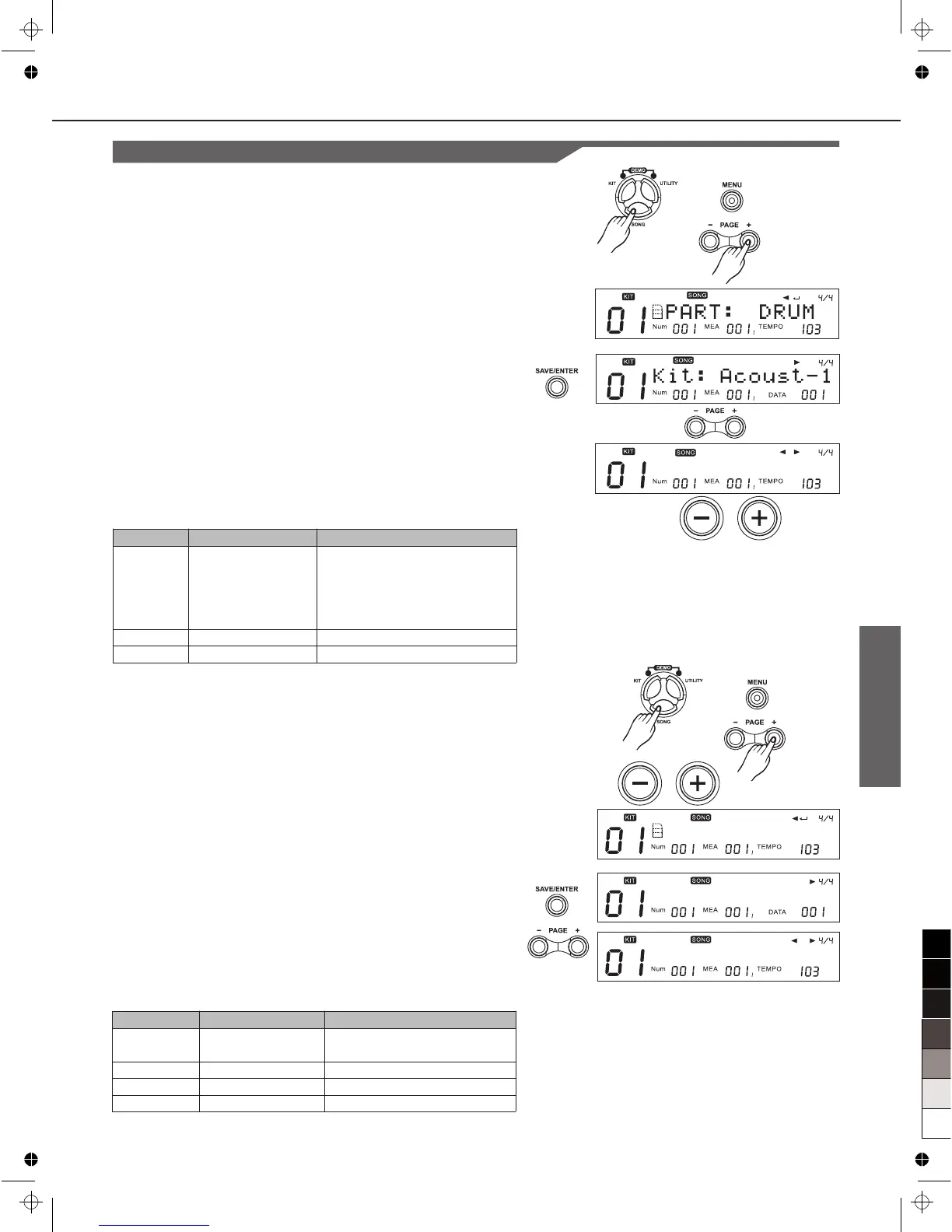
1. Press [SONG], then [MENU].
2. Press [PAGE+], "PART: DRUM" will appear.
3. Press [+]/[-] or use DIAL to select the corresponding part.
4. Press [PAGE+]/[PAGE-], select setting menu.
5. Press [+]/[-] or use the DIAL to adjust settings of the
corresponding parameters.
Part1~Part5
1. Press [SONG], then [MENU]
2. Press [PAGE+], the “PART:” will appear.
3. Press [+]/[-] or use the DIAL to select Part1~Part5.
4. Press [SAVE/ENTER] enter the screen of part settings.
5. Press [PAGE+]/[PAGE-], to select setting menu.
6. Press [+]/[-] or use the DIAL to adjust settings of the
corresponding parameters.
Voc:
Each preset song has its default voice.
P A R T : P A R T 1
V o c : G r a n d P n o
V o l u m e : 0
V o l u m e : 2 0



 To Next Page