14
Selecting a Drum Kit
Playing a Song by Hitting a Pad (Pad Pattern)
The Pad Pattern function is used to play a pattern by triggering a
pad. This function provides a very convenient way to use
patterns during a live performance.
Pad Pattern setting
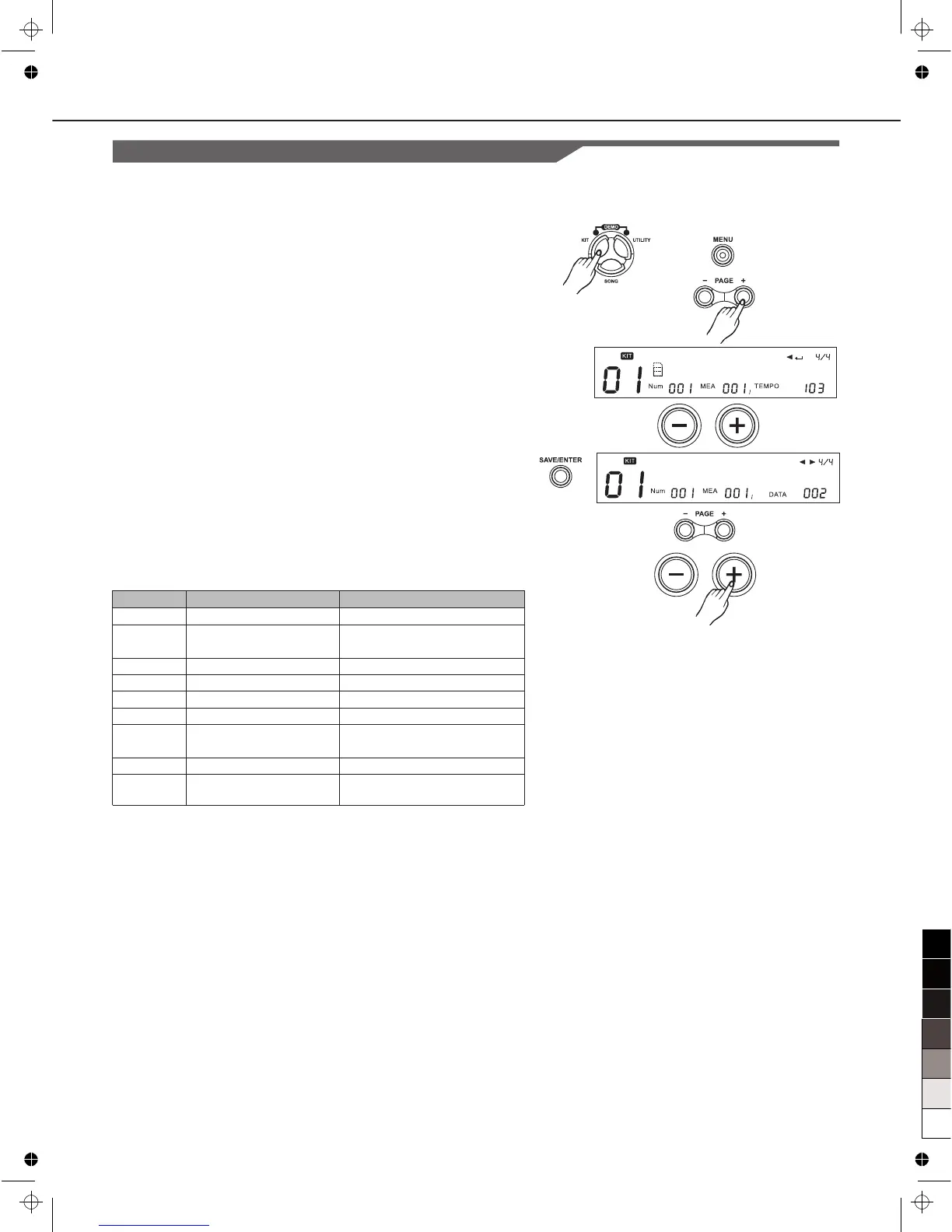
1. Press [KIT], then [MENU].
2. Press [PAGE+]
The “PATTERN:” will appear.
3. Press Pad Select button or strike a pad you wish.
4. Press [+]/[-] button or use the DIAL to Switch pad pattern
function OFF to ON.
5. Press [SAVE/ENTER] to set parameter. Pad Pattern
parameter will be displayed.
6. Press [PAGE+]/[PAGE-] button to select parameters to be set.
7. Press [+]/[-] button or use the DIAL to Make the setting.
PATTERN: OFF
Grp: DrumLoop
Parameter
Pattern
Grp*
Sng*
Retrig*
VelCtrl*
Volume
X’Pose
RstTime*
DrumVoc*
Function
Pad Pattern switch
Pad pattern group
Pad pattern index
retrigger mode
velocity control volume
Volume
Pad pattern’s transpose
for melody track
reset time
Whether drum voice
sound
Para Range ([+]/[-])
OFF/ON
DrumLoop/1 Shot/ PercLoop
/HIT/TAP/ UserSong
1~220
ST/SP、ReST
OFF/ON
0~32
-12~12
OFF/0.1s~4.0s(unit 0.1s)
OFF/ON
Grp、Sng:
All the Songs (including Preset Songs, User Songs) can be
selected for pad pattern; If you select Hit/Tap as pad pattern song,
be sure that the drum module support at most 7 pad be set as
Pad Pattern to play Hit/Tap simultaneously.
Use the DIAL or press the [+]/ [-] button to select a song you like,
when another song group is selected, the menu “Grp:” will
refresh simultaneously.
VelCtrl:
This is used to define whether the playback volume is controlled
by the velocity of percussion.
ON: Control the volume of the pad pattern’s play by
trigger velocity
OFF: Playback the song with the default volume
(the default volume can be adjusted in the next menu
“volume: ”).
Retrig and RstTime:
When you select the Song of type…
Loop or 1shot: “RstTime” menu displays invalid (“---”);
Tap: “Retrig” menu displays invalid (“---”);
Hit: RstTime and Retrig menu all display invalid (“---”);



 To Next Page