SD Card Operation(CARD)
File Operations
You can easily delete a file, load back your previous settings,
format the card or even put your favorite song into the digital
drum as a user song by using the SD card menu.
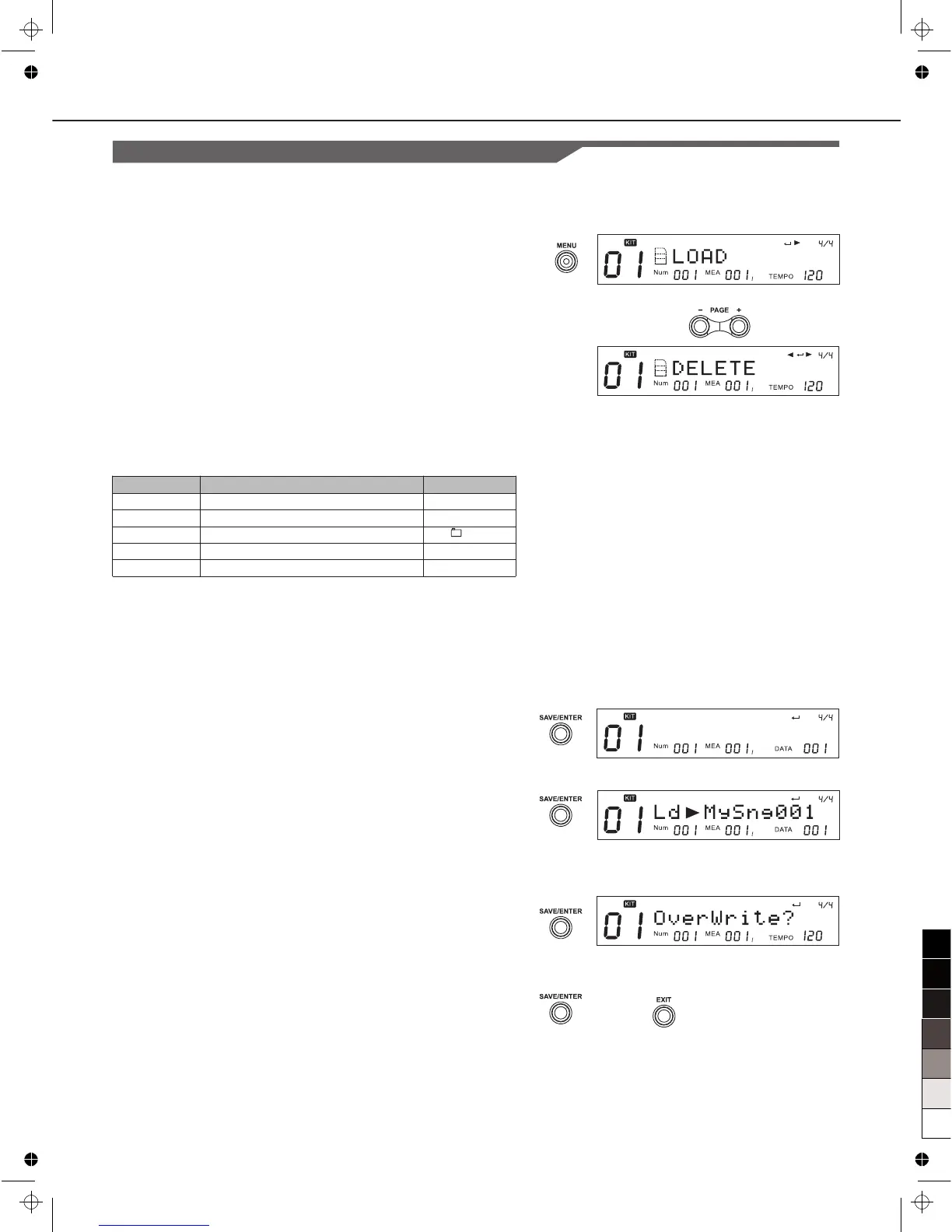
1. Press [MENU] button when browsing the card to enter the
card menu.
2. Use [PAGE+] or [PAGE-] to select operations.
Note:
“Load” and “Delete” are shown only when the current selected
item is a file (not folder).
LOAD
You can load a MIDI file to be a user song, or load back the
setting of the Kits (*.KIT), all user songs (*.SNG), or your global
setting (*.SET).
E.g. if you want to load a MIDI file to be a user song, after
you’ve selected the “Load” in the card menu.
1. Press [SAVE/ENTER] button,you’ll be asked to select the
type of the user song after the MIDI file is loaded. Use [+], [-]
or DIAL to select among 1 Shot, Loop, Tap and Hit.
2. Press [SAVE/ENTER] to confirm your selection, you will be
asked to select the user song memory slot which should be
used to save the new song. If there’s a “*” before the name of
the selection, it means it’s empty and it’s safe to save the new
song into it without worrying about losing your previous data.
3. Press [SAVE/ENTER] to confirm your selection.
If you have selected a user song memory slot which is not
empty, we will ask you to confirm the over write operation.
You can use [SAVE/ENTER] to confirm or use [EXIT] to go
back to the last step and change your selection.
4. If you confirm the selection, the MIDI file would be loaded to
the selected user song memory slot, and you will see “Song
Loaded!”
Operation
LOAD
DELETE
LOOP
PRECOUNT
FORMAT
Function
Load current file
Delete current file
Select loop mode of the playback
Set the pre-count of playback
Format the card
Parameters
/
/
/1
0, 1, 2
/
36
L d T y p e : 1 S h o t



 To Next Page