Voc: Standrd A
Selecting a Drum Kit
Editing Voices Parameters
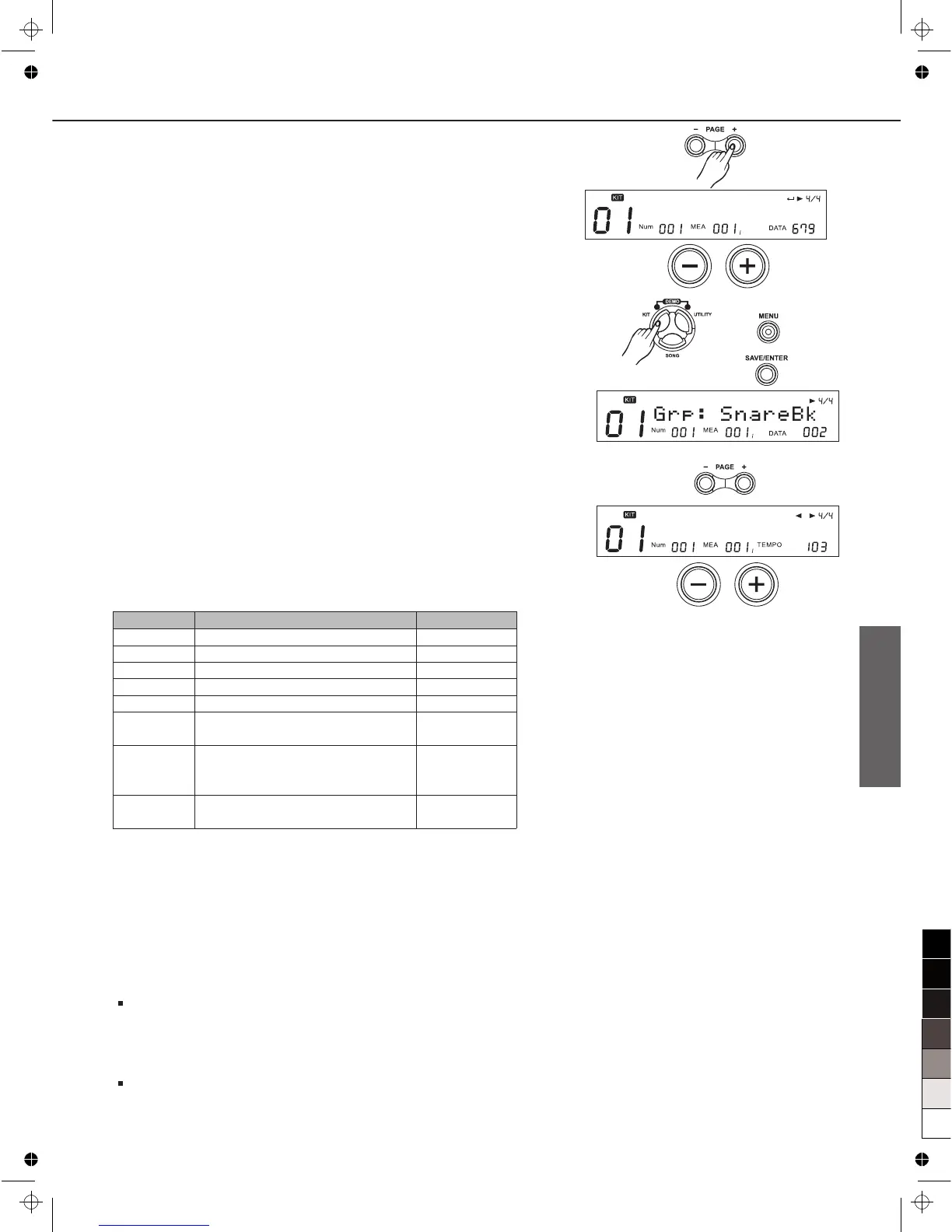
1. Press [KIT], then [MENU].
2. Press [SAVE/ENTER].
The voice group name will appear.
3. Press Pad Select button or strike a pad you wish.
4. Press [PAGE+] / [PAGE-] button select parameters to be edit.
5. Press [+]/[-] button or use the DIAL to Make the setting.
Volume: 20
MIDI Note:
Adjust the midi note of each pad triggers sending out through
MIDI OUT Port.
For each Pad trigger's default MIDI Note, (See detail as Table
Trigger MIDI Note).
If two trigger selected the same Midi Note, the LCD will display
“!” to suggest you to change another.
Note:
After selecting HH Combi group, you can adjust the
parameter for all the hi-hat pad together, including Open Hi-
Hat, Open Hi-Hat Rim, Half-Open Hi-Hat, Half-Open Hi-Hat
Rim, Close Hi-Hat, Close Hi-Hat Rim, Pedal Hi-Hat, Splash;
Distinguishingly, Hi-Hat Pedal volume (including Pedal Hi-Hat
and Splash), can be adjusted separately;
13
Parameter
Volume
Pan
Pitch
Decay
RvbLevel
*MidiNote
Duration
StartVol
Function
Set volume of each pad voice
Set panning of each pad voice
Set pitch of each pad voice
Set decay of each pad voice
Set reverb level of each pad voice
Set the MIDI note numbers to be
transmitted by each pad.
Set the pad note length(the time
between note on and note off) for
MIDI Out.
Set start volume of each pad
voice
5. Press [PAGE+]
The Hi-Hat Combination group name will appear.
6. Press [+]/[-] button or use the DIAL to select the one of the
Hi-Hat Combination group.
The digital drum has 18 Hi-Hat Combination group, see detail
on Appecdices.
Range
0~32
L8~R8/Center
-8~+8
-5~0
0~32
0~127
0.1s~0.8s
0~32



 To Next Page