Setup
Caution!
To prevent electric shock and damage to the device, make sure the power is switched
OFF on the drum and all related device before making any connection.
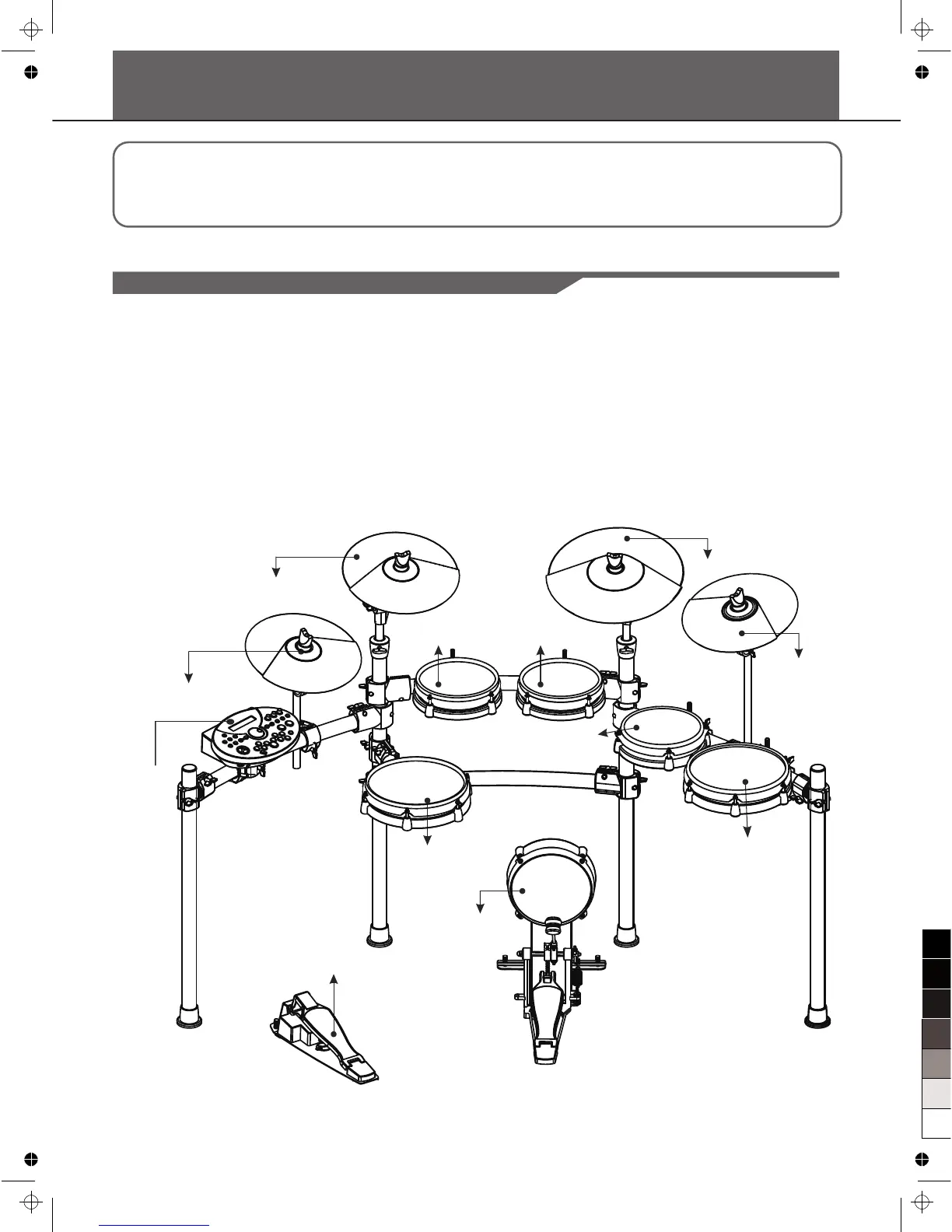
Connect the Pads and the Pedals
Using the provided cables, connect each Trigger input jack on the rear panel of the module, and make sure each
pad is connected to its corresponding Trigger input jack.
Note:
1. The voice of hi-hat pad hitting is controlled by hi-hat pedal. Similar to a real drum kit, the hi-hat pad functioned as
an 'open hi-hat' when the pedal is released. When the pedal is stepped, it functions as a 'closed hi-hat'
2. The valid striking area of a cymbal pad (ride, crash or hi-hat) is near the edge of the pad, which is different from
other pads.
6
to HI-HAT
DRUM MODULE
to SNARE
to HH CTRL
TOM 1 to
to CRASH 1
to RIDE
TOM 2 to
TOM 4 to
CRASH 2to
TOM 3 to
to KICK



 To Next Page