Song Selection (SONG)
18
Important Parameters Here
SONG
SETUP
PART
Kit
Volume
Reverb
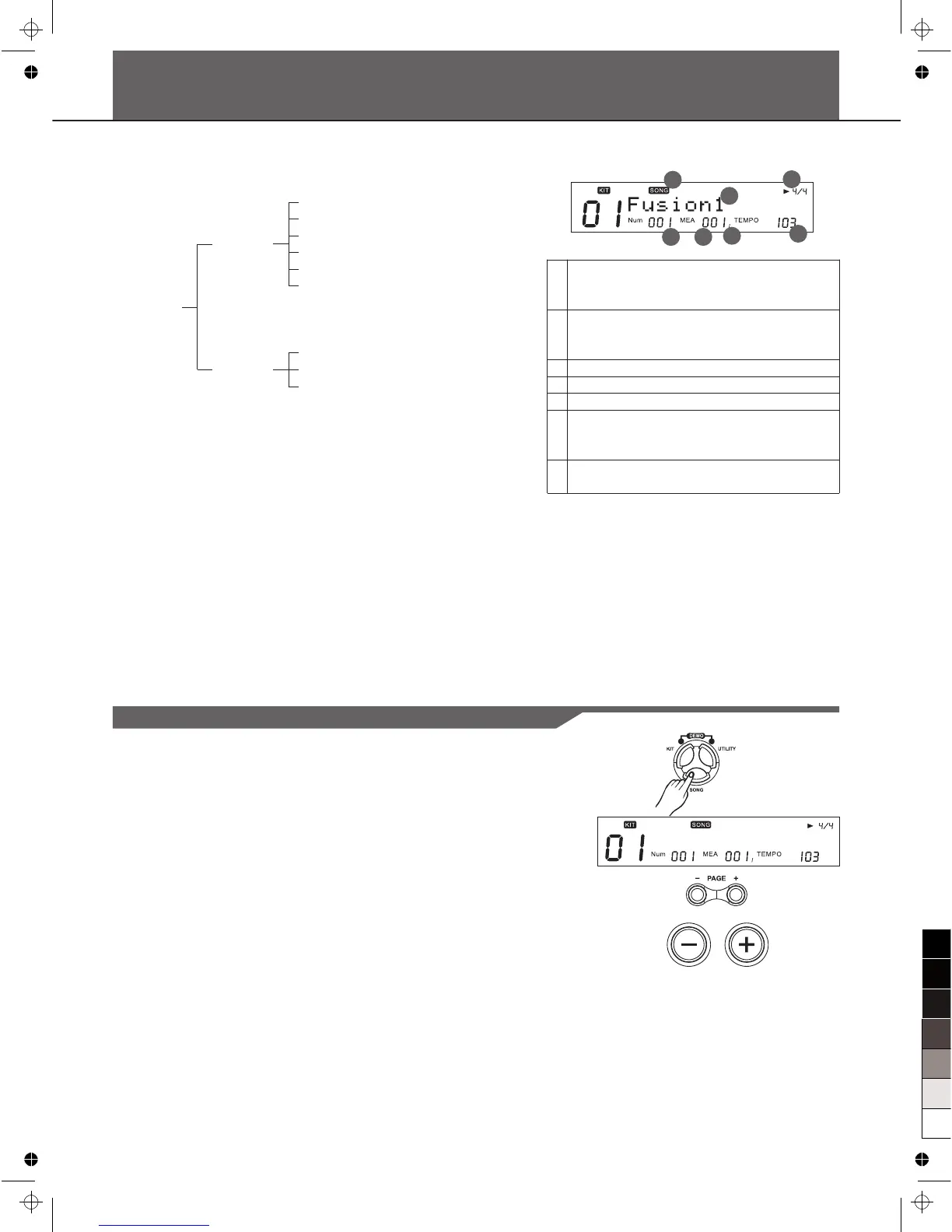
About Song Screen
1
3
2
4
5
6
7
1 Song number
Indicates the number of the currently
selected song.
2 Measure number
When you press [PLAY/STOP], playback
begins from the measure shown here
3 Beat
4 Current Tempo
5 The Beat of this song
6 Song name
Indicates the name of the currently
selected song.
7 Indicator “song” appears when press
[SONG]
About Song
The digital drum comes with 220 songs. Preset (Internal) Songs
(Songs 1-120) and User Songs (Songs 121-220).
The digital drum's sequencer organizes music into seven parts.
The Drum Kit part is used to record/playback what is played on
the pads. Additionally, Percussion part, Part 1, Part 2, Part 3,
Part 4 and Part 5 are the 6 backing instrument parts (backing
parts). The collective performance of these 7 parts is called a
song.
Song Choosing
1. Press [SONG]
The SONG screen appears. In song screen, "*" indicates a
new User song.
2. Press [PAGE+] / [PAGE-] to select the song category.
3. Press [+] / [-] or use the DIAL to select the Song.
Song Category:
Drum Loop, 1 Shot, Percussion Loop, Hit, Tap, User Song
F u s i o n 1
Tempo
T-Sig
Mode
Pre Count
Kit Link
Tap Sync



 To Next Page