Pad and Trigger Setting(UTILITY)
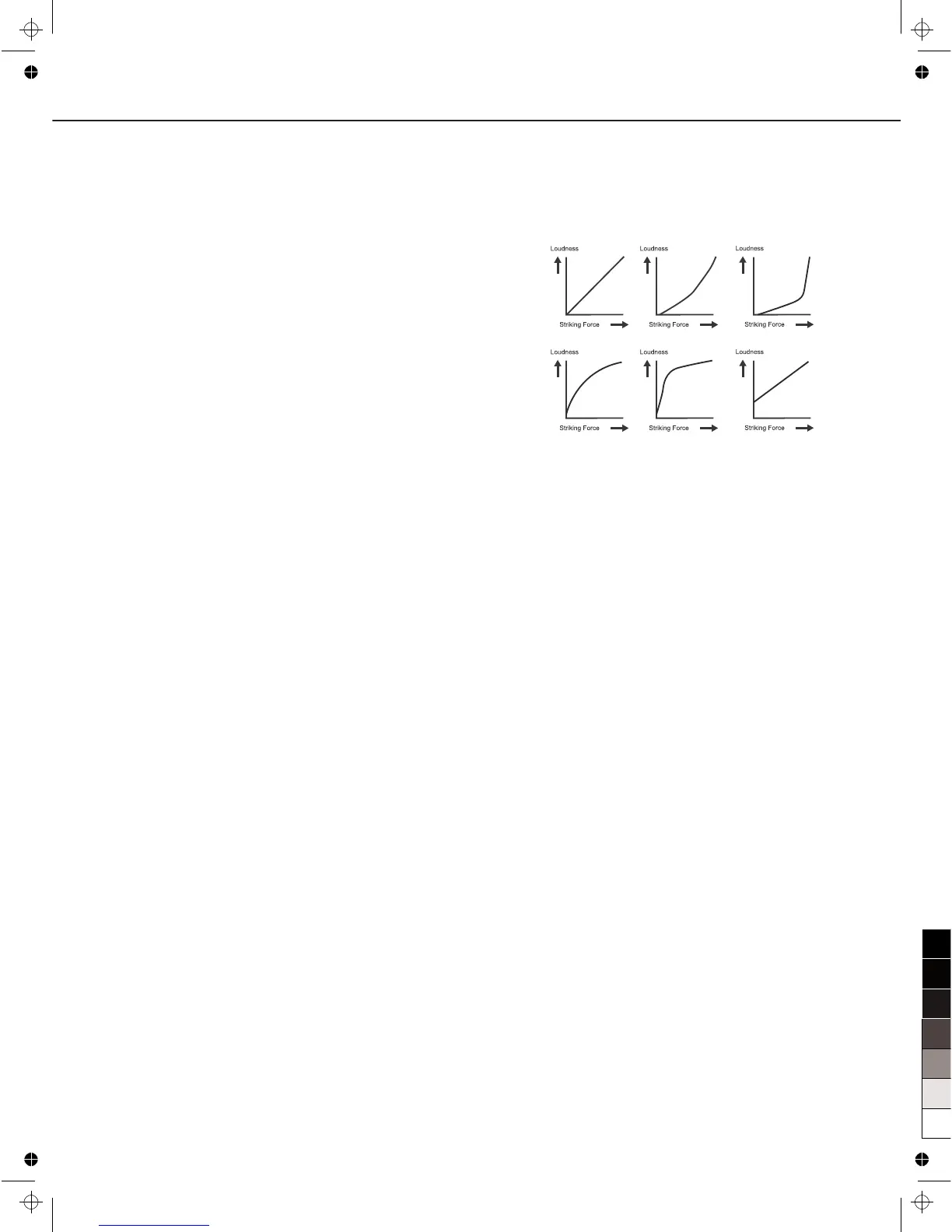
Curve (Trigger curve)
This setting allows you to control the relation between the
velocity (striking force) and changes in volume (the dynamic
curve.) Adjust this curve until the response feels as natural as
possible.
Normal: The standard setting. This produces the natural
correspondence between the strength of the strike and
the change in volume.
Exp1/2: Compared to Normal, a strong strike will produce a
greater change.
Log1/2: Compared to Normal, a soft strike will produce a
greater change.
Loud: Changes made in response to the striking force are
minor.When using drum triggers, these settings help
maintain stable levels.
Retrig-C (Retrigger cancel)
Playing snare drum pads and other devices with commercially
available acoustic drum triggers attached may result in altered
waveforms, which may also cause inadvertent sounding. This
occurs in particular at the decaying edge of the waveform.
Retrigger Cancel detects such distortion in and prevents
retriggering from occurring. Although setting this to a high value
prevents retriggering, it then becomes easy for sounds to be
omitted when the drums played fast (roll etc.). Set this to the
lowest value possible while still ensuring that there is no
retriggering.
X- Talk(Cross talk)
When two pads are mounted on the same stand, the vibration
produced by hitting one pad may trigger the sound from another
pad unintentionally (This is called crosstalk.) You can avoid this
problem by adjusting Crosstalk Cancel on the pad that is
sounding inadvertently. If the value is set too high, then when
two pads are played simultaneously, the one that is struck less
forcefully will not sound. So be careful and set this parameter to
the minimum value required to prevent such crosstalk. With a
setting of “0”, crosstalk prevention does not function.
Rim-Adj
There are some cases that you have a rim sound unexpectedly
when you hit head strongly. You can improve this situation with
decreasing this value.
When select Snare/Tom1~Tom4 or the trigger rims, the
parameter displays the RimShot value; if not, it displays “---”.
Splash-S
When select P HIHAT or Splash, the parameter displays the
splash sensitivity; if selected other invalid triggers, it displays
“---”.
32
Normal Exp1 Exp2
Log1 Log2 Loud



 To Next Page