DLS / DLS-C Series
75
Cod.: 240.010.0042
7.7 "SETTINGS" Menu
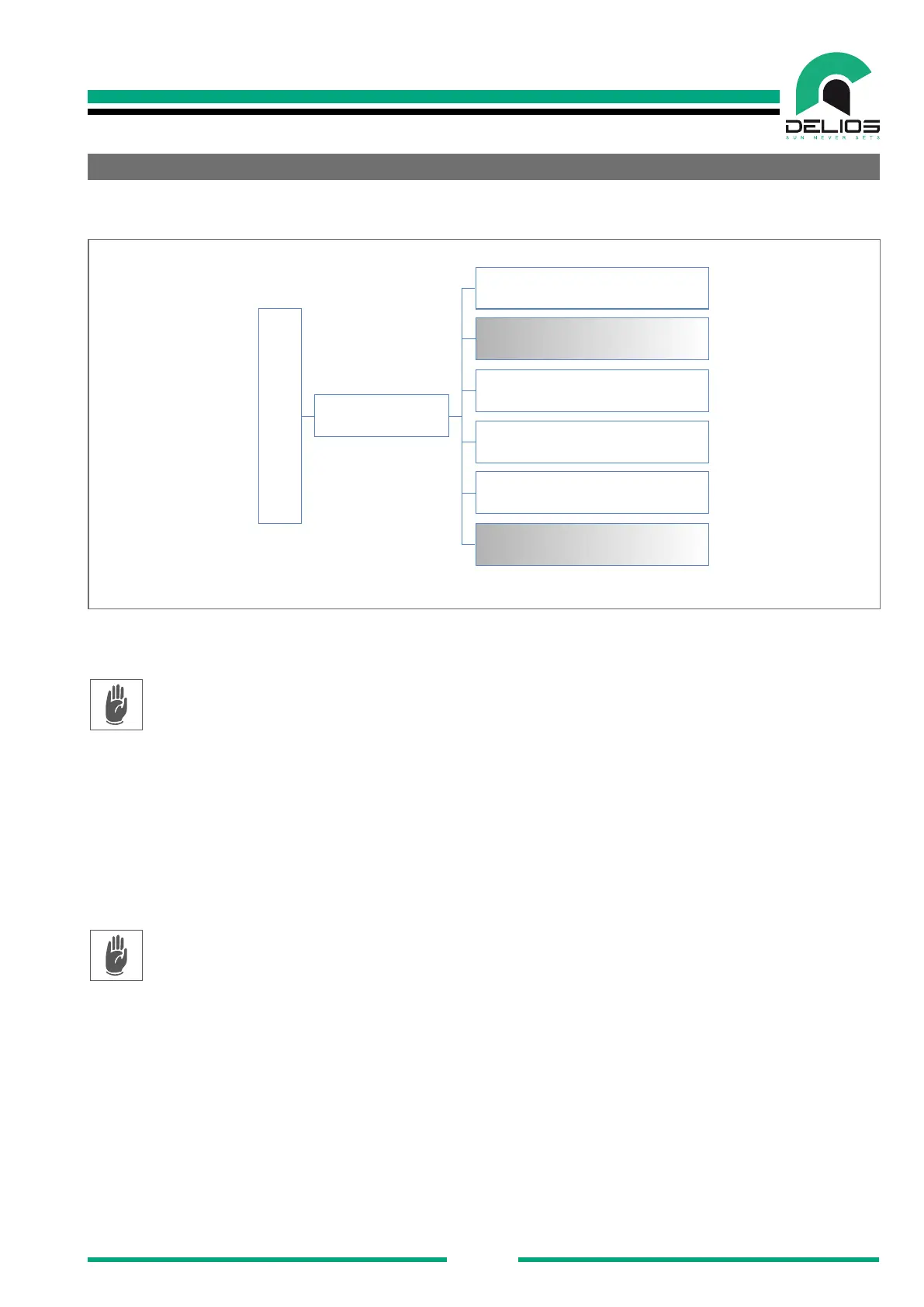
Access to the "SETTINGS" menu to access to the following submenus:
MENU
SETTINGS
GENERAL
PLANT
HOME AUTOMATION
BATTERY
NETWORKING
GRID CODE
1. "GENERAL" - The page allows to access general system settings and utilities.
2. "PLANT" - The page allows to access the plant settings. The settings are accessible only in the IN-
STALLER mode which require a password to be logged in (see the "LOGIN menu" section).
3. "HOME AUTOMATION" - The page allows you to access the home automation functions setting.
4. "BATTERY" - The page allows to access the battery settings. Some of the settings are accessible
only in the INSTALLER mode which require a password to be logged in (see the "LOGIN menu" sec-
tion).
5. "NETWORKING" - The page allows to access the settings to connect the system to a local data
network LAN or Wi-Fi. Some settings are accessible only in the INSTALLER mode which require a
password to be logged in (see the "LOGIN menu" section).
6. "GRID CODE" - The page allows to access the settings of the specic connection rules for the coun-
try where the system is installed. The settings are accessible only in the INSTALLER mode which
re-quire a password to be logged in (see the "LOGIN menu" section).


 To Next Page