76
Cod.: 240.010.0042
DLS / DLS-C Series
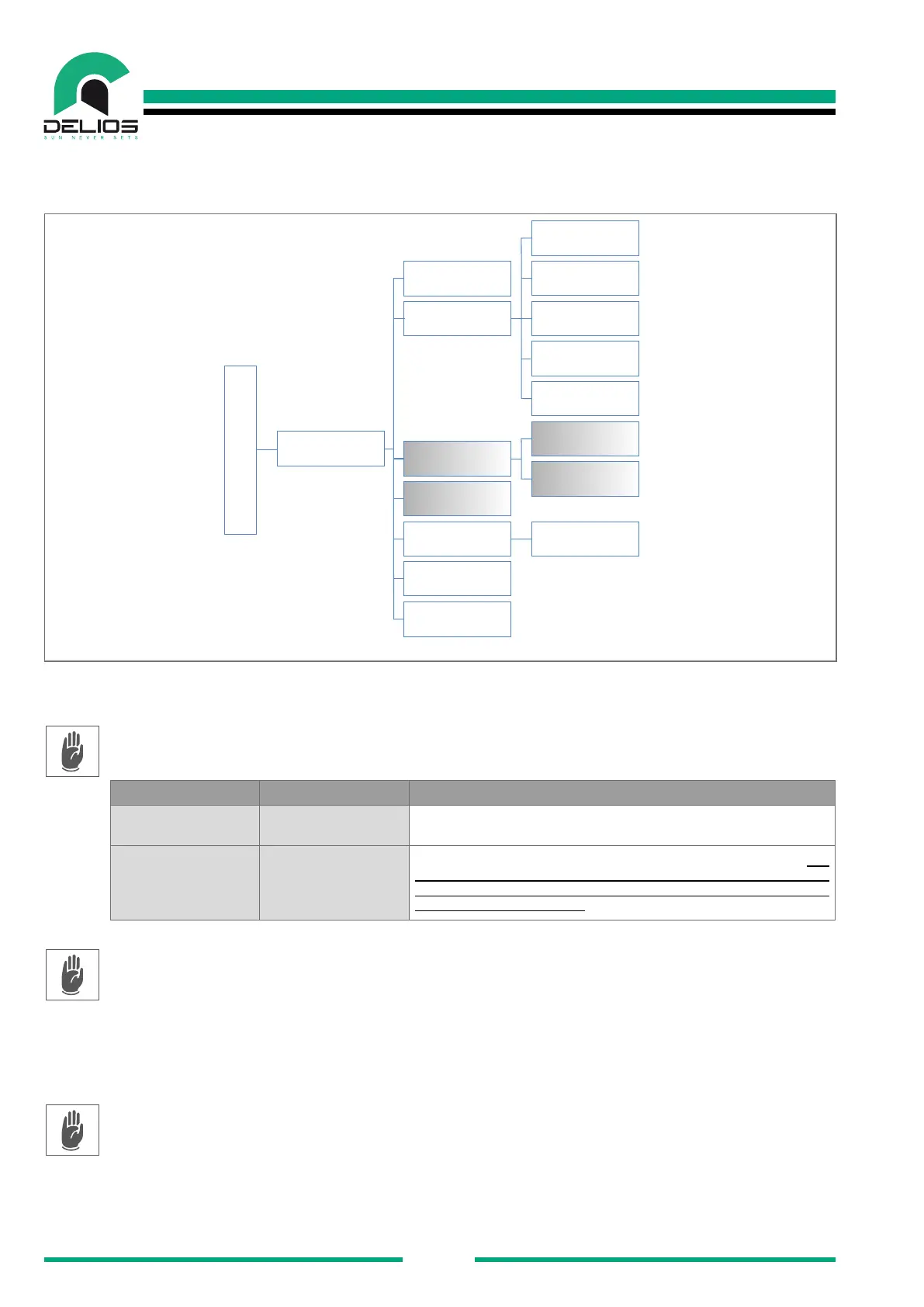
7.7.1 "GENERAL" Menu
Access to the "GENERAL" menu to access to the following submenus:
GENERAL
Date/Time
Language
Display Stand-by Timeout
Extra Settings
Fan Test
Dutch
German
French
English
Italian
FW Upgrade
System Reboot
Tools
Autotest
SETTINGS
1. "DATE / TIME" - The page allows to set the current date and time.
2. "LANGUAGE" - The page allows to select the language of the current display.
3. "TOOLS" - The page allows to access system tools. The settings are accessible only in the IN-
STALLER mode which require a password to be logged in (see the "LOGIN menu" section).
PARAMETER VALUE DESCRIPTION
Fan Test ON/OFF Forced ventilation enabling to check the correct operation of the fans.
Extra Settings 0 - 99999
The EXTRA parameters must be used only by qualied staff. The
modication of parameters by unqualied staff can affect the correct
functioning of the system, relieves the manufacturer from any liabilities
and invalidates the warranty.
4. "AUTOTEST" - The page allows to start the self-test and verify its correct execution. It is also pos-
sible to export the complete self-test report to external USB memory. The self-test procedure is only
relevant for Italy (CEI 0-21). It is possible to export the complete self-test report in TXT format to
external USB memory. Make sure to connect an external USB memory before carrying out the export
procedure. The settings are accessible only in the INSTALLER mode which require a password to be
logged in (see the "LOGIN menu" section).
5. "DISPLAY" - The page allows to set the time before the display enters the stand-by mode.
6. "FW UPGRADE" - The page allows to update the system rmware using a guided procedure. See the
"SYSTEM UP-DATE" section.
7. "SYSTEM REBOOT"- The page allows you to restart the display operative system.


 To Next Page