94
Cod.: 240.010.0042
DLS / DLS-C Series
8 MONITORING SYSTEM
8.1 General Information
The DELIOS monitoring system is an integrated and online datalogging platform (for registered devices)
that allows to access DLS devices and check their operating status at any time and from anywhere in the
world if an INTERNET connection is available.
Registered DLS systems send operating data at regular intervals which are collected and organized by the
integrated data logger and the DELIOS portal in order to provide system status in a simple and im-mediate
way.
There are two types of remote access to DLS systems:
a. DIRECT access on local Wi-Fi / LAN network via web browser
b. WEB access via https://webportal.delios-srl.it/ portal or via Delios Solar App available for Android
and iOS devices on local Wi-Fi / LAN network with INTERNET access.
8.2 Getting Started - Preparing to Wi-Fi/LAN connection
1
2
3
4
5
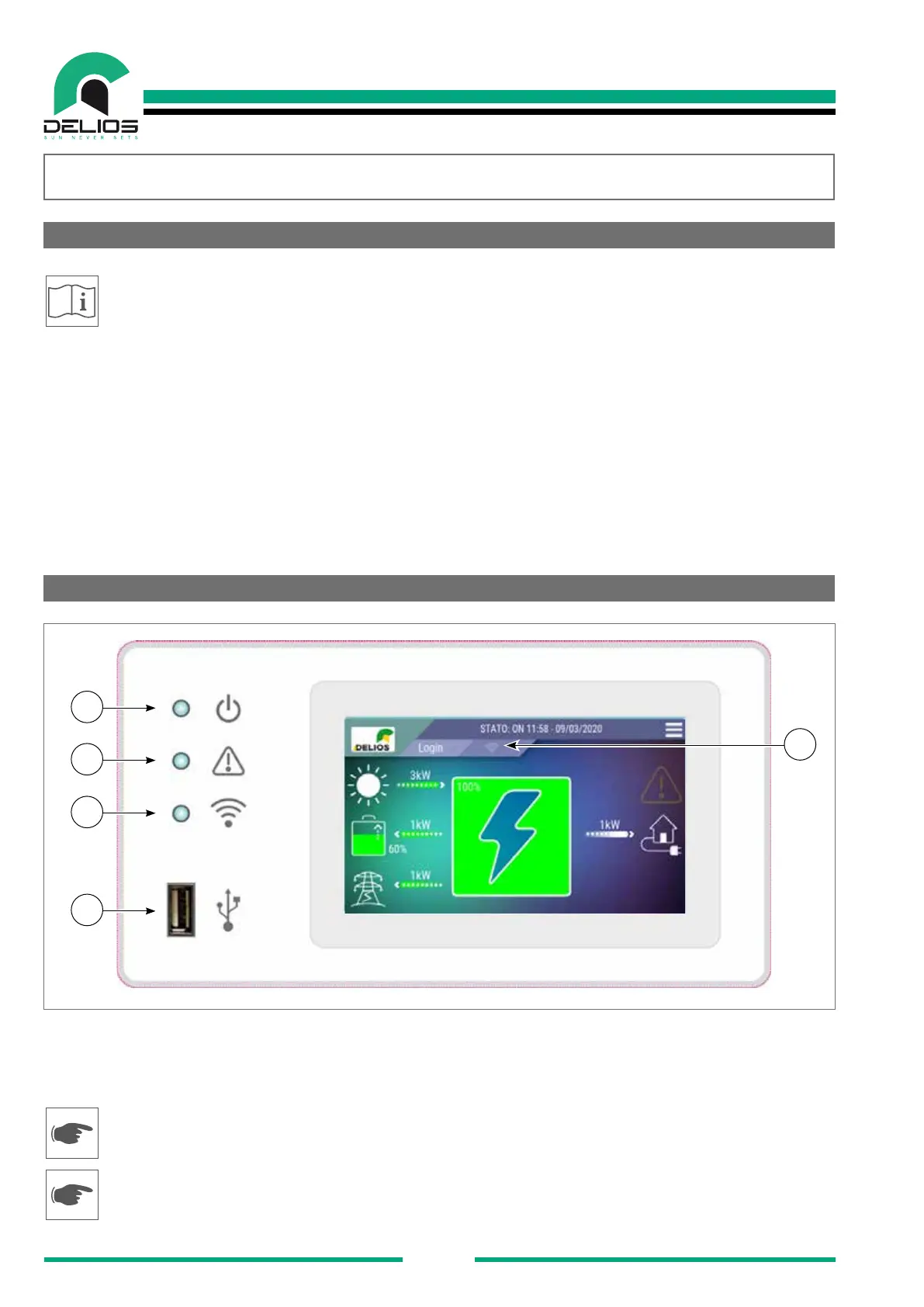
Make sure the DLS system is operating (green LED (1) blinking or steady on)
Make sure that the home Wi-Fi / LAN router is switched on and working properly.
Refer to the ELECTRICAL CONNECTIONS - Wi-Fi CONNECTION section for creating a Wi-Fi connection
with the router.
Refer to the ELECTRICAL CONNECTIONS - LAN CONNECTION section for creating a wired LAN connec-
tion with the router.


 To Next Page