DLS / DLS-C Series
95
Cod.: 240.010.0042
8.2.1 Connecting to a Wi-Fi network
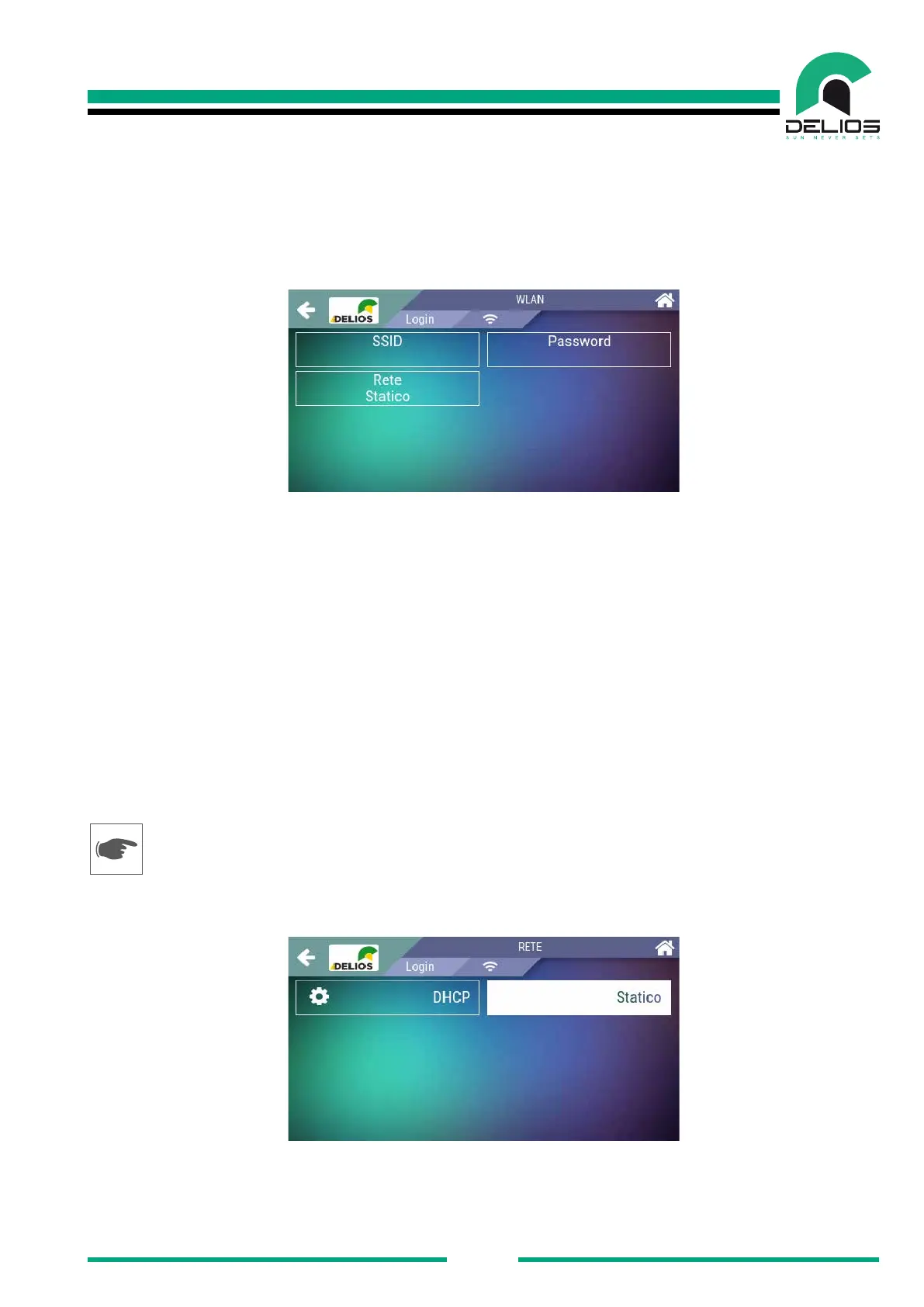
1. 1. Access, from the user panel, to the setup page through the following path:
MENU SETTINGS NETWORKING WLAN
2. Access the "SSID" menu and start scanning the available Wi-Fi networks.
3. Select the Wi-Fi network for the router to which the inverter is to be connected. The selection will be
conrmed by a check mark next to the selected network.
4. Access the "PASSWORD" menu and enter the security password for the selected Wi-Fi network and
conrm.
5. Wait for the connection to be established (blue LED (3) on and icon (5) highlighted)
6. The DLS system is now connected to the Wi-Fi network of the selected router.
8.2.2 Wi-Fi/LAN network settings
Based on the connection you made, access the "NETWORK" menu to perform the Wi-Fi / LAN network
settings by following the following paths:
MENU SETTINGS NETWORKING WLAN NETWORK
MENU SETTINGS NETWORKING LAN NETWORK


 To Next Page